ALIEN MEGA/MAX USER MANUAL
100
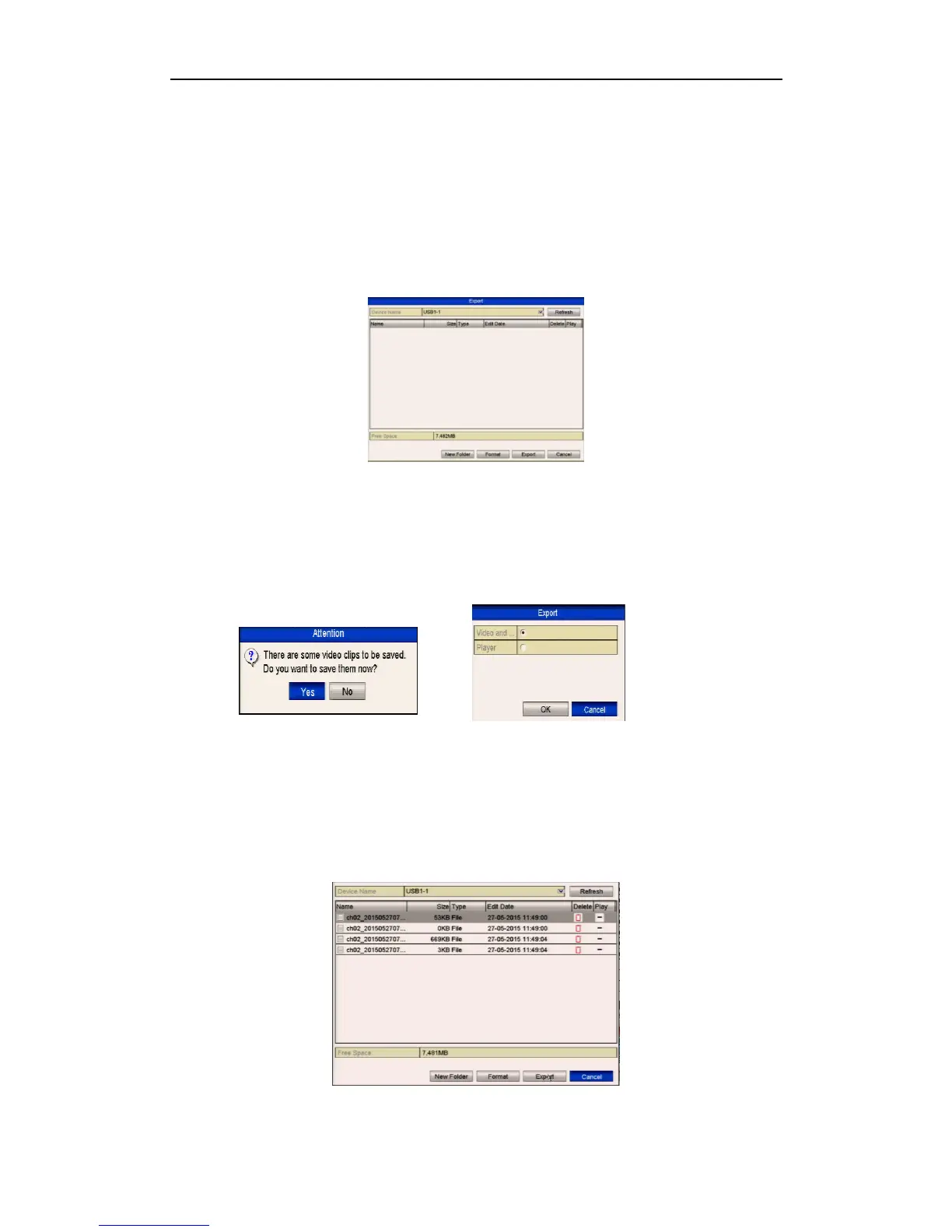
4. Click the button Export to export the selected video clips to the backup device.
If the inserted USB device is not recognised:
• Click the Refresh button.
• Reconnect device.
• Check for compatibility from vendor.
You can also format USB devices by clicking the Format button.
Up to 30 items of video clips can be selected for backup at one time.
Figure 7.1.3.3 Export Video Clips Using USB Flash Drive
Stay in the Exporting interface until all recorded files have been exported with
“Export finished” message displayed.
5. If there are clips not saved a prompt will display when you quit the Playback
interface.
Figures 7.1.3.4a Saving Video Clips 7.1.3.4b Select Video & Player or Player*
6. Click Yes to save video clips and enter Export interface or click No to quit
without saving video clips.
7. Check backup result. The player.exe will be exported automatically during
recorded file export. *Note some models allow separate Player backup.
Figure 7.1.3.5 Checkup of Video Clips Export Result Using USB Flash Drive



 To Next Page