ALIEN MEGA/MAX USER MANUAL
55
2. Choose pattern number from the dropdown list.
3. Click the Start button and click corresponding buttons in the control panel to
move the PTZ camera. The movement of the PTZ is then recorded as the pattern.
4. Click the Stop button to stop the PTZ.
4.2.6 Calling Patterns
Purpose:
Running the pattern.
Steps:
1. Click the button PTZ in the lower-right corner of the PTZ setting interface;
or press the PTZ button on the front panel or click the PTZ Control icon in the
quick setting bar, or select the PTZ option in the right-click menu to show the
PTZ control panel.
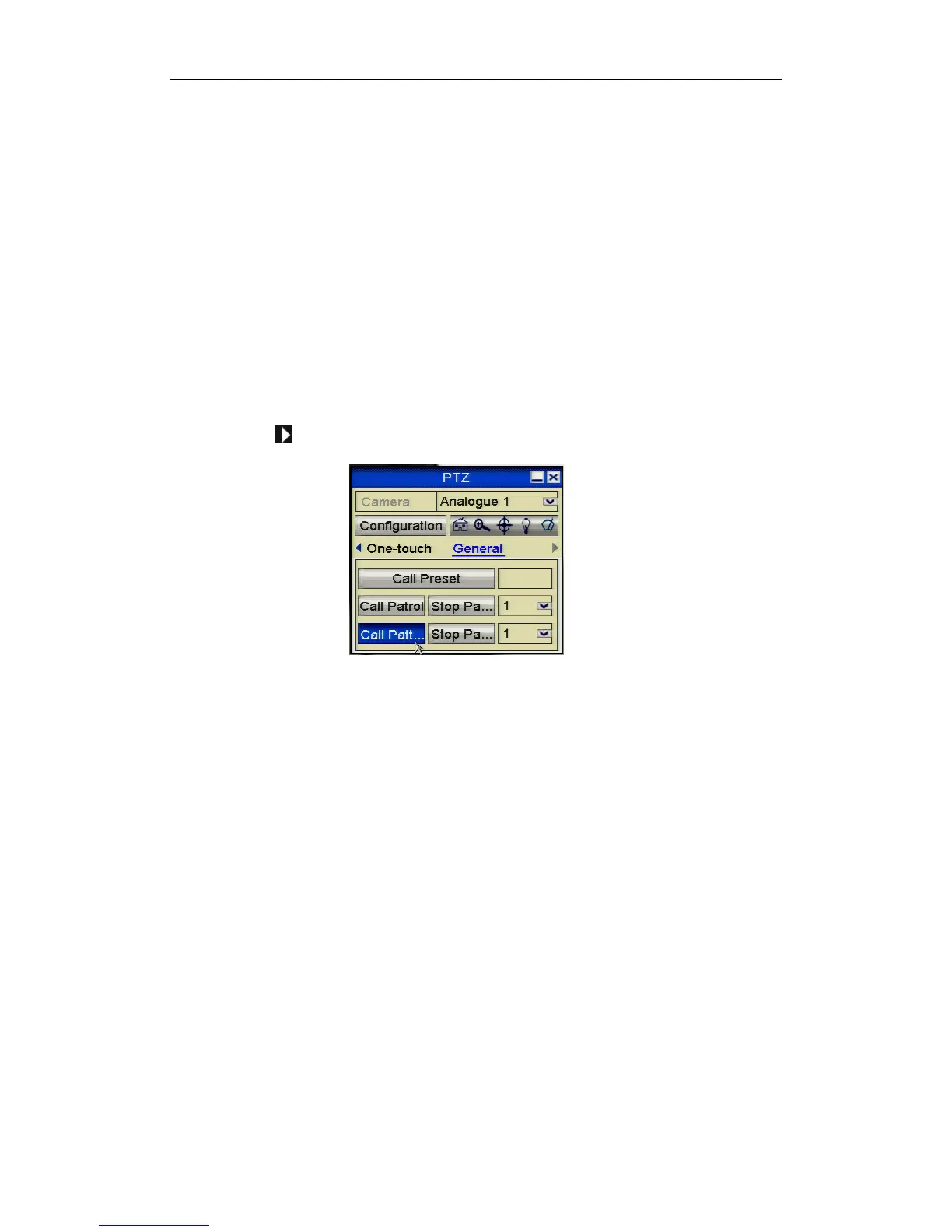
2. Click the button to show the general settings of the PTZ control.
Figure 4.2.6.1 PTZ Panel - Pattern
3. Click the Call Pattern button to call it.
4. Click the Stop Pattern button to stop it.
4.2.7 Customising Auto Scans
Purpose:
The Auto Scan can be enabled to trigger the PTZ to scan between two horizontal
positions.
This function is not supported by certain models.
Steps:
1. Enter the PTZ Control interface.
Menu > Video > PTZ



 To Next Page