ALIEN MEGA/MAX USER MANUAL
82
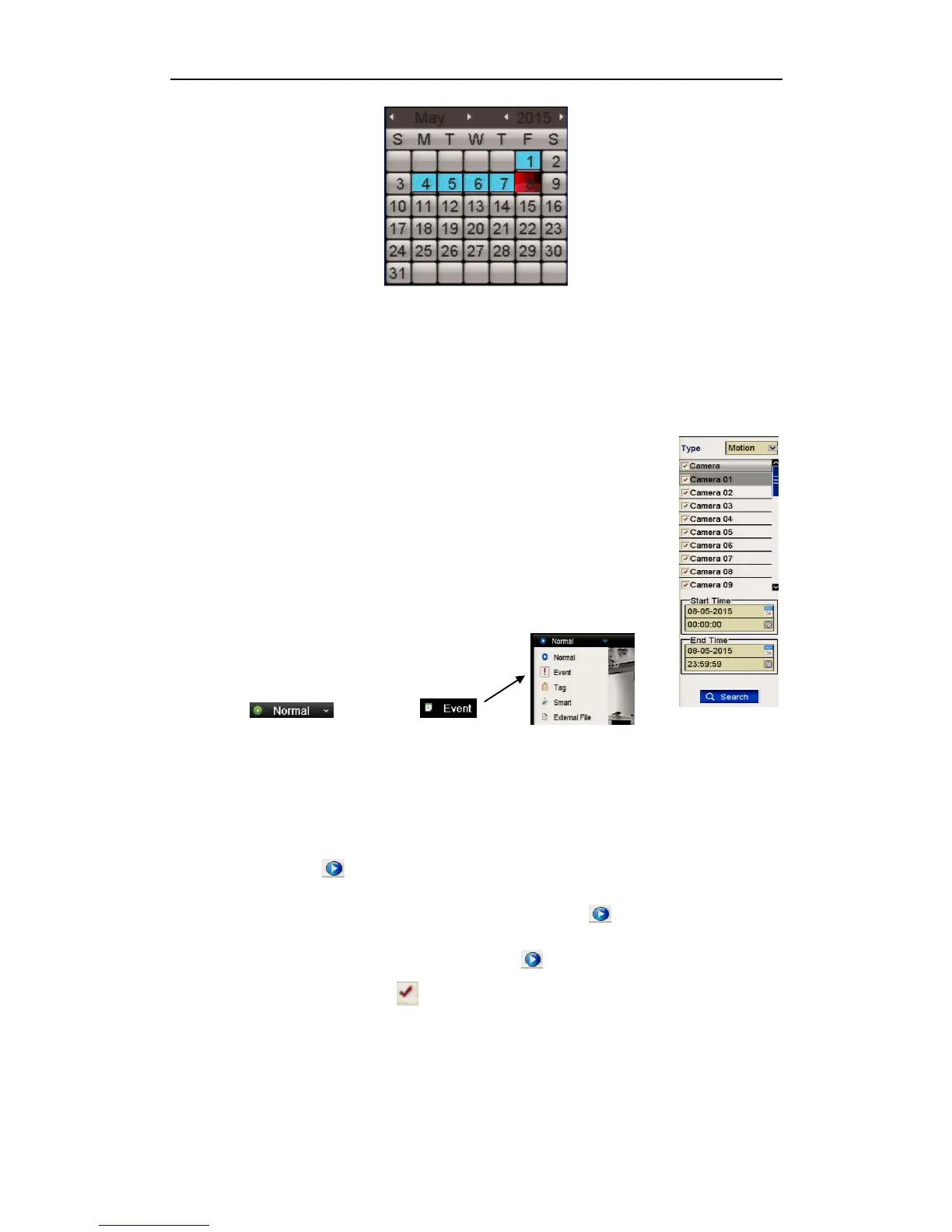
Figure 6.1.2.1 Playback Calendar
In the Playback interface:
The toolbar at the bottom of the Playback interface can be used to control playing
process. Please refer to Chapter 6. Playing Back by Channel for the playback
interface and toolbar information.
6.1.3 Playing Back by Event Search
Purpose:
Play back recorded files on one or several channels using event type
(motion detection, alarm input or VCA). Channel sequencing is
supported.
Playback by alarm input search is not supported by some
DVR models.
Figure 6.l.3.1 Video Search by Motion Detection
Steps:
1. Enter the playback interface.
Menu>Playback (Top Left Corner)
2. Click and select
to enter the Event Playback interface.
3. Select Alarm Input, Motion, Line Figure 6.1.3.2 Playback Options
Crossing Detection, Intrusion Detection
as the event type, and specify the start time and end time for search.
4. Click Search, and the record files matching the search conditions will be
displayed on a list.
5. Select and click button to play back the record files.
You can click Back to return to the search interface.
If there is only one channel triggered, clicking button takes you to
Full-screen Playback interface of this channel.
If several channels are triggered, clicking button takes you to the synch
playback interface. Check checkbox to select one channel for playback or
select multiple channels for synchronous playback.
The maximum number of channels for synchronous playback supported varies
with different models.



 To Next Page