ALIEN MEGA/MAX USER MANUAL
57
4.2.9 One-touch Park
Purpose:
Some PTZ cameras have a predefined park action option that allows the PTZ to
resume a (scan, preset, patrol etc.) automatically after a period of inactivity (park
time).
Steps:
1. Click the button PTZ in the lower-right corner of the PTZ setting interface;
or press the PTZ button on the front panel or click the PTZ Control icon in the
quick setting bar to enter the PTZ setting menu in live view mode.
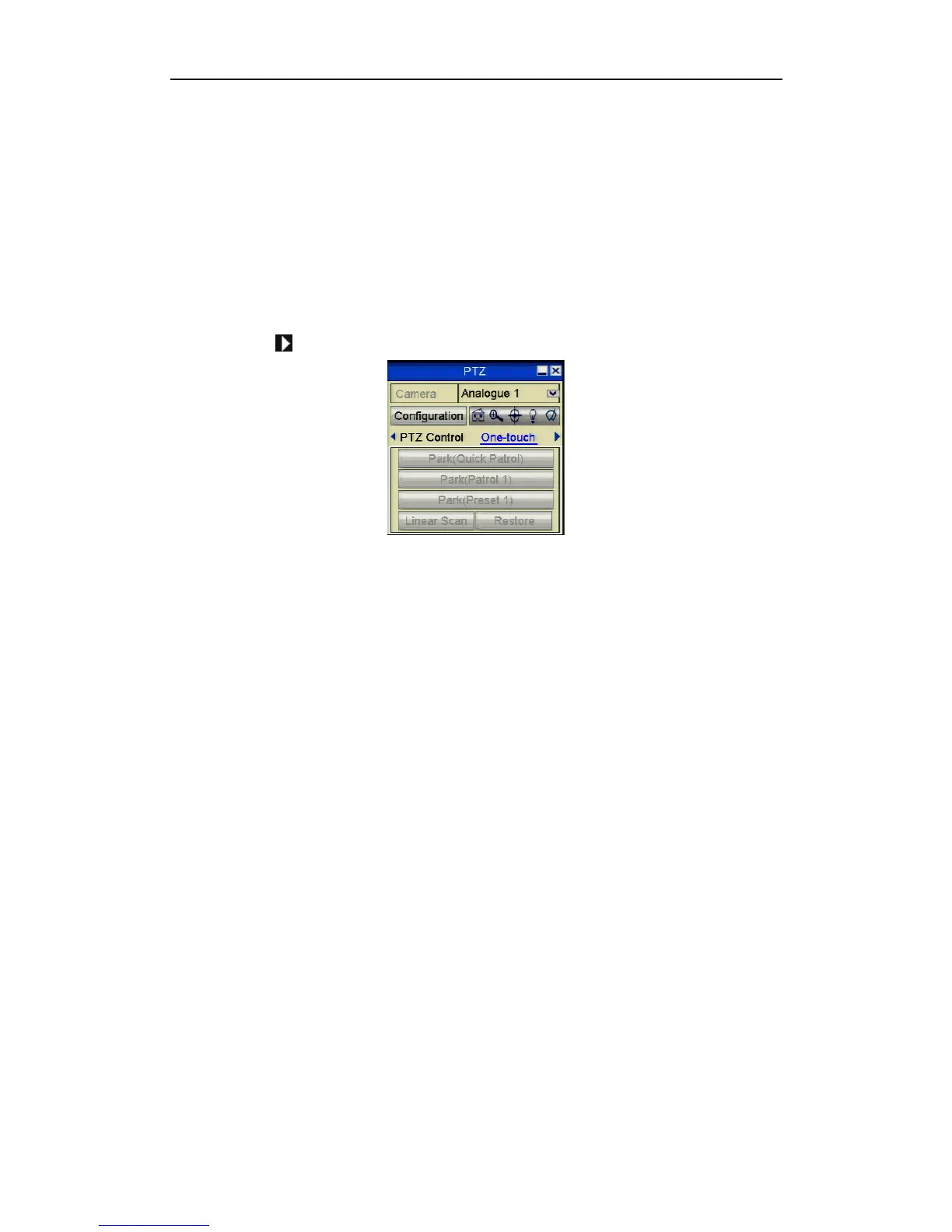
2. Click the button to show the one-touch function of the PTZ control.
Figure 4.2.9.1 PTZ Panel - One-touch
3. There are 3 one-touch park types selectable, click the corresponding button to
activate the park action.
Park (Quick Patrol): The dome starts patrol from the predefined preset 1 to
preset 32 in order after the park time. Any undefined preset will be skipped.
Park (Patrol 1): The dome starts moving according to the predefined patrol 1
settings after the park time.
Park (Preset 1): The dome moves to the predefined preset 1 location after the
park time expires.
Note that the park time can only be set through the speed dome configuration
interface, by default the value is 5s.
4. Click the button again to inactivate it.



 To Next Page