ALIEN MEGA/MAX USER MANUAL
153
10.10 Configuring Video Parameters
Steps:
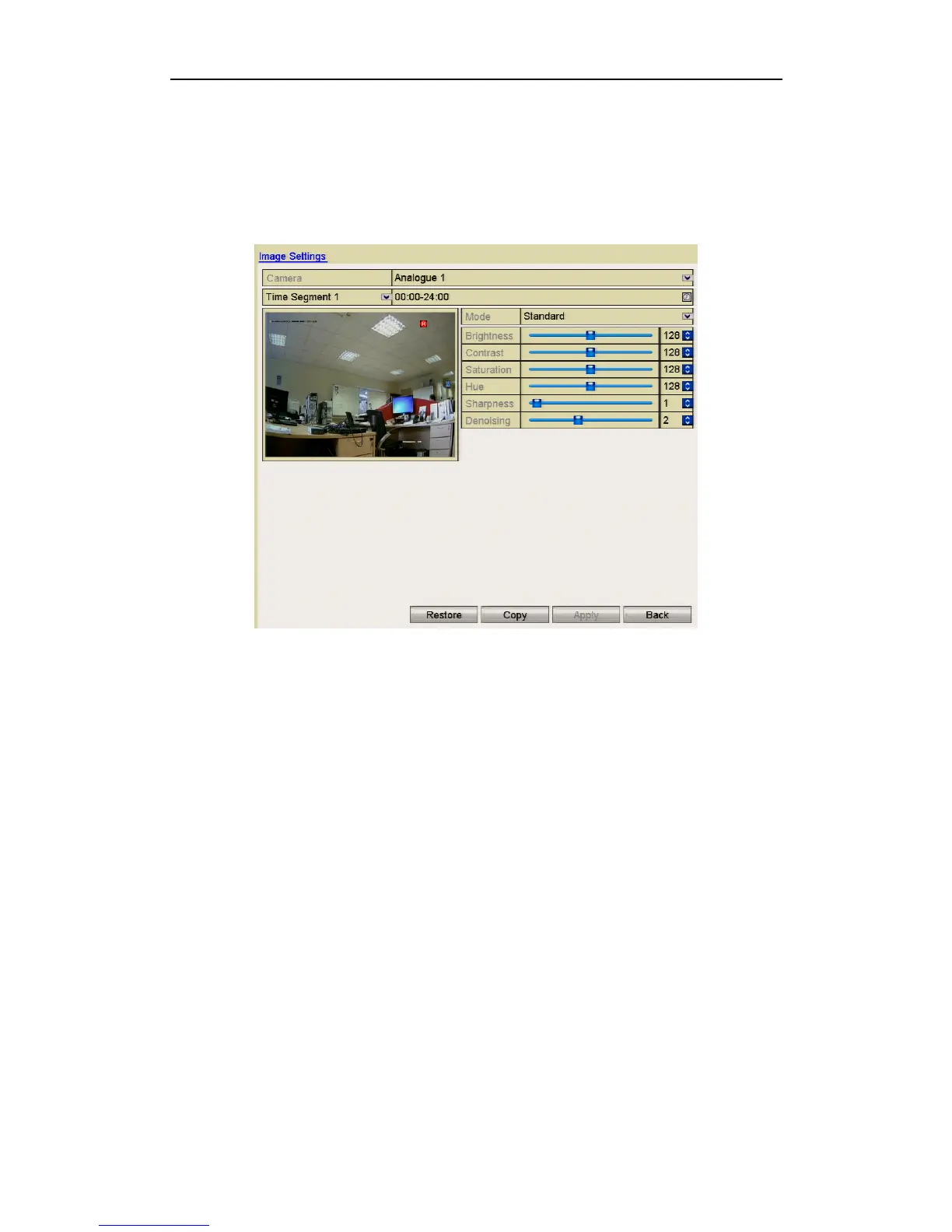
1. Enter the Image Settings interface.
Menu > Video > Image
Figure 10.10.1 Image Settings Interface
2. Select the camera to set image parameters.
3. Two periods for different image settings are provided, select the period name in
the dropdown list. This allows the setting of time in a 24 hour period and
associate this time with brightness, contrast, saturation etc. The time periods
cannot overlap each other.
4. Select the mode from the drop-down list of Modes which are: Standard, Indoor,
Dim Light and Outdoor.
5. Adjust the image parameters according to actual needs. The parameters include
Brightness, Contrast, Saturation, Hue, Sharpness and DE noising. You can also
click Restore to set the parameters to the default settings.
6. You can click Copy to copy the image settings of the current camera to other
analogue cameras.
7. Click Apply to save the settings.



 To Next Page