ALIEN MEGA/MAX USER MANUAL
56
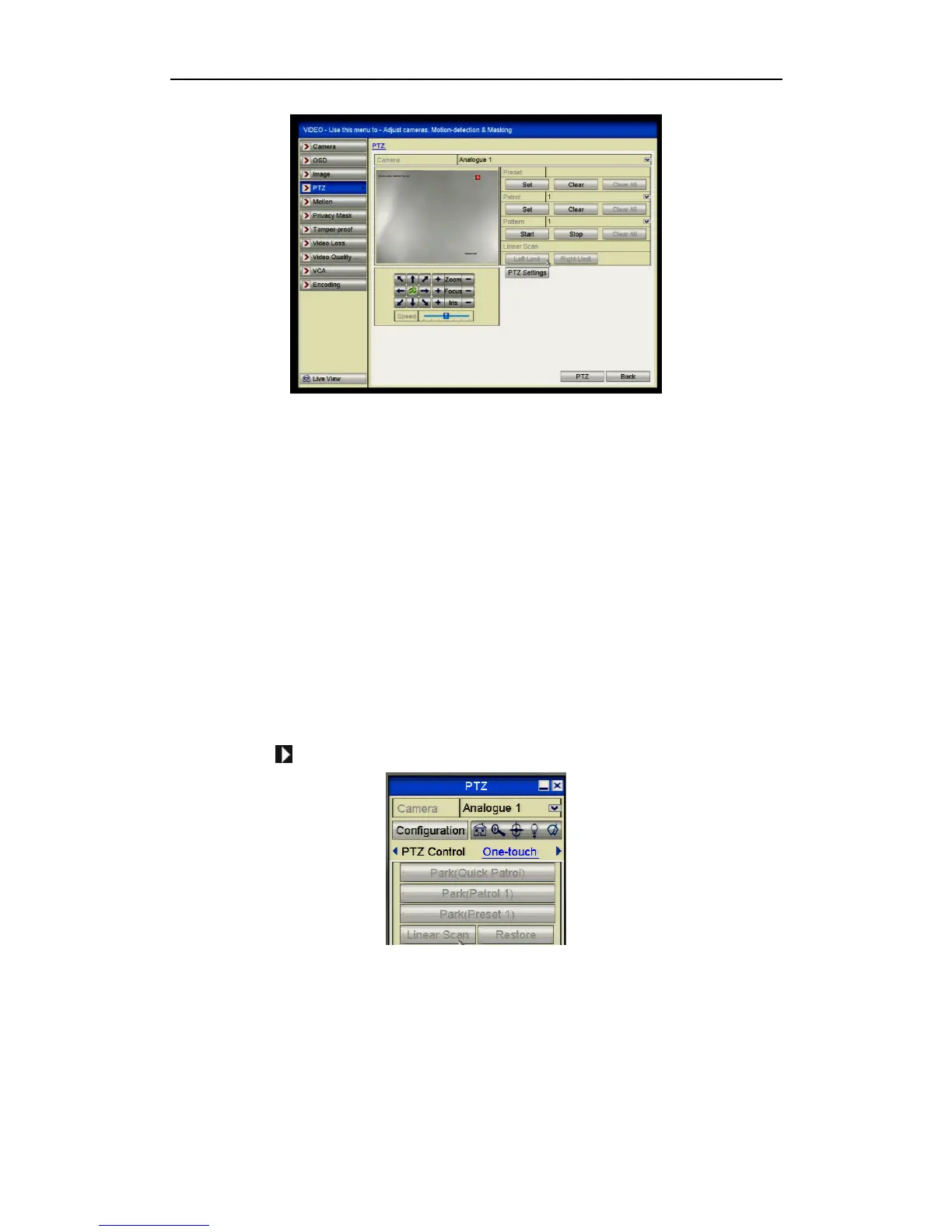
Figure 4.2.7.1 PTZ Settings
2. Use the directional button to move the PTZ camera to the location where you
want to start the Auto Scan and click the Left Limit button then move to where
the Auto Scan stops and press the Right Limit button.
The PTZ starts the Auto Scan from the left limit to the right limit. The distance
should be no more than 180º.
4.2.8 Calling Auto Scans
Purpose:
Follow the procedure to call the Auto Scan.
Steps:
1. Click the button PTZ in the lower-right corner of the PTZ setting interface;
or press the PTZ button on the front panel or click the PTZ Control icon in the
quick setting bar to enter the PTZ setting menu in live view mode.
2. Click the button to show the one-touch function of the PTZ control.
Figure 4.2.8.1 PTZ Panel – Linear Scan
3. Click Linear Scan (Auto Scan) button to start the Auto Scan and click again to
stop it.
You can click the Restore button to clear the defined left limit and right limit
points and the reboot the PTZ to make settings take effect.



 To Next Page