ALIEN MEGA/MAX USER MANUAL
127
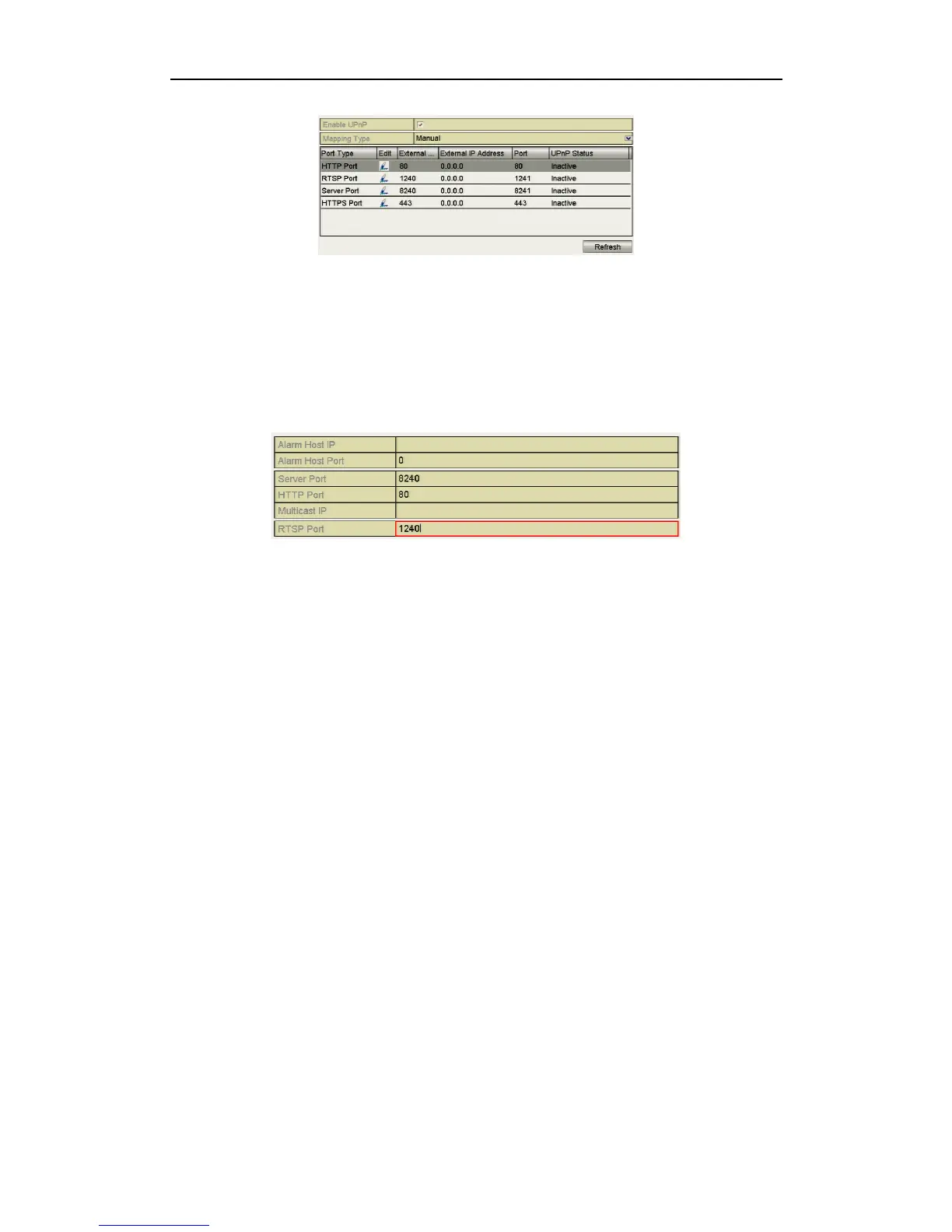
Figure 9.2.5.4 UPnP Settings Finished-Manual
9.2.6 Configuring More Settings
Steps:
1. Enter the Network Settings interface.
Menu > Setup > Network
2. Select the More Settings tab to enter the More Settings interface.
Figure 9.2.6.1 More Settings Interface
3. Configure the remote alarm host, server port, HTTP port, multicast, RTSP port.
Alarm Host IP/Port: With a remote alarm host configured, the device will
send the alarm event or exception message to the host when an alarm is
triggered. This option is currently under development.
Alarm Host IP refers to the IP address of the remote PC on which the Client
software is installed and the Alarm Host Port must be the same as the alarm
monitoring port configured in the software (default port is 7200).
This option is currently under development.
Multicast IP: The multicast option can be configured to view more than the
maximum number of cameras through the network. A multicast address
spans the Class-D IP range of 224.0.0.0 to 239.255.255.255. It is
recommended to use the IP address ranging from 239.252.0.0 to
239.255.255.255. When adding a device to the Client software, the multicast
address must be the same as the device’s multicast IP.



 To Next Page