ALIEN MEGA/MAX USER MANUAL
52
4.2.2 Calling Presets
Purpose:
This feature enables the camera to move to a specified preset.
Steps:
1. Click the button PTZ in the lower-right corner of the PTZ setting interface;
or press the PTZ button on the front panel or click the PTZ Control icon in the
quick setting bar, or select the PTZ option in the right-click menu to show the
PTZ control panel.
2. Choose Camera in the dropdown list.
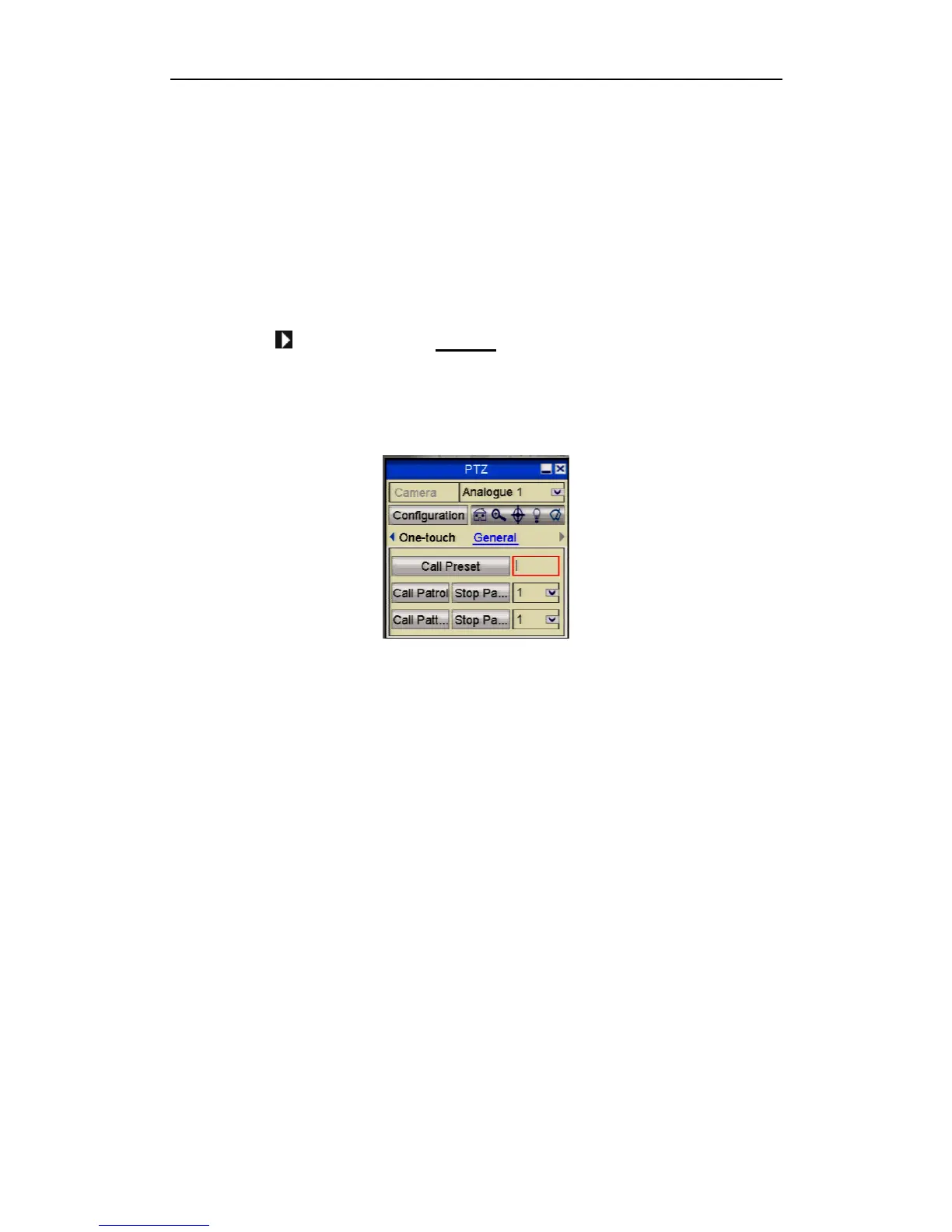
3. Click the button to show the General settings in the PTZ control.
4. Click to enter the preset No. in the corresponding text field.
5.Click the Call Preset button to call it.
Figure 4.2.2.5. PTZ Panel - General
4.2.3 Customising Patrols
General:
The DVR uses a standardised method of controlling Tours/Patrols. These may not
always work with every PTZ. Most PTZs use allocated preset numbers to trigger
tours/patrols so these will normally work, providing the presets are within the range
that the DVR can control.
Purpose:
Tours/Patrols can be set to move the PTZ to different key points and have it stay there
for a set duration before moving on to the next key point. The key points correspond
to the presets. The presets can be set following the steps above in Customising
Presets.
Steps:
1. Enter the PTZ Control interface.
Menu>Video>PTZ



 To Next Page