ALIEN MEGA/MAX USER MANUAL
149
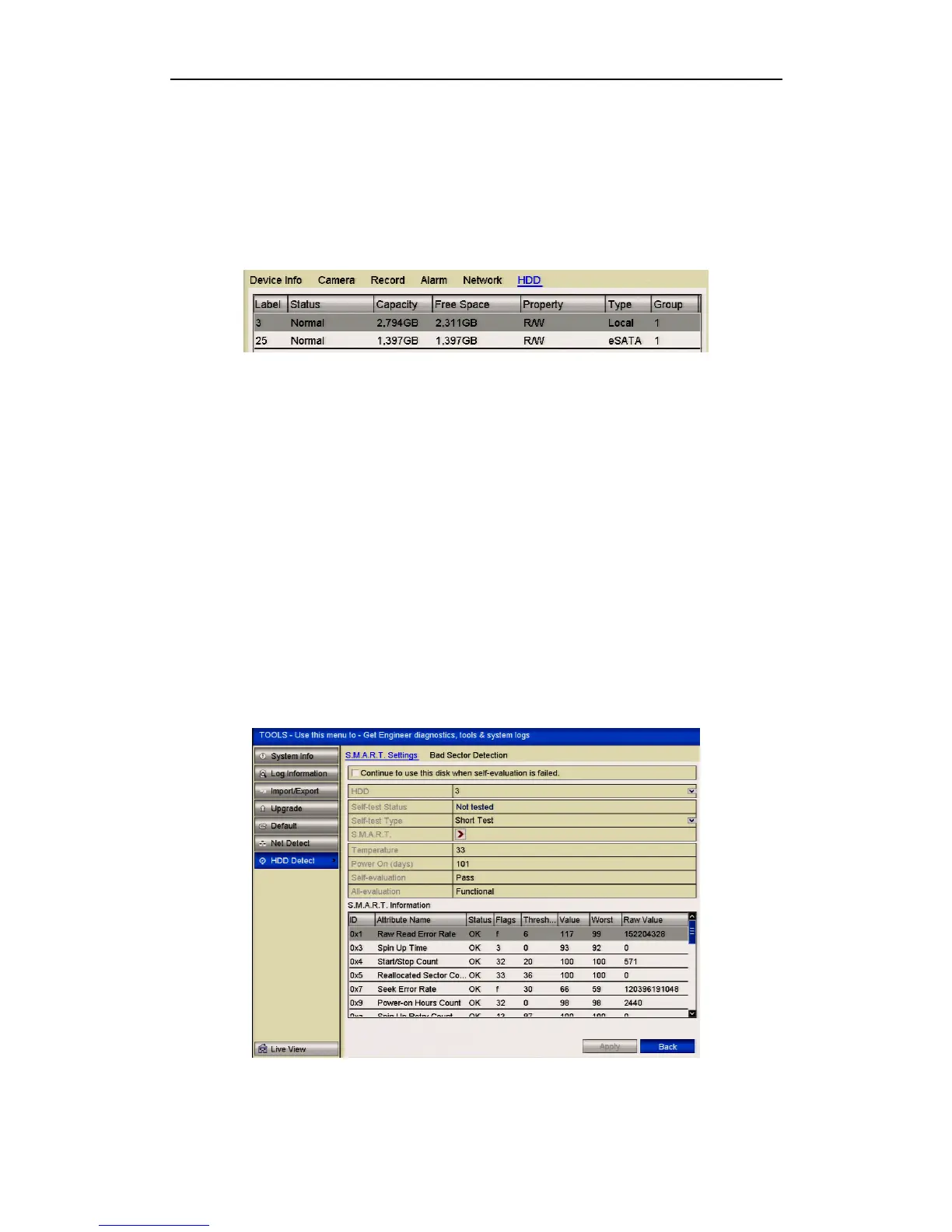
Checking HDD Status in System Information Interface
Steps:
1. Enter the System Information interface.
Menu > Tools > System Info
2. Click the HDD tab to view the status of each HDD displayed on the list, as shown
below.
Figure 10.5.2 View HDD Status (2)
10.6 Checking S.M.A.R.T Information
Purpose:
The S.M.A.R.T. (Self-Monitoring, Analysis and Reporting Technology) is a
monitoring system for HDD to detect and report on various indicators of reliability in
the hopes of anticipating failures.
Steps:
1. Enter the HDD Detect interface.
Menu > Tools > HDD Detect
2. Click the S.M.A.R.T. Settings tab to enter the interface.
3. Select the HDD to view its S.M.A.R.T. information list.
If you want to use the HDD even when the S.M.A.R.T. checking has failed, you can
click the checkbox left of Continue to use this disk when self-evaluation is failed.
Figure 10.6.1 S.M.A.R.T Settings Interface



 To Next Page