ALIEN MEGA/MAX USER MANUAL
77
5.10 File Protection
Purpose:
You can lock the recorded files or set the HDD property to Read-only to protect the
record files from being overwritten.
Protect file by locking the record files
Steps:
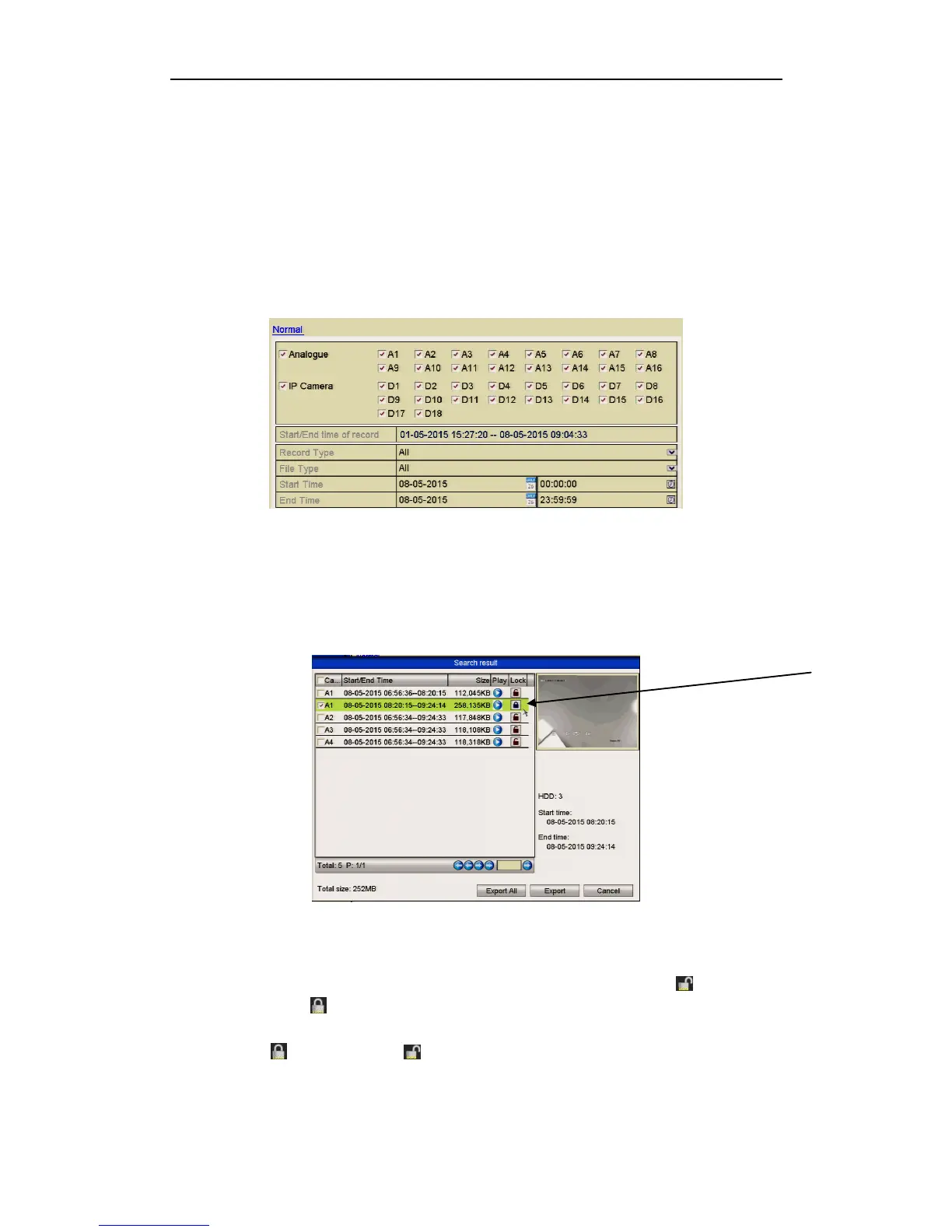
1. Enter Playback setting interface.
Menu> Backup
Figure 5.10.1 Backup
2. Select the channels you want to investigate by clicking the checkbox/es.
3. Configure the record type, file type, start time and end time.
4. Click Search to show the results.
Figure 5.10.2 Export- Search Result
5. Protect the recorded files.
1) Find the recorded file/s you want to protect and then click the icon which
will turn to indicating that the file is locked.
Files that are still in the process of being written, cannot be locked.
2) Click to change it to to unlock the file and the file is not protected.
Note that when unlocking a file, if it is the earliest file on the system, it will be
automatically overwritten when the DVR is in overwrite mode.



 To Next Page