ALIEN MEGA/MAX USER MANUAL
78
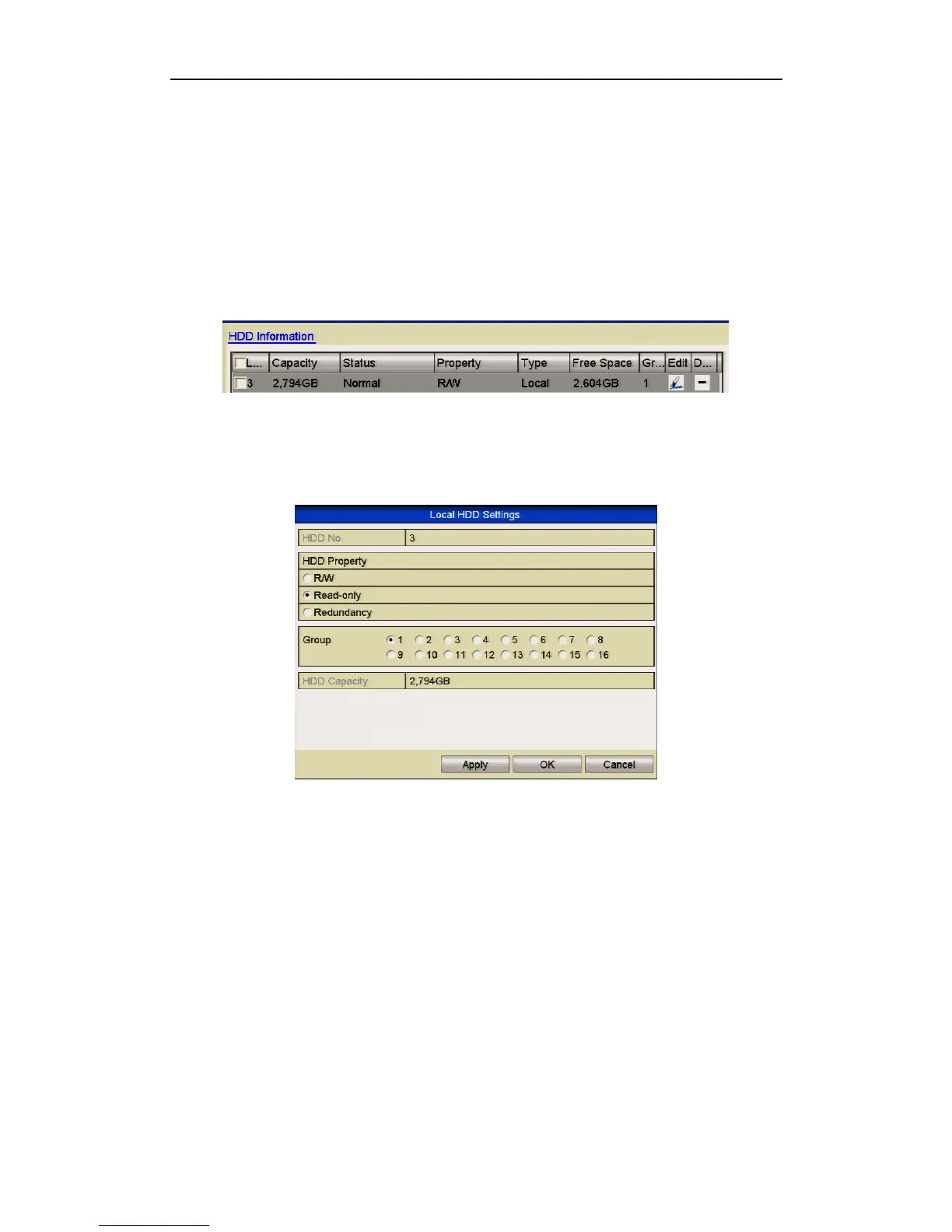
Protect file by setting HDD property to Read-only
Before you start:
To edit HDD property, you need to set the storage mode of the HDD to Group. See
Chapter 9.8. Managing HDD Group.
Steps:
1. Enter HDD setting interface.
Menu> Drives
Figure 5.10.3 Drives General
2. Click the signature under Edit to edit the HDD you want to protect.
Figure 5.10.4 Drives General- Editing
3. Set the HDD to Read-only.
4. Click OK to save settings and return to previous menu.
You cannot save any files to an HDD if in Read-only mode. If you want to save
files you must change the properties to R/W (Read/Write).
If there is only one HDD installed and it is set to Read-only, the DVR cannot
record any files. Only preview mode is available.
If you set the HDD to Read-only whilst the DVR is saving files, then the file
will be saved in the next R/W HDD. If there is only one HDD available, the
recording will be stopped.



 To Next Page