ALIEN MEGA/MAX USER MANUAL
58
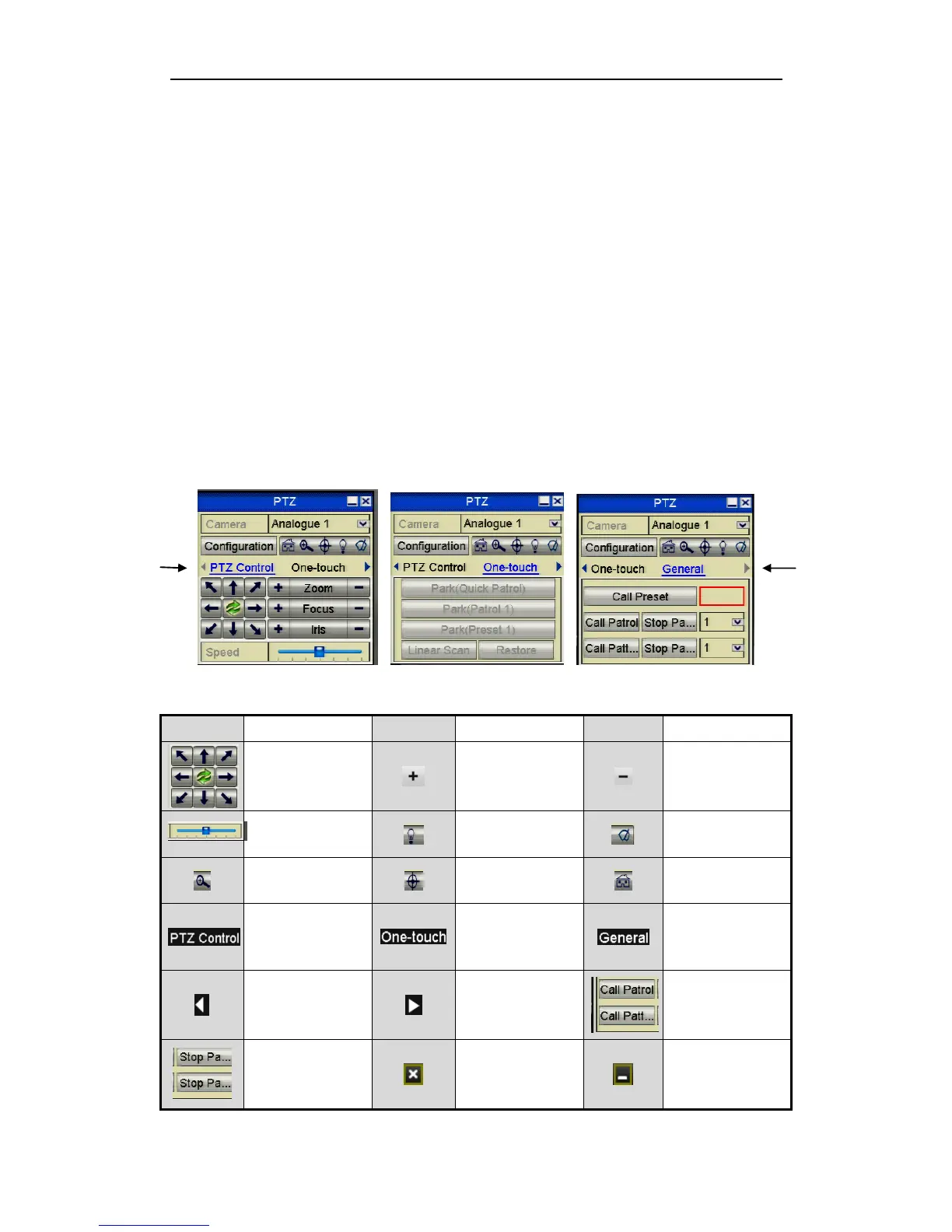
4.3 PTZ Control Panel
To enter the PTZ control panel, there are two ways supported.
OPTION 1:
In the PTZ settings interface, click the PTZ button on the lower-right corner which is
next to the Back button.
OPTION 2:
In the Live View mode, you can press the PTZ Control button on the front panel or on
the remote control, or choose the PTZ Control icon, or select the PTZ option in the
right-click menu.
Click the Configuration button on the control panel, and you can enter the PTZ
Settings interface.
In PTZ control mode, the PTZ panel will be displayed when a mouse is connected
with the device. If no mouse is connected, the PTZ icon appears in the lower-left
corner of the window, indicating that this camera is in PTZ control mode.
Figure 4.3.1 PTZ Panel Views 1 ~ 3



 To Next Page