ALIEN MEGA/MAX USER MANUAL
163
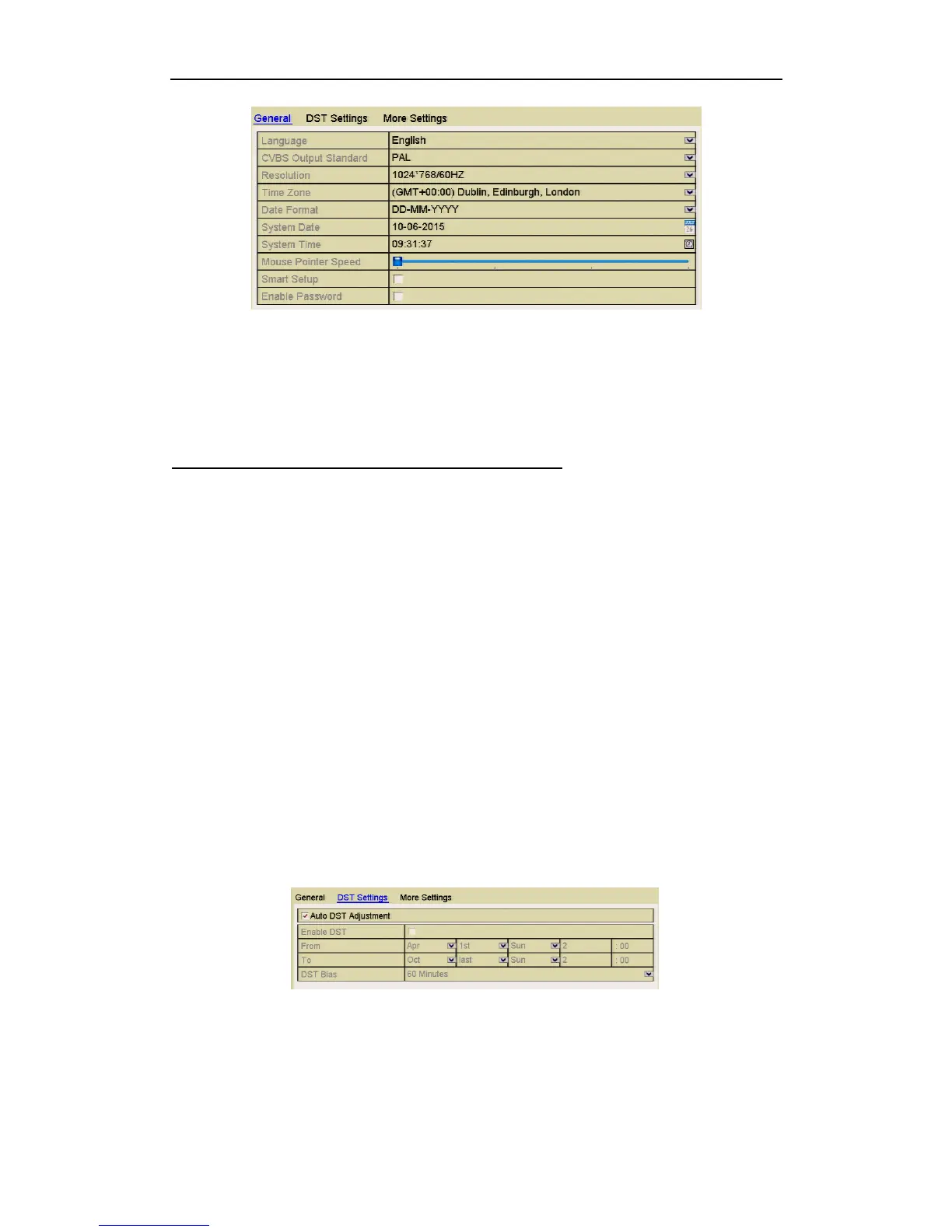
Figure 12.2.1 General Settings Interface
3. Configure the following settings:
• Language: The default language used is English.
• CVBS Output Standard: Select the CVBS output standard to NTSC or PAL,
which must be the same with the video input standard.
Note that some DVR models provide no CVBS output.
• Resolution: Select the output resolution, which must be the same as the
resolution of the VGA/HDMI monitor.
• Time Zone: Select the time zone.
• Date Format: Select the date format.
• System Date: Select the system date.
• System Time: Select the system time.
• Mouse Pointer Speed: Set the speed of mouse pointer; 4 levels are
configurable.
• Enable Wizard: Enable/disable the Wizard when the device starts up.
• Enable ID Authentication: Enable/disable the use of the login password.
4. Click the Apply button to save the settings.
12.3 Configuring DST (Daylight Saving Time)
Steps:
1. Enter the General Settings interface.
Menu >Setup>General
2. Select the DST Settings tab.
Figure 12.3.1 DST Settings Interface
Click the Auto DST Adjustment checkbox.
Alternatively you can manually click the Enable DST checkbox to set the date
and time of the DST period.



 To Next Page