ALIEN MEGA/MAX USER MANUAL
110
8.5 Detecting VCA Alarm
Purpose:
The DVR can provide VCA (Video Content Analysis) capability for enabling linkage
actions when detecting exceptional events such as people, vehicles and objects
crossing a virtual line or intruders entering a pre-defined region.
The MEGA series DVRs can receive the VCA alarm sent by analogue cameras but
VCA detection must be enabled and configured in the VCA settings interface first.
Perform the steps below to set the VCA configuration.
The MEGA204, MEGA208, MEG216 and MAX316 support one analogue camera
channel for VCA but 2 analogue camera channels for the MAX416.
Steps:
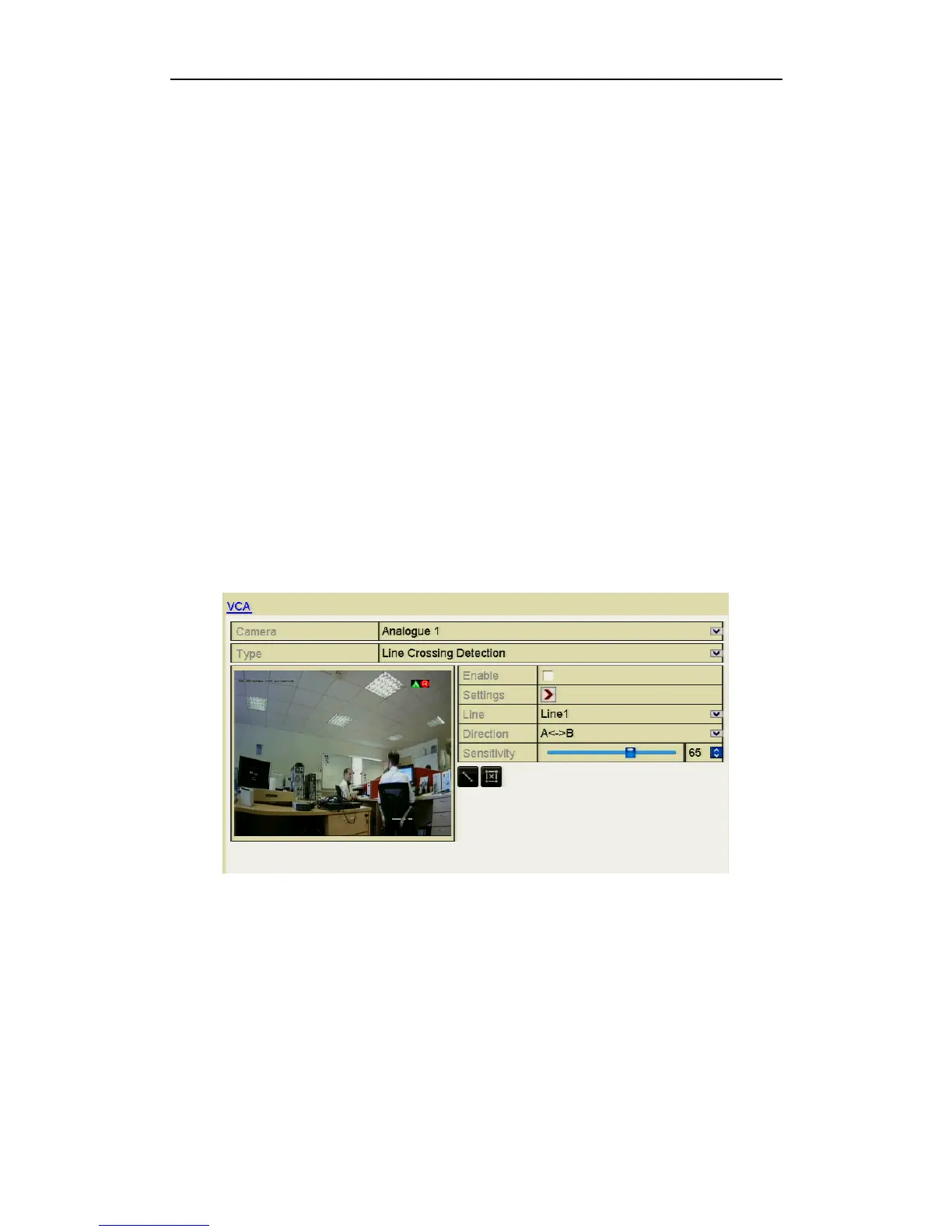
1. Enter VCA Alarm interface in Camera Management and select a camera you
want to detect the VCA alarm.
Menu> Video> VCA
REMINDER: The selected camera must support the VCA function.
Figure 8.5.1 VCA Alarm Setting Interface
2. Select the analogue camera to configure the VCA.
3. Select the detection type to Line Crossing Detection or Intrusion Detection.
Line Crossing Detection: This function can be used for detecting people,
vehicles and objects crossing a set virtual line. The line crossing direction can be
set as bidirectional, from left to right or from right to left or you can set the
duration for the alarm response actions, such as full screen monitoring, audible
warning, etc.



 To Next Page