ALIEN MEGA/MAX USER MANUAL
134
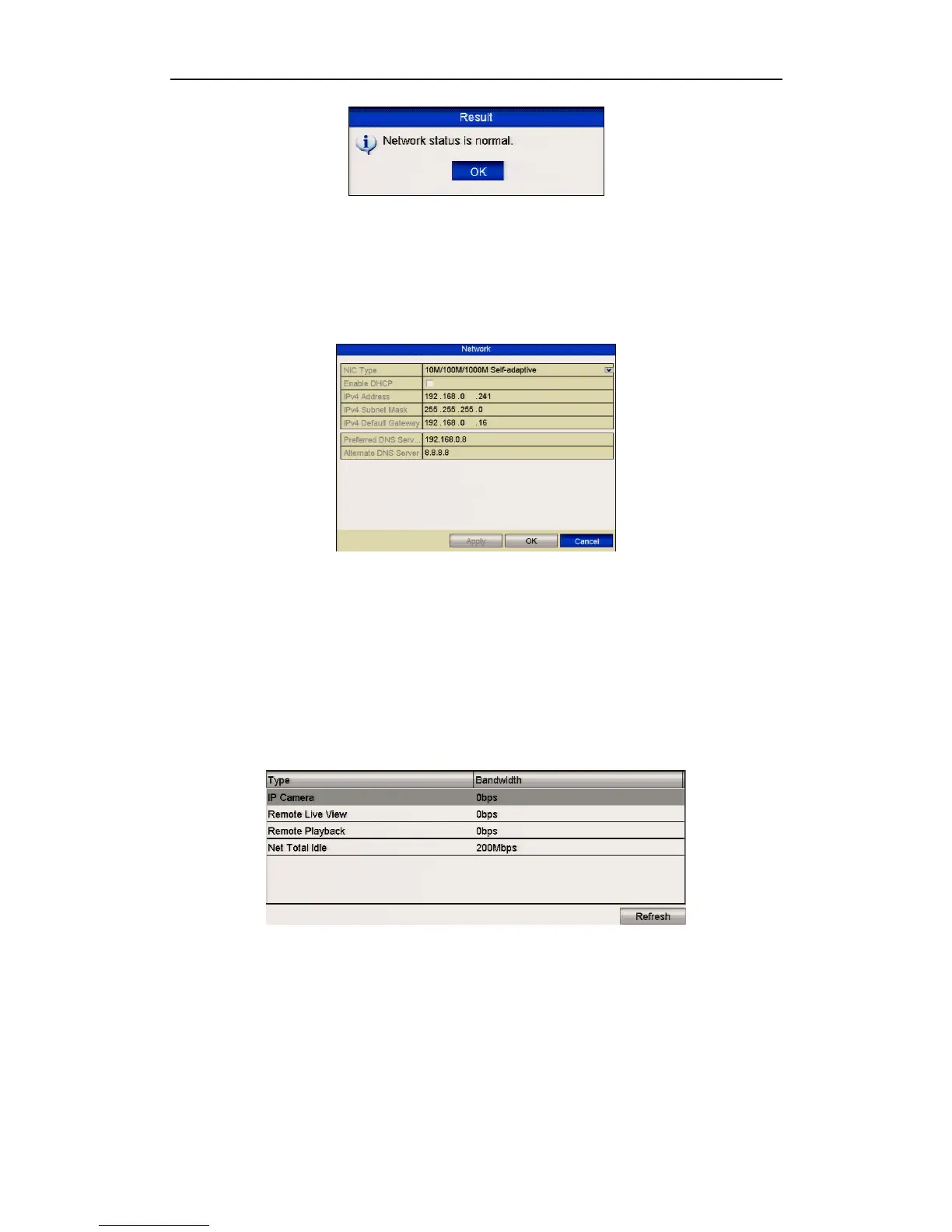
Figure 9.4.3.2 Network Status Checking Result
If the display provides other information instead of this one, you can click the
Network button to display the network parameters in the quick settings interface.
Figure 9.4.3.3 Network Parameters Configuration
9.4.4 Checking Network Statistics
Purpose:
You can check the network statistics to obtain the device real-time information.
Steps:
1. Enter the Network Statistics interface.
Menu > Tools> Net Detect
2. Click the Network Stat. tab to enter the Network Statistics menu.
Figure 9.4.4.1 Network Stat. Interface
3. View the bandwidth in Remote Live View, bandwidth of Remote Playback and
bandwidth in Net Total Idle.
4. Click Refresh button to get the latest bandwidth statistics.



 To Next Page