ALIEN MEGA/MAX USER MANUAL
133
9.4.2 Exporting Network Packet
Purpose:
By connecting the DVR to a network, the captured network data packet can be
exported to USB-flash disk, SATA and other local backup devices.
Steps:
1. Enter the Network Traffic interface.
Menu > Tools > Net Detect
2. Click the Network Detection tab to enter the Network Detection interface.
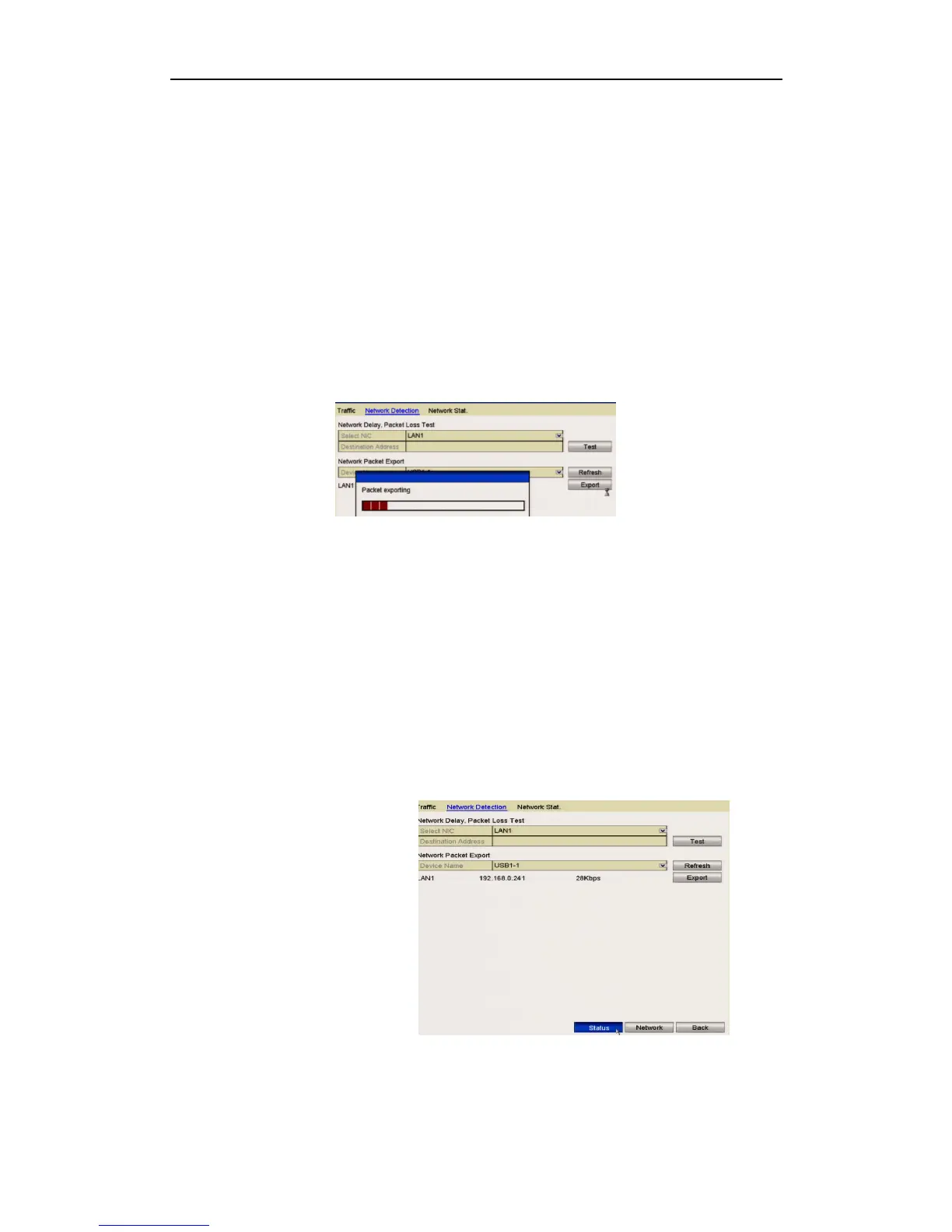
3. Select the backup device from the dropdown list in Device Name.
Click the Refresh button if the connected local backup device cannot be displayed. If
it fails to detect the backup device, please check whether it is compatible with the
DVR. You can format the backup device if the format is incorrect.
Figure 9.4.2.1 Export Network Packet
4. Click the Export button to start exporting.
5. After the exporting is complete, click OK to finish the packet export.
Up to 1M data can be exported each time.
9.4.3 Checking Network Status
Purpose:
You can also check the network status and quickly set the network parameters in this
interface.
Steps:
Click Status on the
right bottom of the page.
Figure 9.4.3.1 Checking Network Status
If the network is normal the following message displays.



 To Next Page