ALIEN MEGA/MAX USER MANUAL
103
Chapter 8 Alarm Settings
8.1 Setting Motion Detection Triggering
There are two stages in motion detection setup. Stage 1 for motion triggering is detailed
below. Motion recording, Stage 2 is covered in the Schedule menu.
Steps:
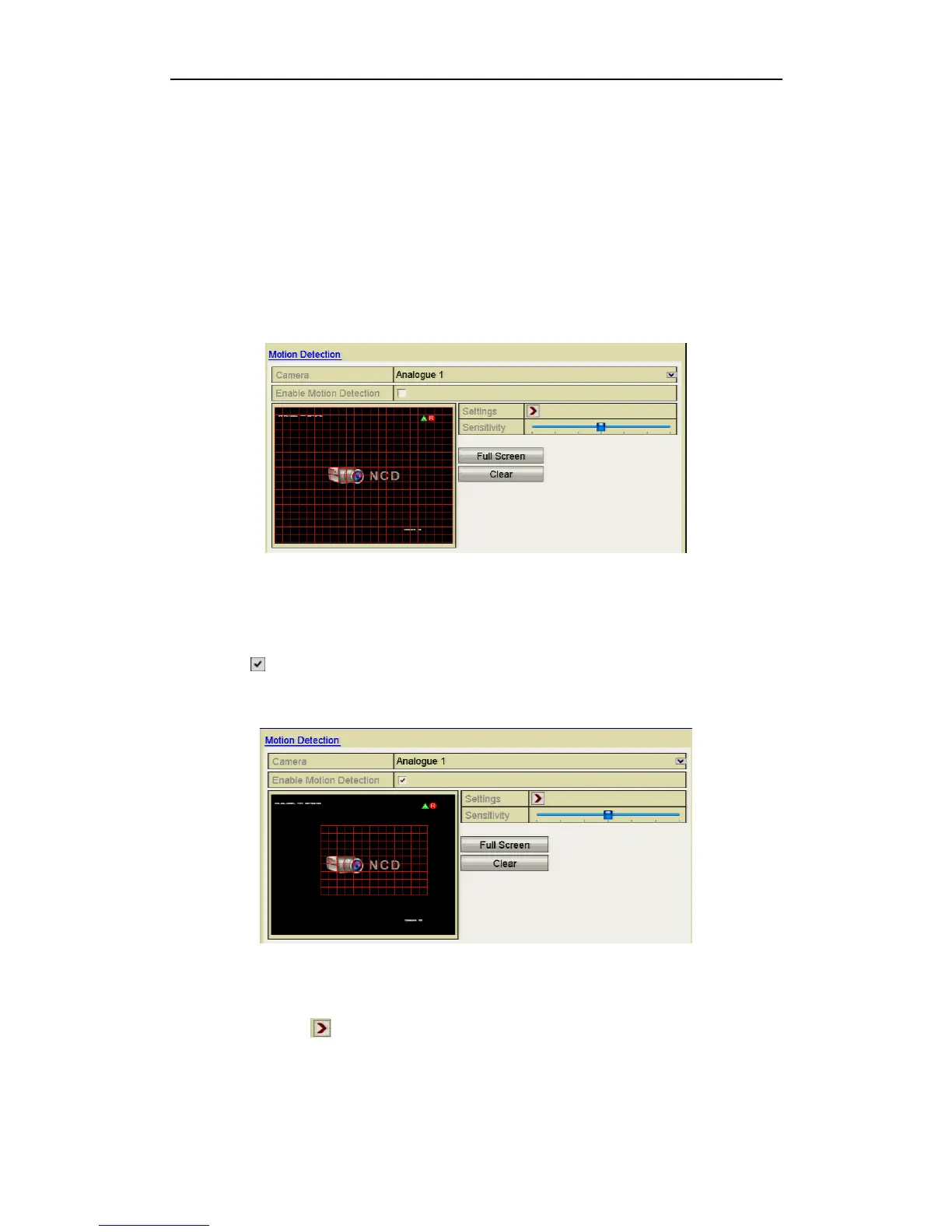
1. Enter Motion Detection interface in Camera Management and choose a camera
you want to set up for motion detection.
Menu> Video> Motion
Figure 8.1.1 Motion Detection Setup Interface
2. Set detection area and sensitivity.
Click checkbox to enable motion detection and use the mouse to draw
detection area(s) then drag the sensitivity bar to set sensitivity.
Figure 8.1.2 Set Detection Area and Sensitivity
3. Click Settings to set alarm response actions.



 To Next Page