ALIEN MEGA/MAX USER MANUAL
48
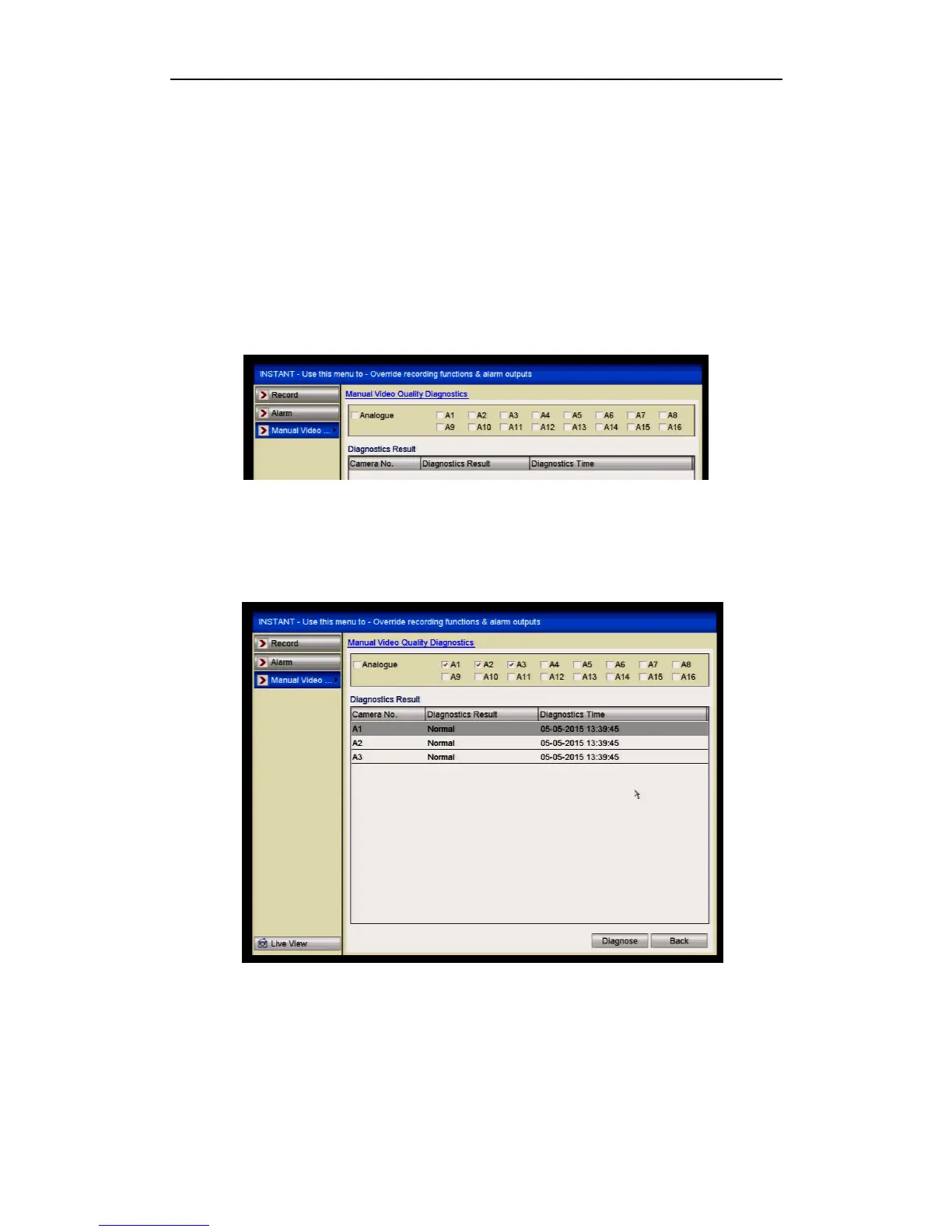
3.5 Manual Video Quality Diagnostics
Purpose:
The video quality of the analogue channels can be diagnosed manually and you can
view the diagnostic results from a list.
Steps:
1. Enter the Manual Video Quality Diagnostics interface.
Menu> Instant>Manual Video> Manual Video Quality Diagnostics
Figure 3.5.1 Video Quality Diagnostics
2. Check the checkboxes to select the channels for diagnostics.
3. Click the button Diagnose, and the results will be displayed on a list. You can
view the video status and diagnostics time of the selected channels.
Figure 3.5.2 Diagnostics Result
Connect the camera to the device for the video quality diagnostics.
Three exception types can be diagnosed: Blurred Image, Abnormal Brightness
and Colour Cast.



 To Next Page