ALIEN MEGA/MAX USER MANUAL
105
8.2 Setting Sensor Alarms
This function may not be supported on some DVR models.
Purpose:
Set up handling method of an external sensor alarm.
Steps:
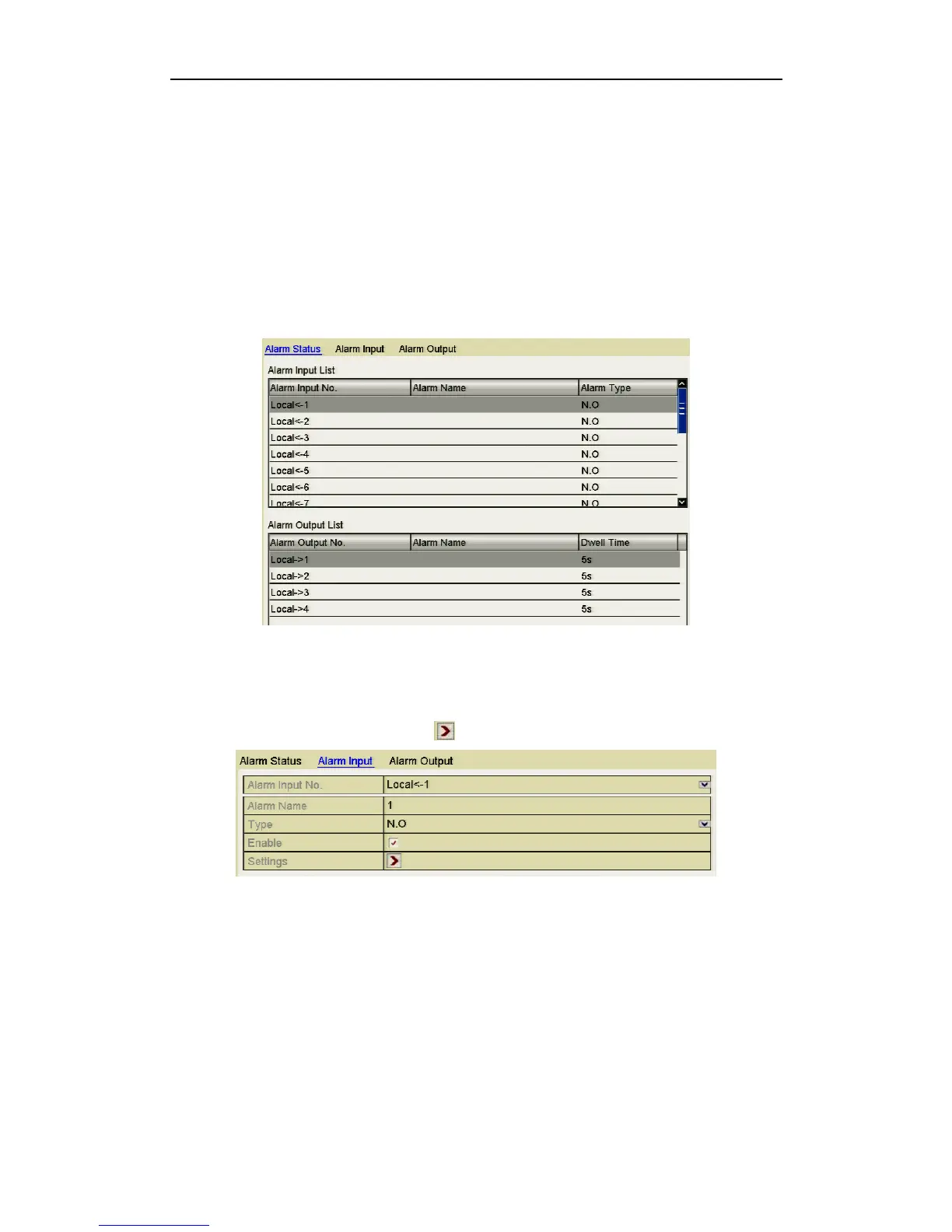
1. Enter Alarm Settings in System Configuration and select an alarm input.
Menu> Setup> Alarm
Select Alarm Input tab to enter Alarm Input Settings interface.
Figure 8.2.1 Alarm Status Interface
2. Set the handling method of the selected alarm input.
Click the Enable checkbox and button to set alarm response actions.
Figure 8.2.2 Alarm Input Settings Interface
3. Select Trigger Channel tab and select one or more channels which will start to
record and initiate full-screen monitoring when an external alarm input is
triggered.
4. Select Arming Schedule tab to set the channel’s arming schedule.
Choose one day of a week and a maximum of eight time periods can be set within
each day. Time periods must not be duplicated or overlap.



 To Next Page