ALIEN MEGA/MAX USER MANUAL
125
4. Configure the following SNMP settings:
• Trap Address: IP Address of SNMP host.
• Trap Port: Port of SNMP host.
5. Click the Apply button to save and exit the interface.
NOTE:
Before setting SNMP, please load the Alien Viewer to receive the device information
via SNMP port. By setting the Trap Address, the DVR is allowed to send the alarm
event and exception message to the surveillance center. Note that you do not need to
use SNMP as the Alien Viewer will do this automatically.
9.2.5 Configuring NAT (UPnP)
Purpose:
Universal Plug and Play (UPnP) can permit automatic port forwarding on a router.
Before you start:
If you want to use the UPnP function in the device, you must enable the UPnP
function in the router to which your device is connected. When the network working
mode of the device is set as multi-address, the Default Route of the device should be
in the same network segment as that of the LAN IP address of the router.
Steps:
1. Enter the Network Settings interface.
Menu > Setup > Network
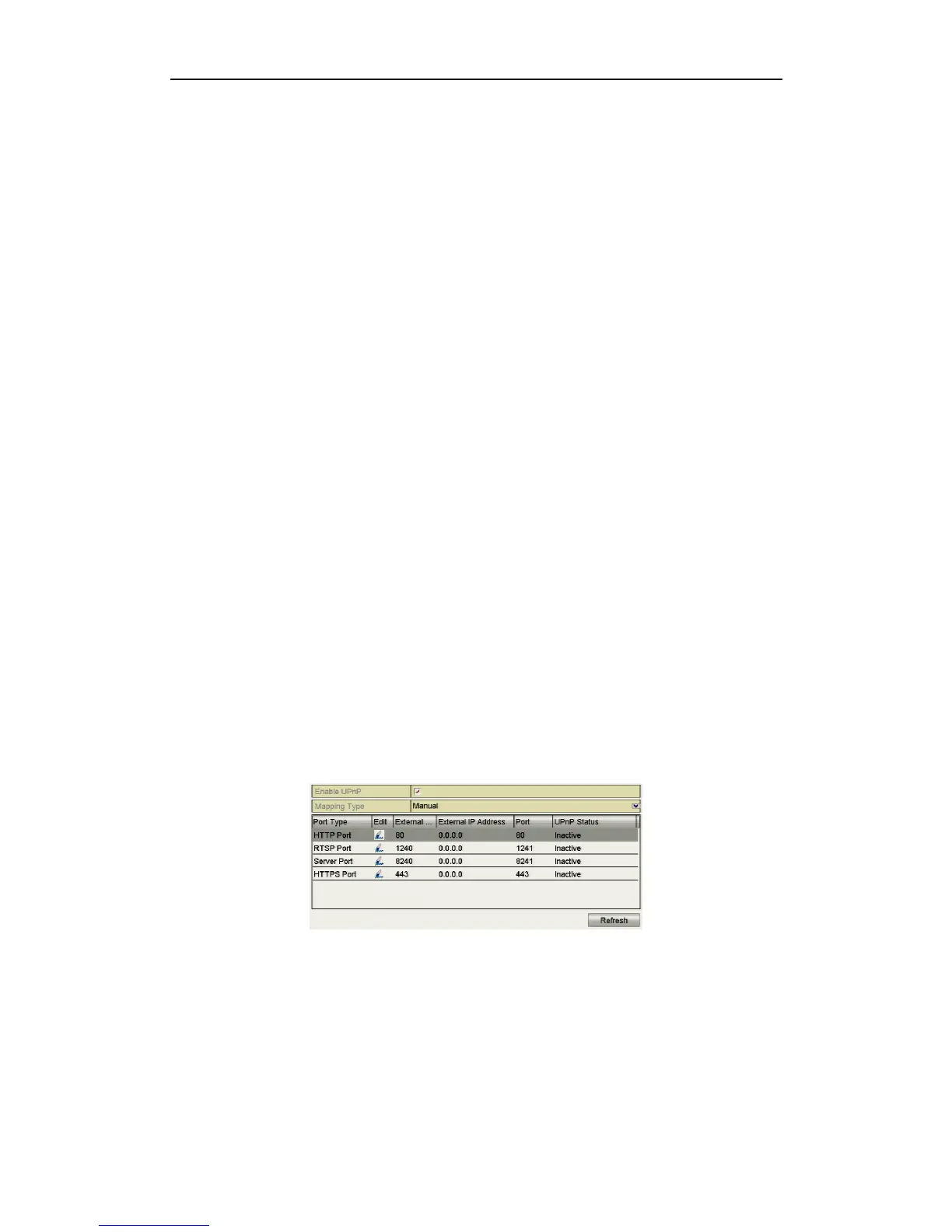
2. Select the NAT tab to enter the UPnP settings interface.
Figure 9.2.5.1 UPnP Settings Interface



 To Next Page