ALIEN MEGA/MAX USER MANUAL
122
The ALIENDDNS service will send a six character password to the Email
address and will display “RECORD CREATED”.
Write down the password and enter in the Password box then click Apply and
wait. When the message “UPDATE SUCCESSFUL” is displayed, the DDNS
service is ready to use after exiting menu.
If you wish to use a third party dynamic service then you can chose one of the
optional alternatives.
5. Select alternative DDNS Type. Four additional DDNS types are selectable:
IPServer, DynDNS, PeanutHull or NO-IP.
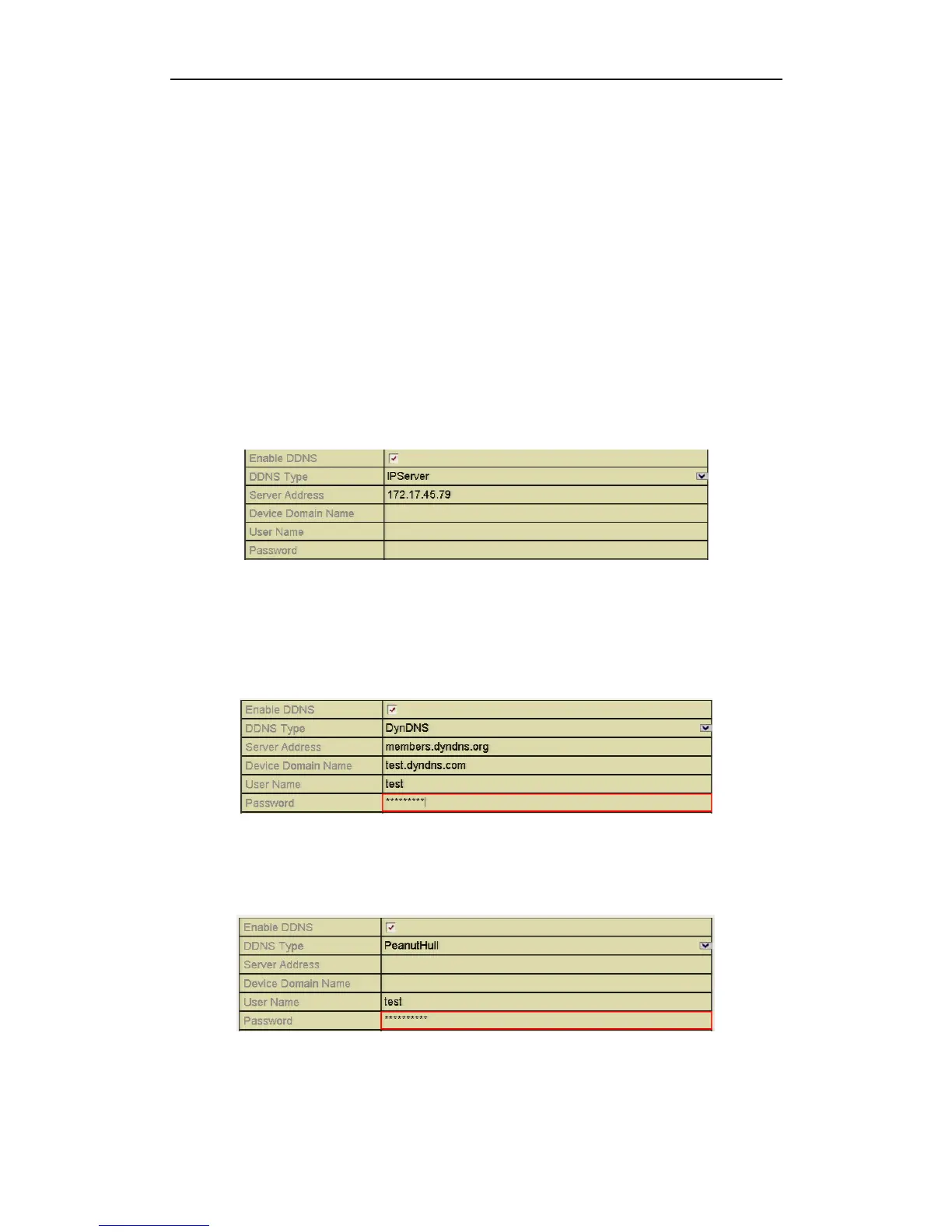
IPServer: Enter Server Address for IPServer.
Figure 9.2.1.2 IPServer Settings Interface
DynDNS:
1) Enter Server Address for DynDNS (i.e. members.dyndns.org).
2) In the DVR Domain Name text field, enter the domain obtained from the
DynDNS website.
3) Enter the User Name and Password registered in the DynDNS website.
Figure 9.2.1.3 DynDNS Settings Interface
PeanutHull: Enter the User Name and Password obtained from the
PeanutHull website.
Figure 9.2.1.4 PeanutHull Settings Interface



 To Next Page