ALIEN MEGA/MAX USER MANUAL
95
Backup using eSATA HDDs
This function is supported by MAX316 and MAX416 only.
Steps:
1. Enter Drives menu and set the usage of eSATA HDD to “Export”.
Menu>Drives>eSATA
Choose eSATA and set its usage to Export. Click Yes when message “System will
reboot automatically if the usage of eSATA is changed. Continue?” displays. The
eSATA HDD allows for Record and Export functions. Changes in usage will
only take effect after rebooting the device.
2. Enter Backup interface.
Menu>Backup>Normal
Set search condition and click Search button to enter the search result interface.
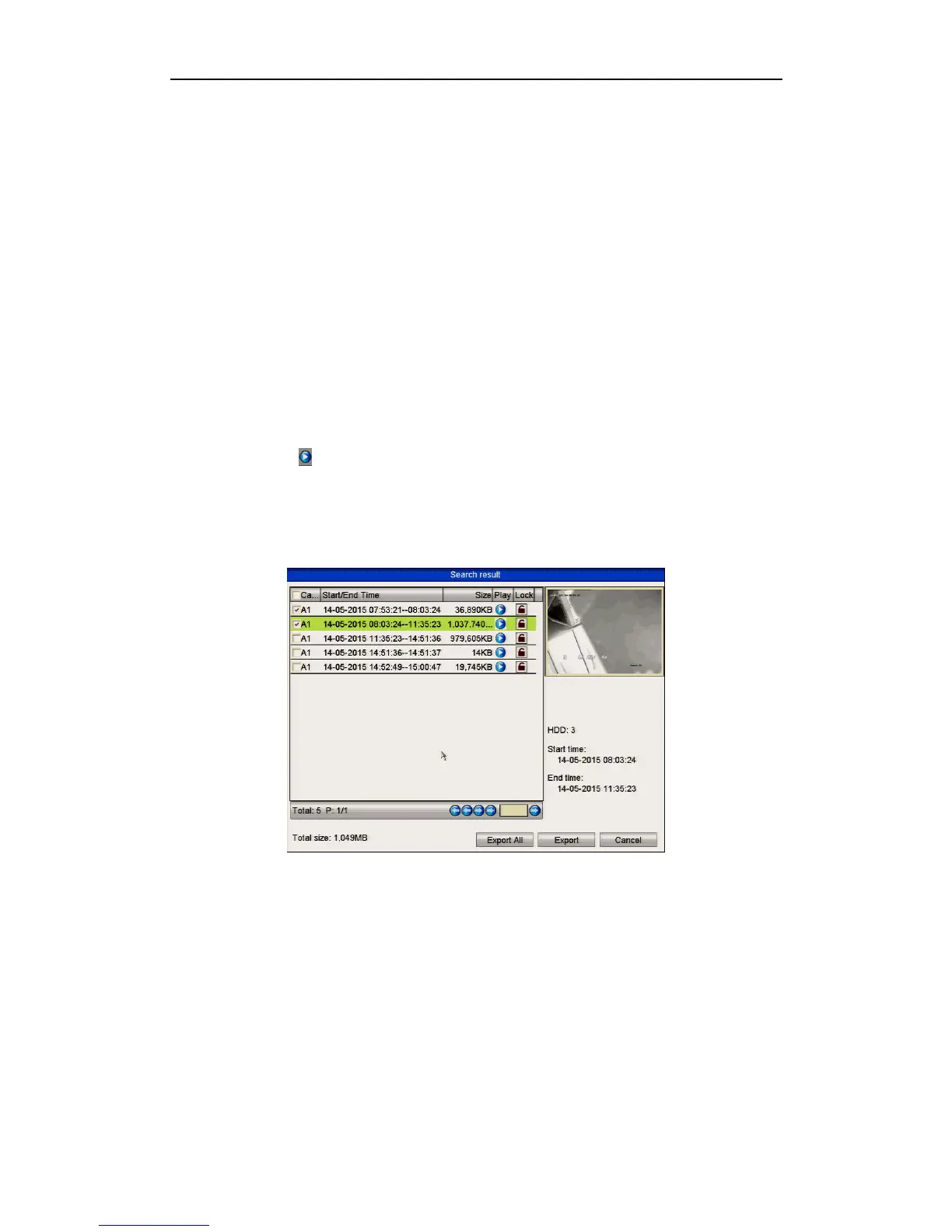
3. Select record files you want to back up.
Click button to play the recorded file if you want to check it.
Tick record files you want to backup.
The size of the currently selected files is displayed in the lower-left corner of the
window.
Figure 7.1.1.5 Result of Normal Video Search for Backup
4. Export.
Click Export button and start backup.
Please format the eSATA drive before using it for the first time.
If the inserted eSATA HDD is not recognised:
• Click the Refresh button.
• Reconnect device.
• Check for compatibility from vendor.
You can also format eSATA HDD via the device.



 To Next Page