112 Intellex
®
LT Digital Video Management System
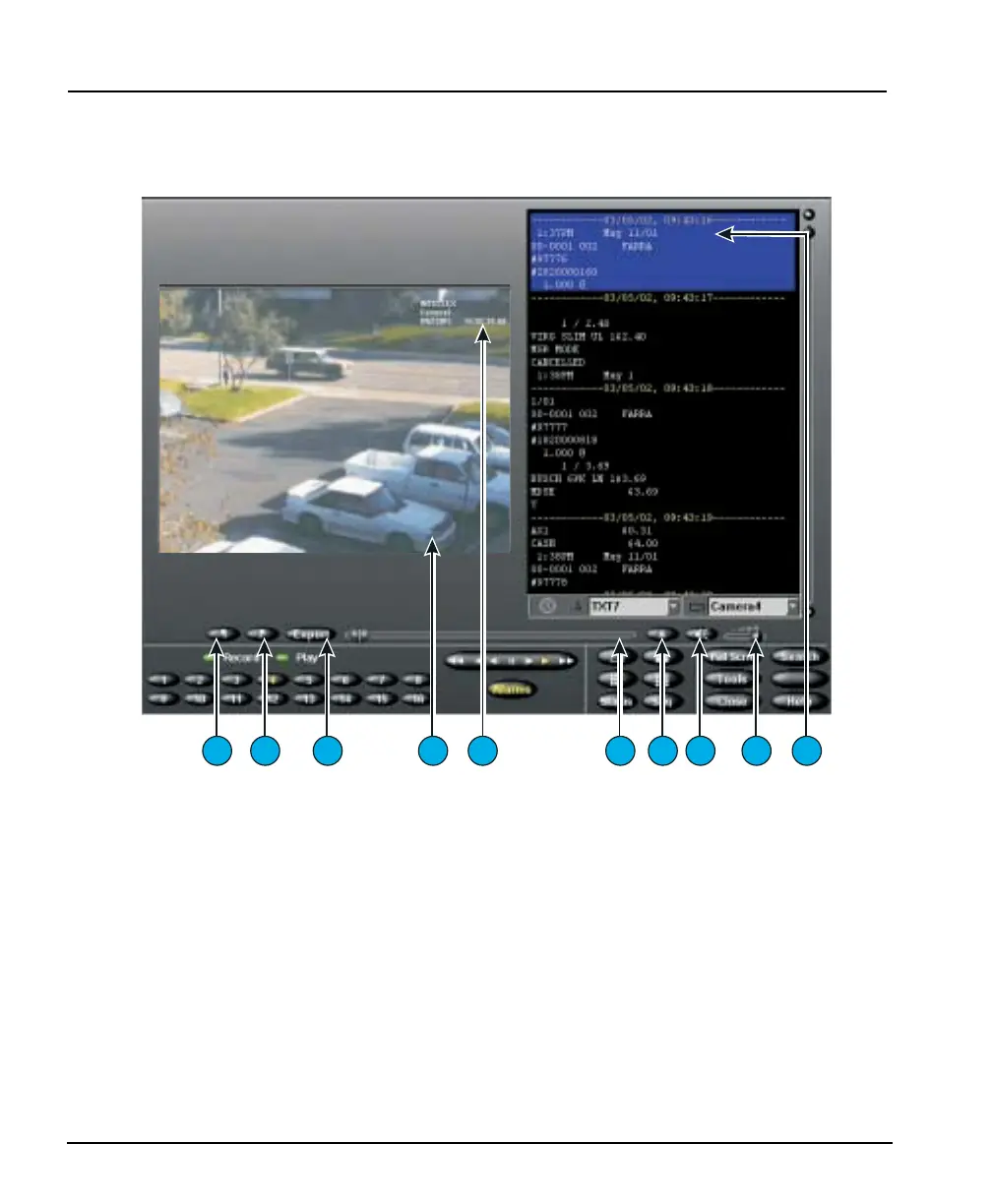
Playback Screen
PLAYBACK
SCREEN
To display the playback screen, click the Play/Pause button. The
playback screen appears.
The playback screen controls and indicators are described below:
1. Begin flag — In Play mode, begin defining a video clip by
clicking the Begin flag (left of the
Export button) to mark the
clip’s start.
2. End flag — In Play mode, finish defining a video clip by
clicking the End flag (left of the
Export button) to mark the
clip’s finish.
3. Export — Click to export any selected clip(s) to the CD-RW
drive. After you click Export, the Export Directory dialog
appears, where Export to CD-R(W) is the default option.
4. Image Area — The Intellex unit displays playback images in
this area of the screen.
1
2
3
6
7
8 9 10
4
5



 To Next Page