6-49
Sterilizer Operation Operator Manual 387366-389
5 (Screen 600) to view or change cycle parameters.
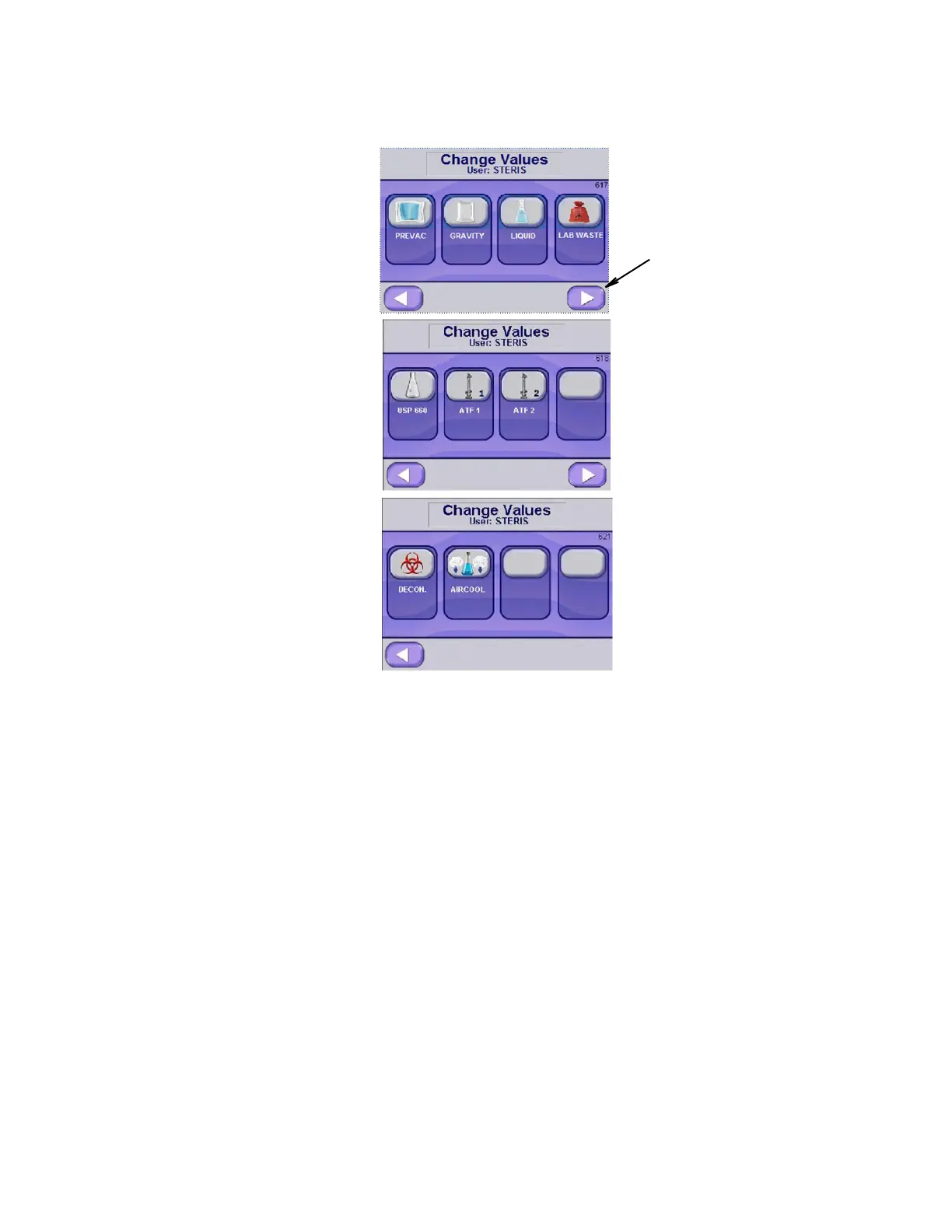
Press Cycle Type for which changes are to be made. Cycle types are
selected from initial Change Values Screens (617, 618 and 621).
Initial Change Values Screens:
First Screen (#617): PREVAC, GRAVITY, LIQUID, LAB WASTE
Second Screen(#618): USP 660, ATF 1, ATF 2
Third Screen (#621): DECON (optional), AIR COOL (optional)
Use Right and Left Arrow buttons to navigate between three screens
as needed.
Values for selected cycle type, e.g., PREVAC, are shown on initial
basic screens (examples below).
Advance Screen button is
present only if applicable,
based on settings and
options.
Changed Values screen for
USP 660, ATF 1 and ATF 2
is available, depending on
settings.
Changed Values Screen for
Decontamination Cycle and
Liquid Aircool Cycle is
available if these options
were chosen.






 To Next Page