6-50
387366-389 Operator Manual Sterilizer Operation
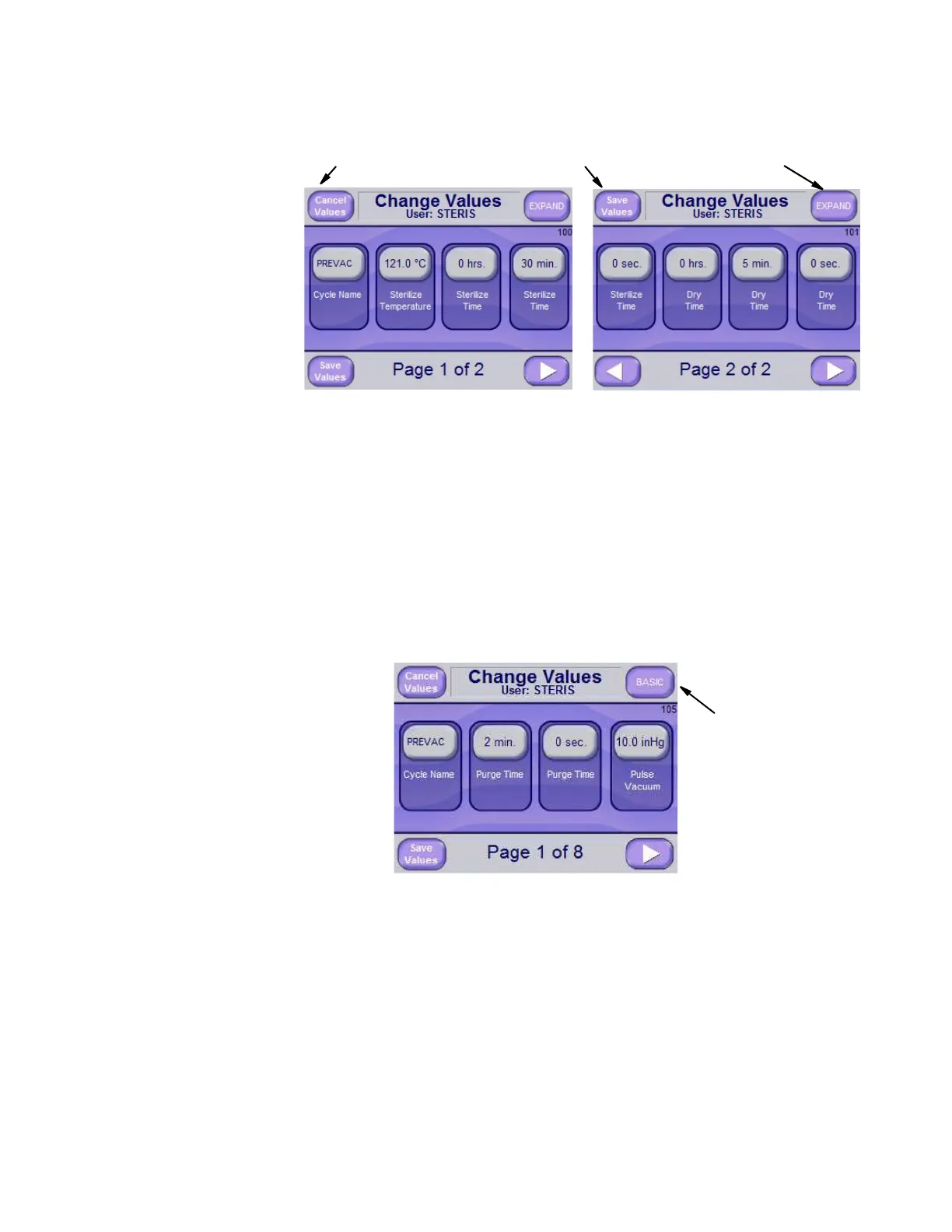
The previous two basic screens apply to the PREVAC cycle type and
include values that can be changed for the PREVAC cycle.
NOTE: When changing the PREVAC, ISOTHERMAL, GRAVITY,
LIQUID, USP660, AFT 1, AFT 2, AIR COOL and/or DECON cycles
refer to this procedure.
Press LEFT ARROW and RIGHT ARROW buttons to scroll through
cycle values.
Press SAVE VALUES button to save changes or press the CANCEL
VALUES button if the intention is no longer to change the values.
Press EXPAND button, located on upper right of each basic screen
(see above images) to show additional cycle values used in more
advanced cycles. An example of an Extend screen follows:
Cancel Values Save Values Expand
From the Extend screen,
press BASIC button to
return to basic screen.
BASIC Button






 To Next Page