6-79
Sterilizer Operation Operator Manual 387366-389
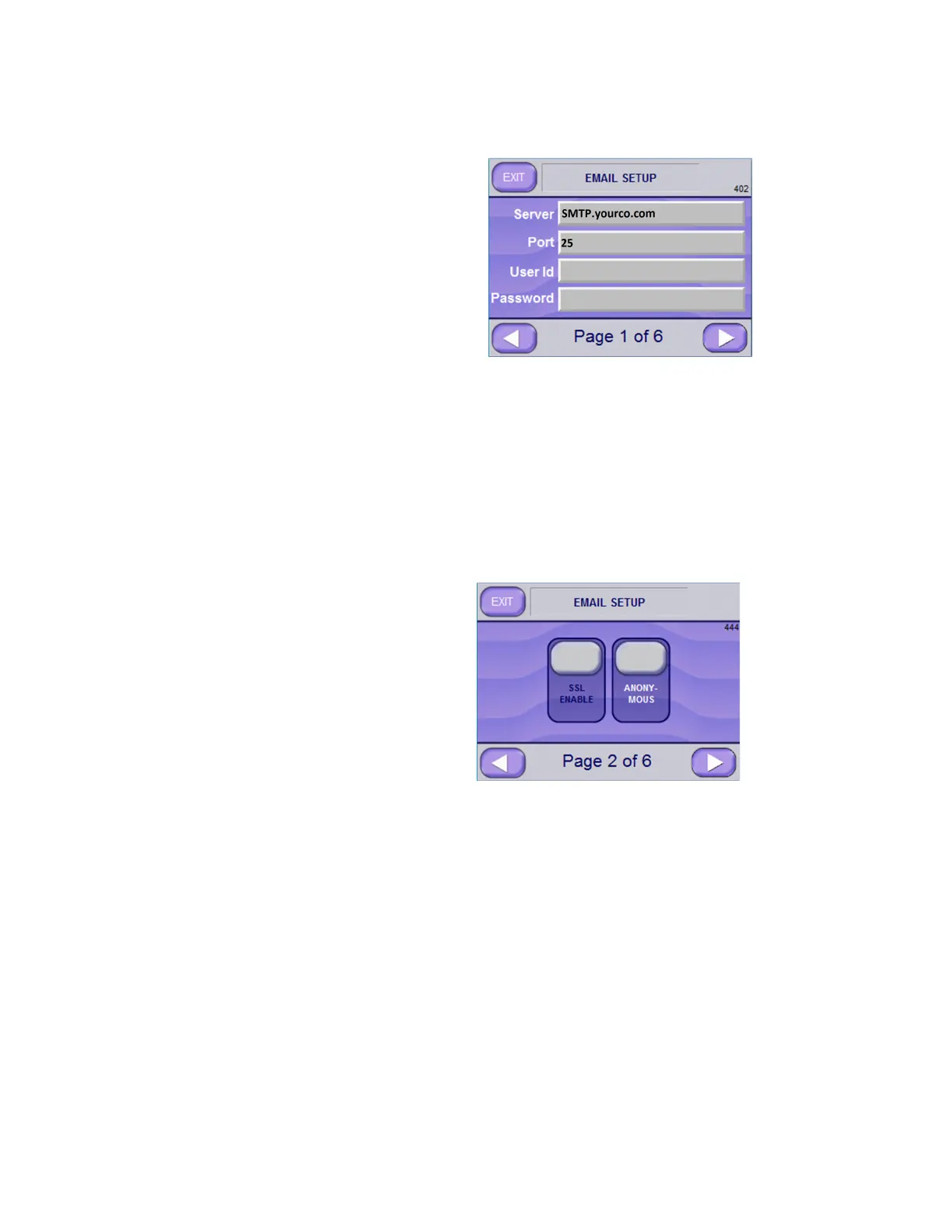
2. [Optional] Enter Server, Port, User Id and Password on Email
Setup Screen Page 1 of 6 (Screen 402).
In regard to email setup:
• Server is usually setup in the format: SMTP.xxxx.com,
where xxxx is the company associated with the email.
• Port is usually set to 25.
• User Id and Password may be necessary to connect to network.
This information should be available from network administrator
or IT department.
3. Press RIGHT ARROW button to advance to next screen.
4. [Optional] Select SSL ENABLE or ANONYMOUS, if suggested
to do so by your Network Administrator or IT Department. Both
settings are part of Network Setup; both are optional. In Email
Setup Screen Page 2 of 6 (Screen 444), note that ANONYMOUS
is selected.
5. Press RIGHT ARROW button to advance to next screen (Screen
434).






 To Next Page