6-80
387366-389 Operator Manual Sterilizer Operation
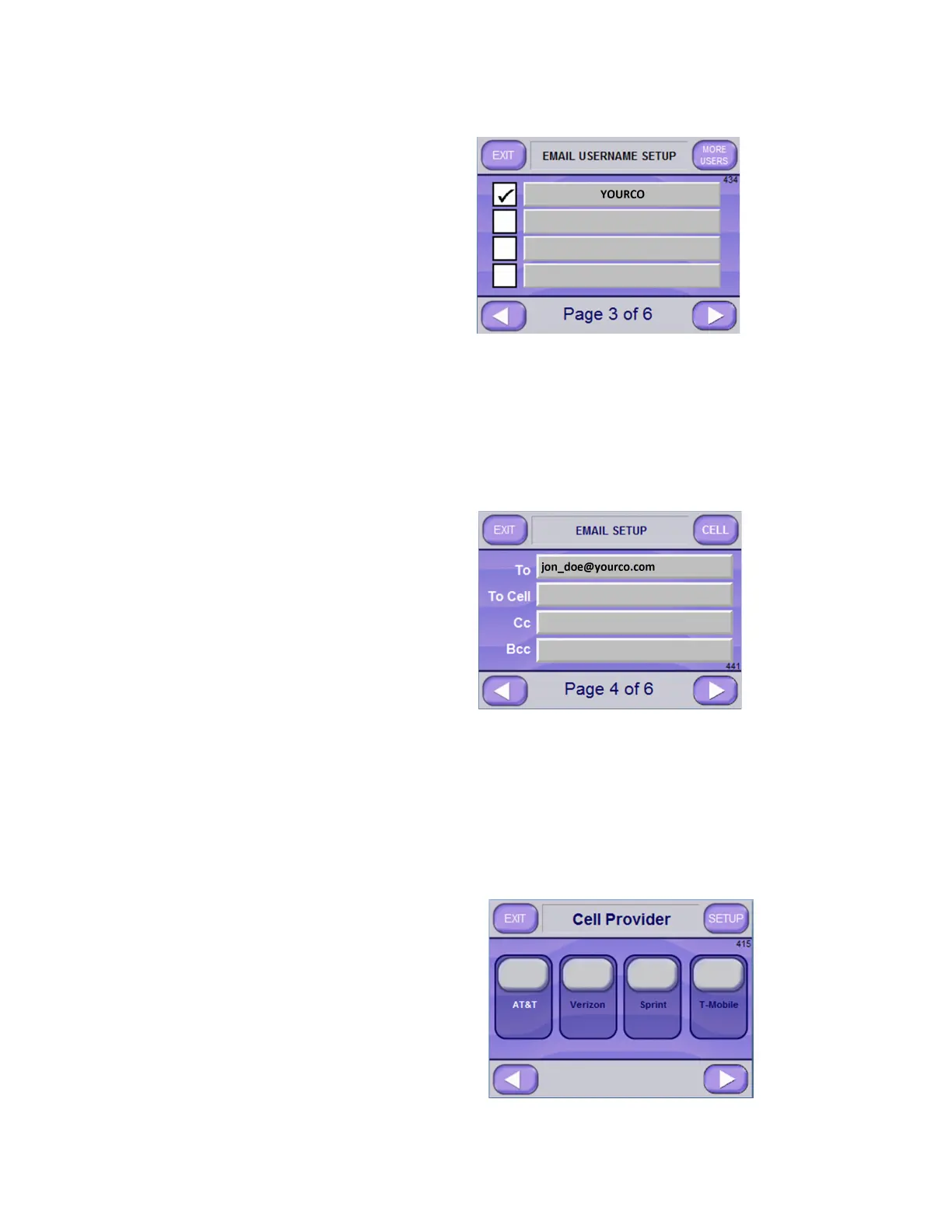
Email Setup Screen Page 3 of 6 (Screen 434) lists all users currently
set to use sterilizer e-mail system. Each user can independently set
e-mail system preferences.
Note that pressing MORE USERS button, upper right of screen,
displays additional users, if applicable.
6. Press the RIGHT ARROW button to advance to next screen, i.e.,
Email Setup Screen Page 4 of 6 (Screen 441).
7. Enter intended email recipient addresses in appropriate lines
(Screen 441). Each line can contain multiple addresses, if
separated by a comma and does not exceed 82 characters.
NOTE: The “To Cell” text box is for the purpose of sending Cell
Phone text messages.
8. Enter cell number into “To Cell” box, then press CELL button
(upper right of screen); this accesses CELL PROVIDER screen
(Screen 415).






 To Next Page