6-87
Sterilizer Operation Operator Manual 387366-389
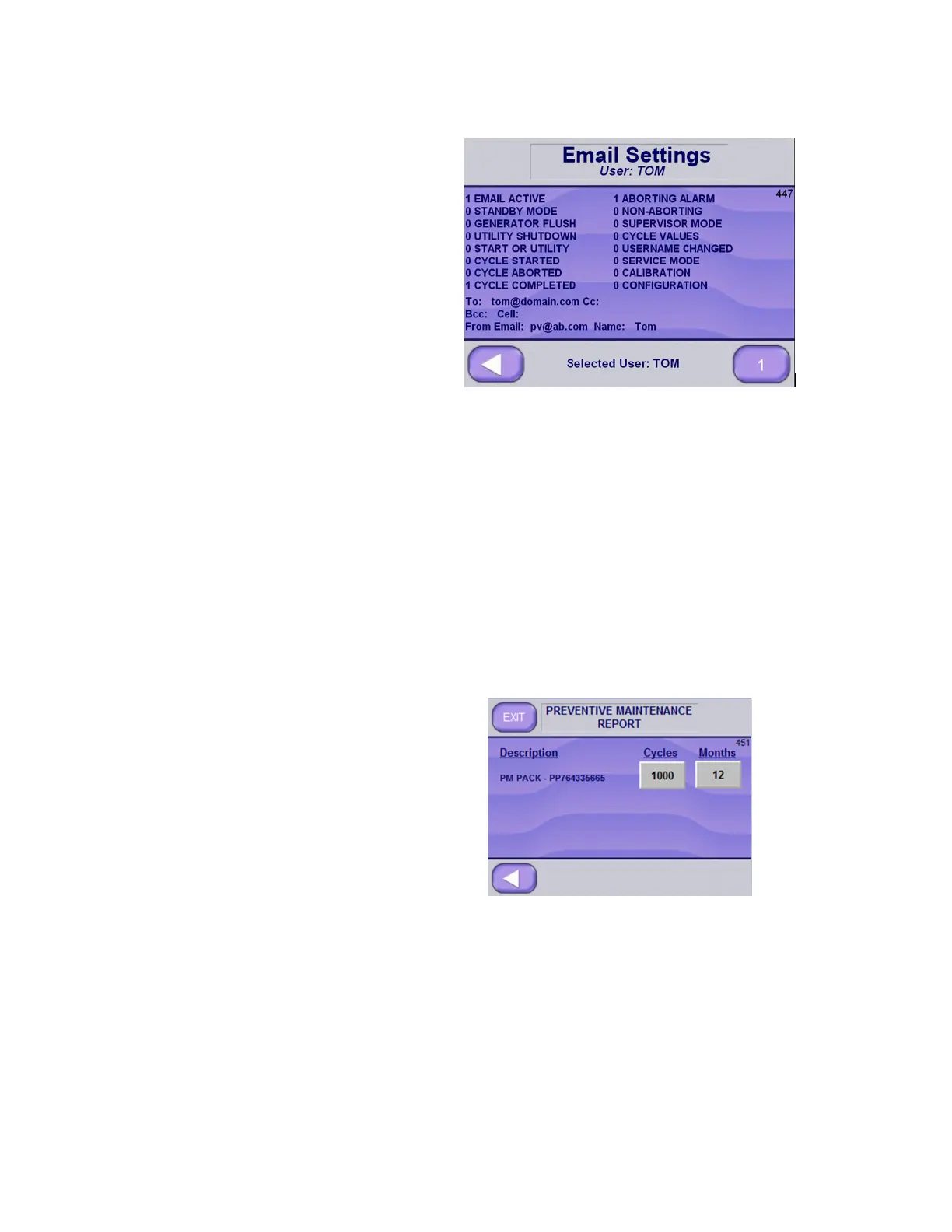
Press Email View button to view Email Setup and Option Values.
The "1" indicates that option is selected, "0" indicates that it is
deselected.
The lower right button will indicate which user is selected. The email
to and from email settings are shown for that user as well as email
options.
Editing the Preventive Maintenance Report
The Preventive Maintenance Report screen can hold three text lines
pertaining to PM packs. To view and/or edit the report:
1. Go to Supervisor Mode Screen Page 5 of 5 (Screen 603).
2. Press PREVENTIVE MAINTENANCE REPORT button.
Preventive Maintenance Report Screen (Screen 451) appears:
NOTE: PM Report screen lists up to three PM pack descriptions
(our example shows only one PM Pack). Each descriptive line, in
addition to PM description, indicates number of cycles run and
number of months passed since last PM notification was sent.
3. Press Cycles button to edit the cycles value, if applicable.
4. Press Months button to edit the months value, if applicable.
5. Press LEFT ARROW or EXIT button to return to Supervisor
Mode Screen Page 5 of 5 (Screen 603).






 To Next Page