8-3
Routine Maintenance Operator Manual 129390199
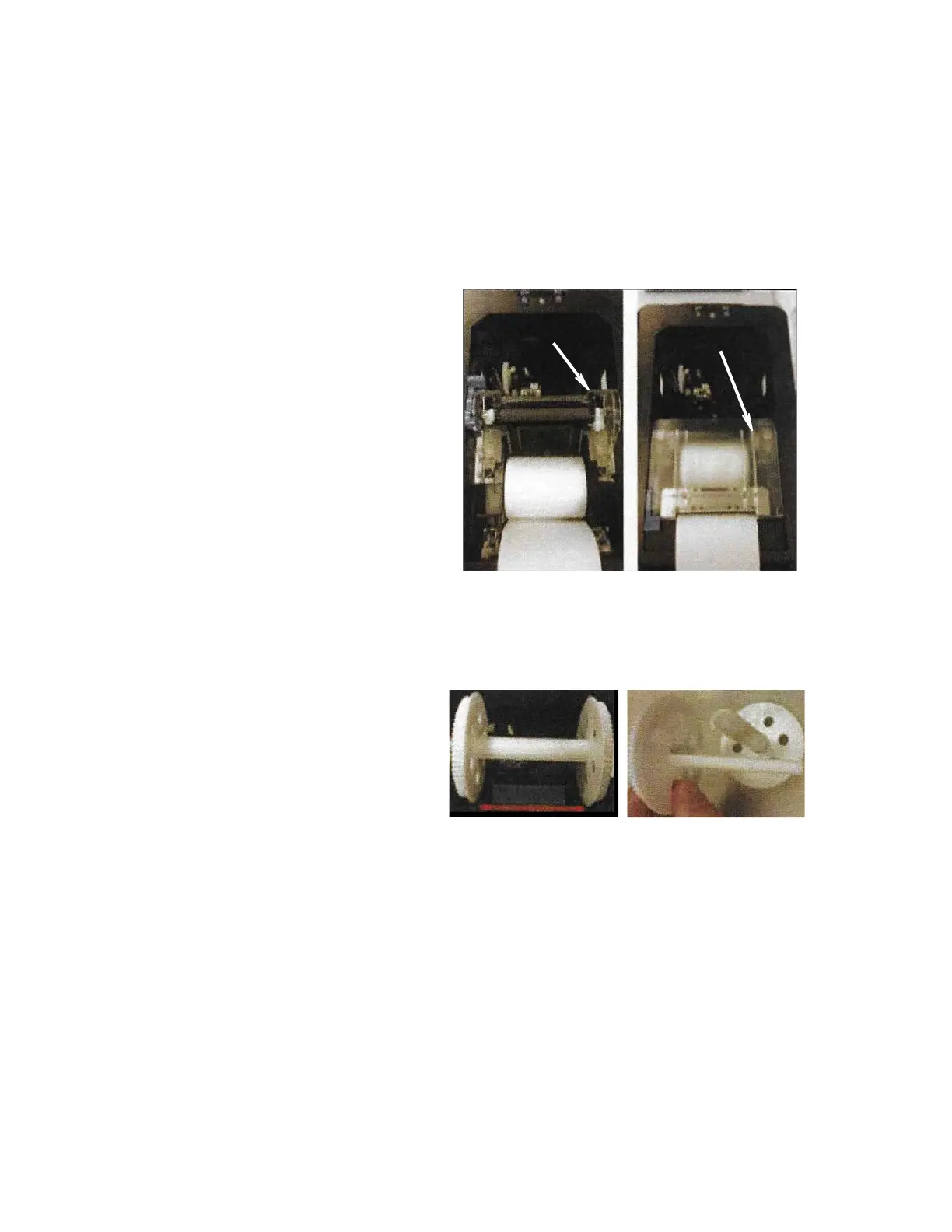
2. Lift Inner Cover as shown in Figure 8-3.
3. Position paper roll as follows:
a. Position paper roll in bottom of printer compartment, paper
coming from bottom of roll.
b. Ensure at least 8” (203 mm) of paper extends from printer
compartment.
4. Close Inner Cover.
5. Remove take-up spool from printer and carefully pull apart as
shown in Figure 8-4.
Figure 8-4. Take-Up Spool
6. Place paper between take-up spool; then push spool halves
together.
7. Tightly wind paper around spool two to three times; then place
spool back in original position (at top of printer compartment.
8. Close printer cover.
Figure 8-3. Positioning Paper Roll
Inner Cover
(Raised)
Inner Cover
(Lowered)
Spool (Assembled) Spool (Disassembled)






 To Next Page