5-4
129390199 Operator Manual Component Identification
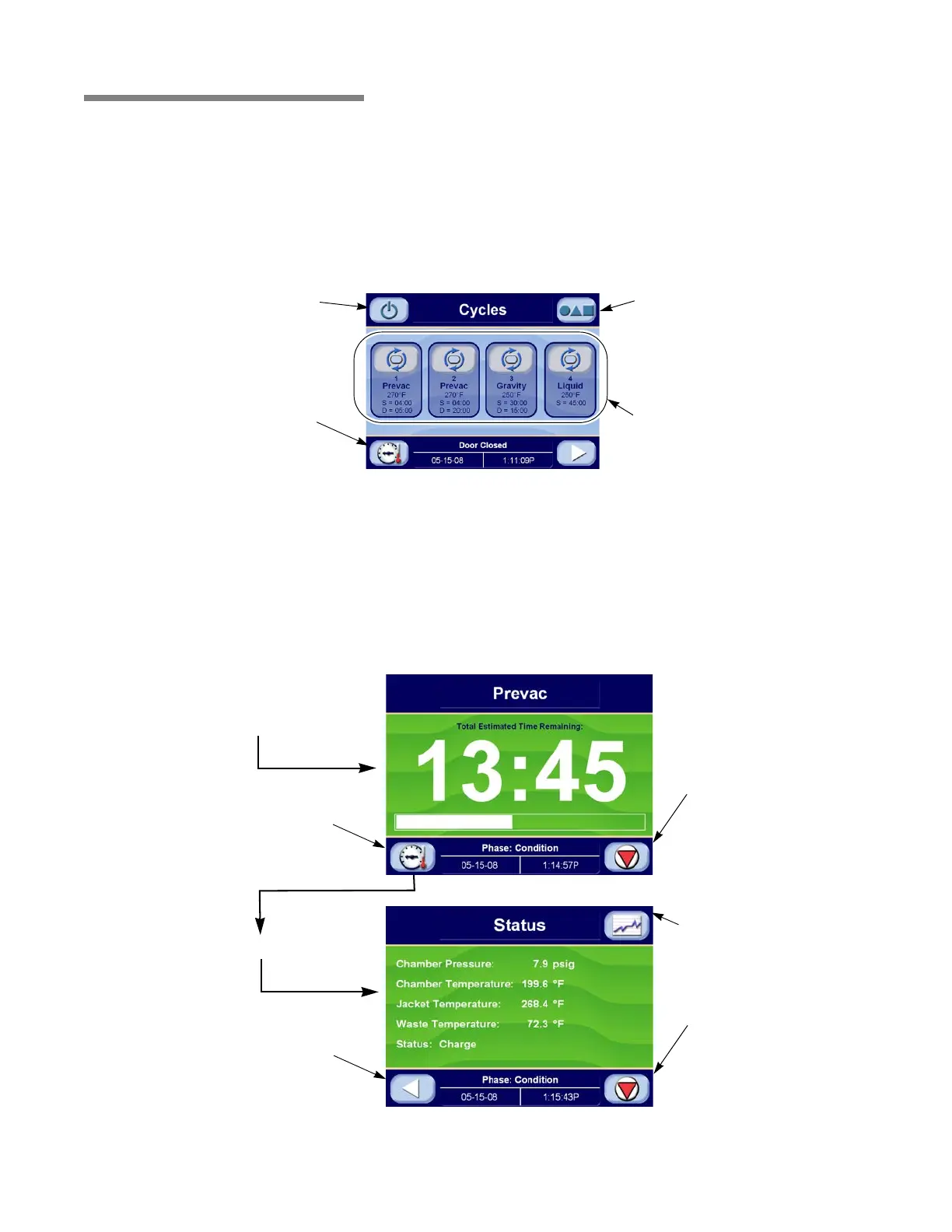
5.4 Control Control displays can be divided into two categories, those occurring
when the sterilizer is “out-of-cycle” and those occurring when the
sterilizer is “in-cycle.” Typical out-of-cycle and in-cycle displays are
shown in Figures 5-3 and 5-4.
• Out-of-cycle displays are used to start cycles, or set up and
adjust sterilizer operation. With the exception of the start-cycle
displays, most out-of-cycle displays will only be used
occasionally. Detailed instructions for adjusting the sterilizer
operating parameters are in S
ECTION 7, CYCLE AND CONTROL
VALUE PROGRAMMING.
• Generally, when the sterilizer is in-cycle, displays appear
automatically and, unless an abnormal condition occurs, require
no special attention or instructions. In-cycle progress displays
tell the operator at what temperature and pressure the sterilizer
chamber is operating, show the current cycle phase and
indicate when the processing cycle is complete. For more details
about operating cycles, refer to S
ECTION 6, STERILIZER OPERATION.
Figure 5-3. Typical Out-of-Cycle Display
Press This Button To
Advance To Options
Screen
Press This Button To
Display Chamber
Temperature and
Pressure
Press This Button To
Place Sterilizer in
Standby
Press These Buttons
To Start a Cycle
Figure 5-4. Typical In-Cycle and In-Cycle Status Display
Press This Button To
Abort Cycle
Press This Button To
Display Chamber
Temperature and
Pressure
In-Cycle Progress Display
Press This Button To
Abort Cycle
Press This Button to
Return to In-Cycle
Progress Display
In-Cycle Status Display
Press This Button To
Display Cycle Chart






 To Next Page