9-3
Troubleshooting Operator Manual 129390199
9.1.2 Typical Alarm Printout When an alarm occurs the printer automatically generates a printout,
typically listing alarm name, time alarm occurred, current chamber
status and any associated sensor temperature. See Figure 9-2.
9.2 In-Cycle Alarms The following alarm screens will appear only during cycle operation:
Figure 9-2. Typical Alarm Printout
* Alarm XX/XX/XX
PRESSURE IN CHAMBER
F XX:XX:XXA/P X:XX A/P
Full Print Format Shown
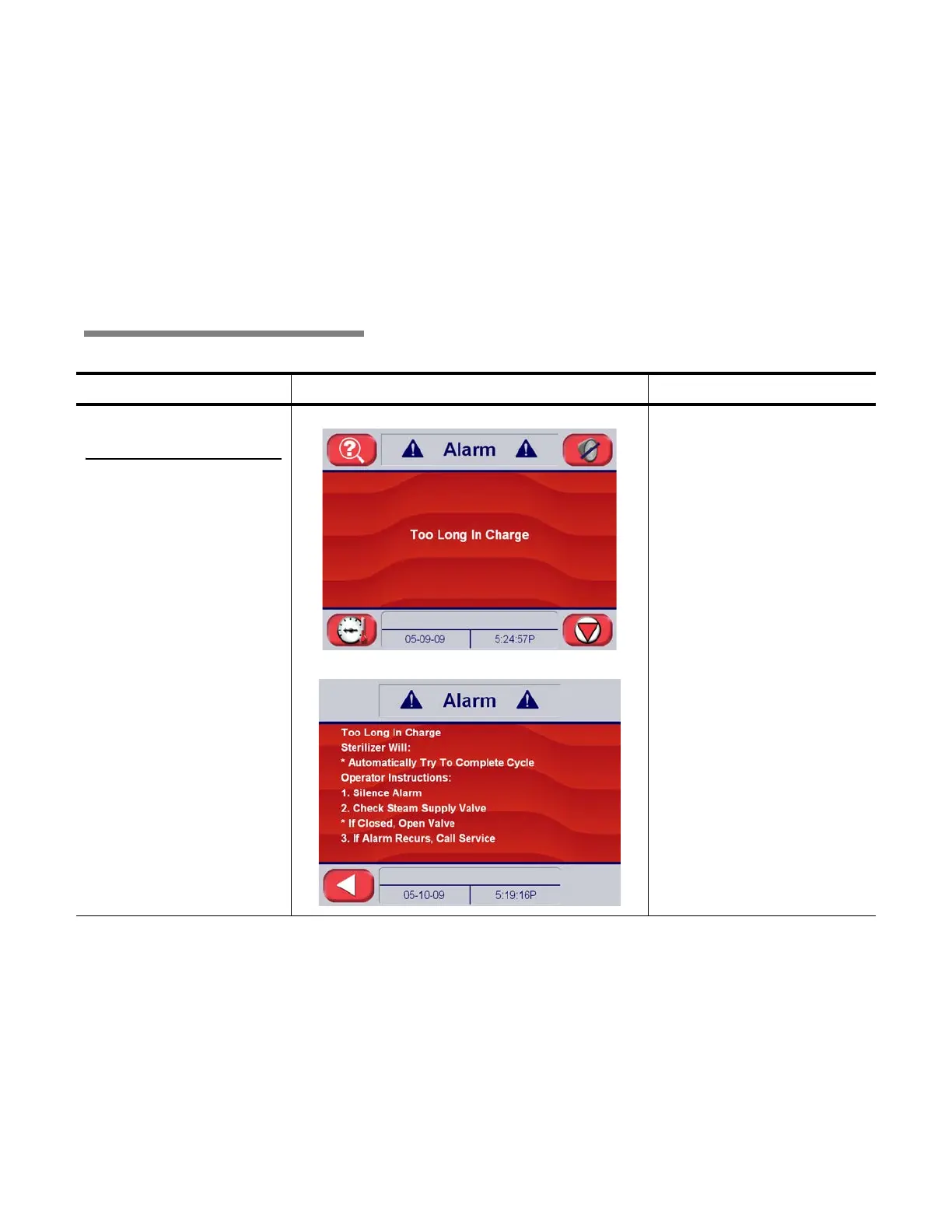
Table 9-1. Operator Troubleshooting – In-Cycle Alarms
Condition Alarm Screen on Sterilizer Control
Service Information
9.2.1 Too Long In
Charge
Occurs if chamber does not
reach the set temperature
within the allotted time.
Alarm Screen
Alarm Detail
Chamber did not reach
sterilize temperature within
allotted time.
Causes and Correction:
1. Steam pressure
< 50 psig (< 3.4 bar)
• Check steam supply
piping
2. Steam regulator
malfunction
•Repair
3. Valve malfunction
•Repair V02
4. Control out of calibration
• Recalibrate (contact
qualified Service person)






 To Next Page