Section 4 Operation
4-140
1
Main Func
On Off
1 2
Previous
Page
/Next Page
Display Dir.
No. Name Date Time
Recall file
00 PARAM00 99-10-10 12:12:12
02
03
04
05
06
07
08
09
10
11
12
13
14
15
16
17
18
19
File No.
#
File Name : PARAM00
Directory : CDMA Tester
01 PARAM01 99-10-10 12:12:12
FD Infomation
Volume Label : MT8801
Unused Area : 1048576bytes
Total Area : 1474560bytes
Save
MT8801 99/12/31 12:00:00
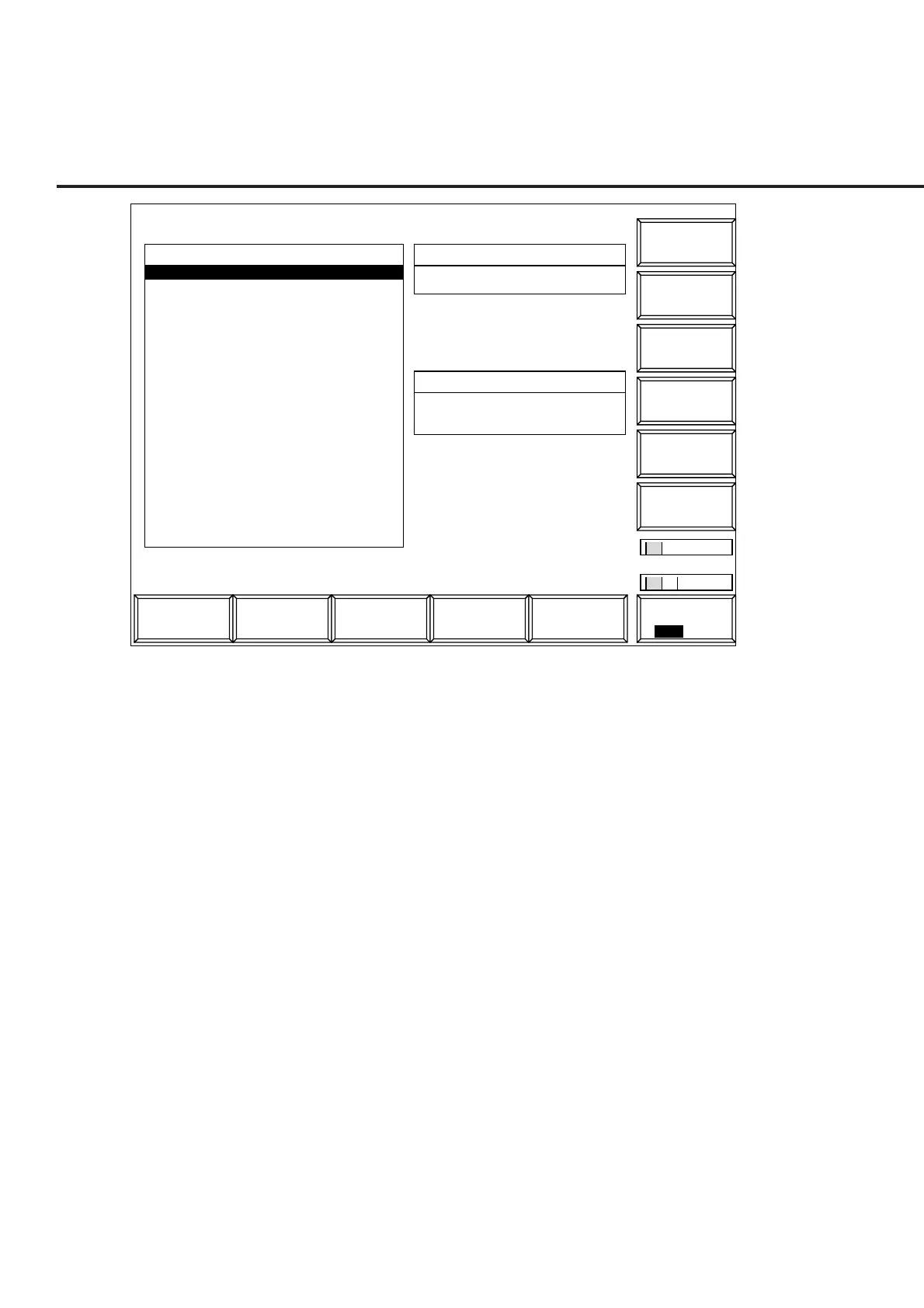
<< Save Parameter >>
File Name
Protect
Write
#
SaveRcallAnalog
Tester
Spectrum
Analyzer
TX & RX
Tester
Fig. 4-28 Save Parameter Screen
• Floppy disk to be used:
For saving and loading parameters and data, use the floppy disk described in Sec-
tion 3. When the floppy disk is required to be formatted, use the File Operation
screen in Paragraph 4.3.10.
• Notes when displaying the Save Parameter screen and Recall Parameter screen:
Before pressing the [Save] F5 or [Recall] F4 function key, insert a floppy disk (FD)
in the FD driver of the MT8801C. Then press the key. The MT8801C automati-
cally starts the FD-driver operation.
• Screen display and function key display:
Pressing the [Save] F5 or [Recall] F4 function key changes only the display of the
F7 to F12 function keys.
The screens (Figs. 4-27, 4-28) appear when the [Display Dir./Next Page] F8 key is
pressed to display the contents of the FD. These screens also display the function
keys used to select any directory and any file.
• Information to be saved and recalled:
1) The [Save] and [Recall] keys on the main function keys saves and recalls
the measurement parameters except those in paragraphs 2) and 3) below,
respectively.
2) The Save Template and Recall Template screens under the Gated Power
screen saves and recalls only the template level information, respectively.
3) The Save Pattern and Recall Pattern screens under the Setup RX Measure
screen saves and recalls only the pattern information of the measurement
test signals, respectively.













 To Next Page