5-7
5.2 Testing CDMA Mobile station Output
5.2 Testing CDMA Mobile station Output
This section explains the test procedures related to the CDMA mobile station output.
5.2.1 Analyzing modulation
Modulation analysis measures how much error is contained in the digitally modulated
signal to be measured in comparison with the ideal signal.
Frequency error, waveform quality, and modulation accuracy are measured as yard
sticks.
Measurement procedure
The explanation in this section starts at the completion of the setting explained in
section 5.1.2 “Setting MT8801C and the CDMA mobile station”.
(1) Press the F6 (Main Func On Off) key to turn On the Main Func.
(2) Press the F1 (TX & RX Tester) key.
(3) Check whether the Loopback status is displayed on the Setup Common Param-
eter screen.
(4) Press the F1 (TX Measure) key.
(5) Press the F8 (Modulation Analysis) key.
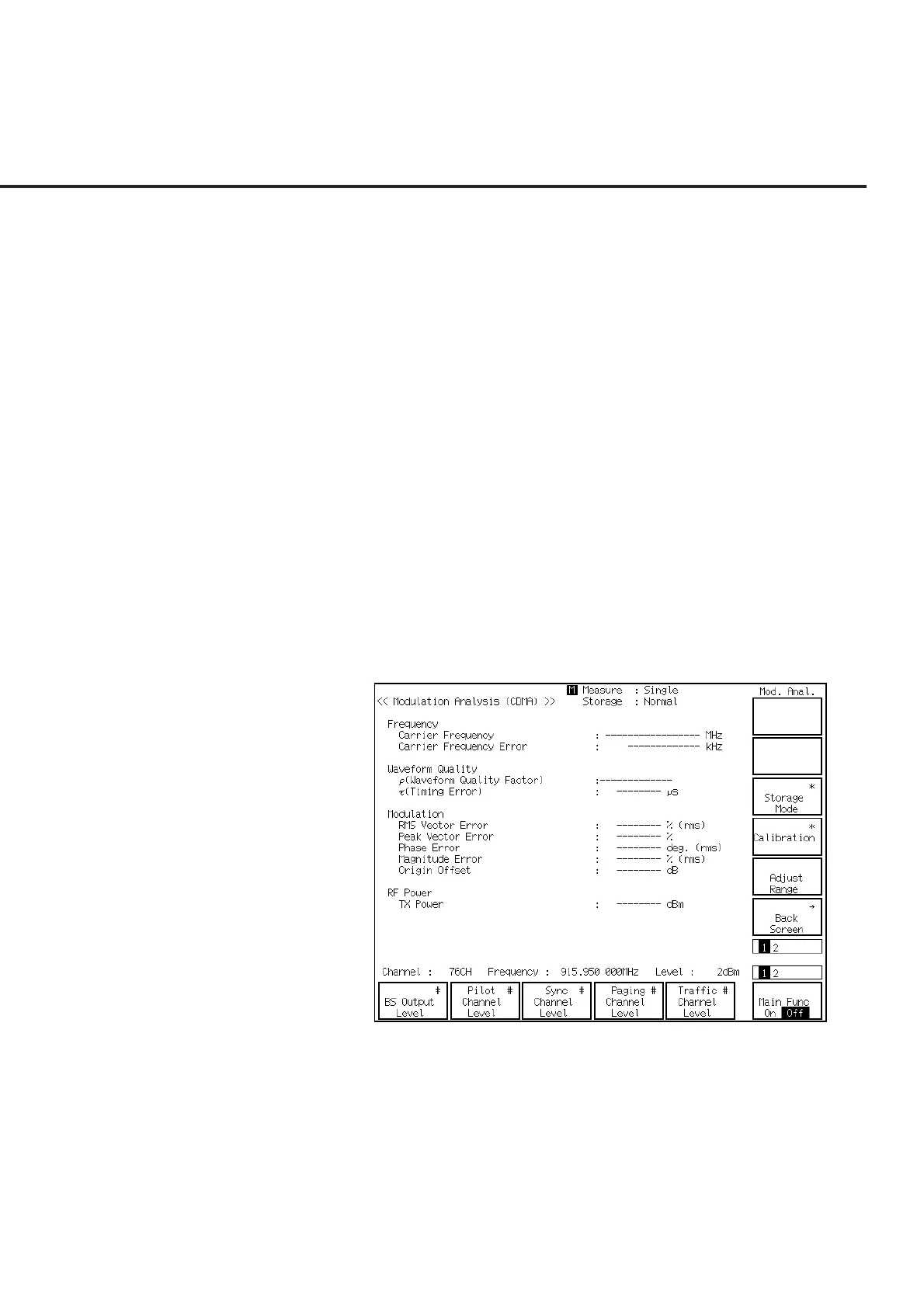
(6) The Modulation Analysis screen is displayed (shown below).
(7) Press the F9 (Storage Mode) key and F7 (Normal) to set Storage Mode to be
Normal.
(8) Press the F12 (return) key.
(9) Press the F11 (Adjust Range) key to optimize the measurement range.













 To Next Page