Section 4 Operation
4-10
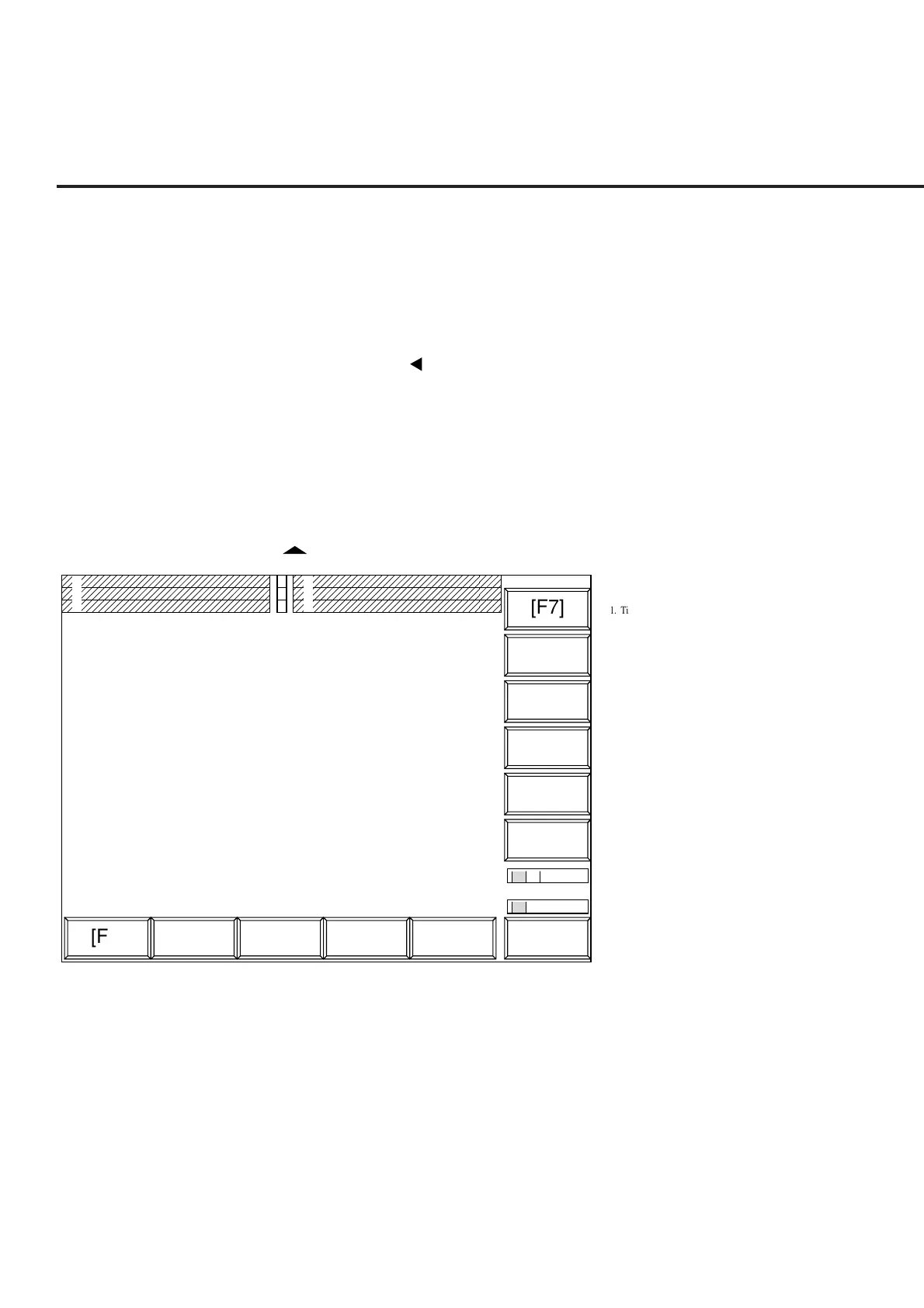
• Menu display area The titles of up to six main function keys (F1 to F6) are displayed horizontally along
the bottom.
When the [Main Func on off] (F6) key on the right is set On, the main function menu
is displayed.
When the [Main Func on off] (F6) key is set Off, the menu is displayed according to
the screen contents.
Use the Next Menu [ ] key to display the next page.
The display of 1 (first page), 2 (second page), or later above the F6 menu indicates the
current page.
The titles of up to six function keys (F7 to F12) are displayed vertically along the right
side.
The display of 1 (first page), 2 (second page), or later under function key F12 indicates
the menu page number.
The current page is reverse displayed. If there are multiple pages, use the Next Menu
[ ] key to display the next page under the F12 key.
1. Title/date and time
2. Screen name
3. Measurement error or measurement being performed
4. RF input switching
5. Calibrated display
6. User Cal display
7. Measurement mode
8. Storage mode
9. Call Proc and trace format
4
5
6
1
3
2
7
9
8
1
1
2
[F7]
[F1] [F2] [F3] [F4] [F5] [F6]
[F12]
[F11]
[F10]
[F9]
[F8]
Fig. 4-1 Screen Layout













 To Next Page