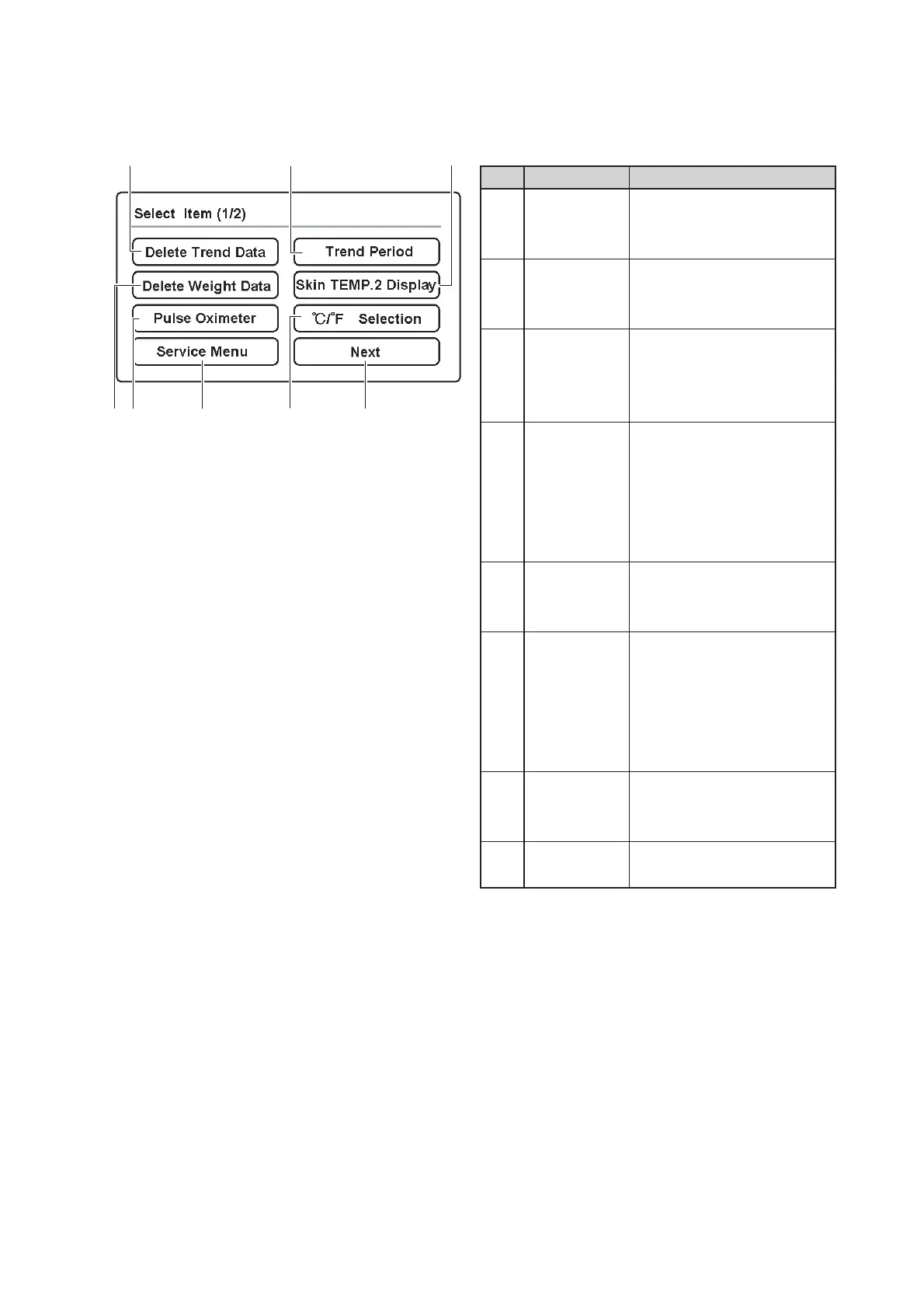
Parts Identification
30
q
t
w
e
y
u
i
r
Description
Touch this switch to delete the
trend data displayed on the
trend screen.
Touch this switch to delete the
weight data displayed on the
weight screen.
Touch this switch to have the
menu area 3 displayed for the
pulse oximeter-related setting
operation.
This switch is used for ad-
vanced settings of the unit. For
details of the operation of this
switch, see “2-4. Service
Menu (How to Operate the
Service Menu Screen).”
Touch this switch to select a
trend period to be displayed on
the trend screen.
Touch this switch to have ei-
ther a detected skin tempera-
ture 2 or 왕T (detected skin
temperature 1detected skin
temperature 2) displayed in
the temperature area.
Touch this switch to switch the
unit of temperature from ˚C to
˚F, and vice versa.
Touch this switch to have the
menu area 2 displayed.
No.
q
w
e
r
t
y
u
i
Name
Delete Trend
Data switch
Delete
Weight Data
switch
Pulse Oxime-
ter switch
Service Menu
switch
Trend Period
selector
switch
Skin TEMP. 2
Display
switch
˚C/˚F selector
switch
Next switch
[Menu area 1]
❋ This screen appears first when the menu screen is selected.



 To Next Page