Parts Identification
31
PLEASE READ WITHOUT
FAIL
Description
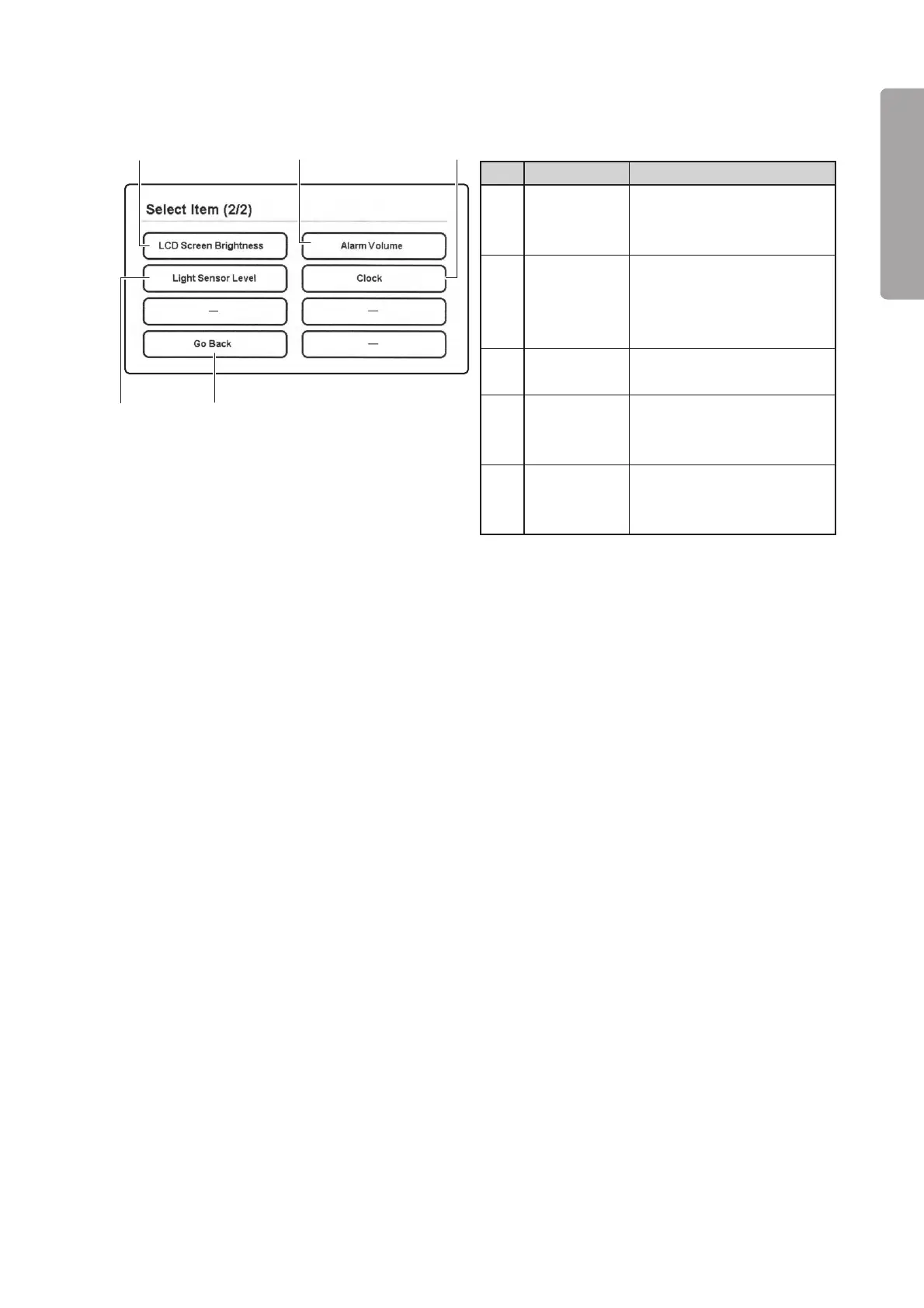
Touch this switch to set the
brightness of the display
screen to a desired level.
Touch this switch to set the
light sensor level to a desired
level in switching to the night
mode.
Touch this switch to return to
the menu area 1.
Touch this switch to set an
alarm volume to a desired
level.
Touch this switch to set the
year, the month, the date, the
hour and the minute.
No.
q
w
e
r
t
Name
LCD Screen
Brightness
selector switch
Light Sensor
Level selector
switch
Go Back
switch
Alarm Volume
selector
switch
Clock setting
switch
q
r t
e
w
[Menu area 2]
❋ Select [Next] in the menu area 1 to enter this screen.



 To Next Page