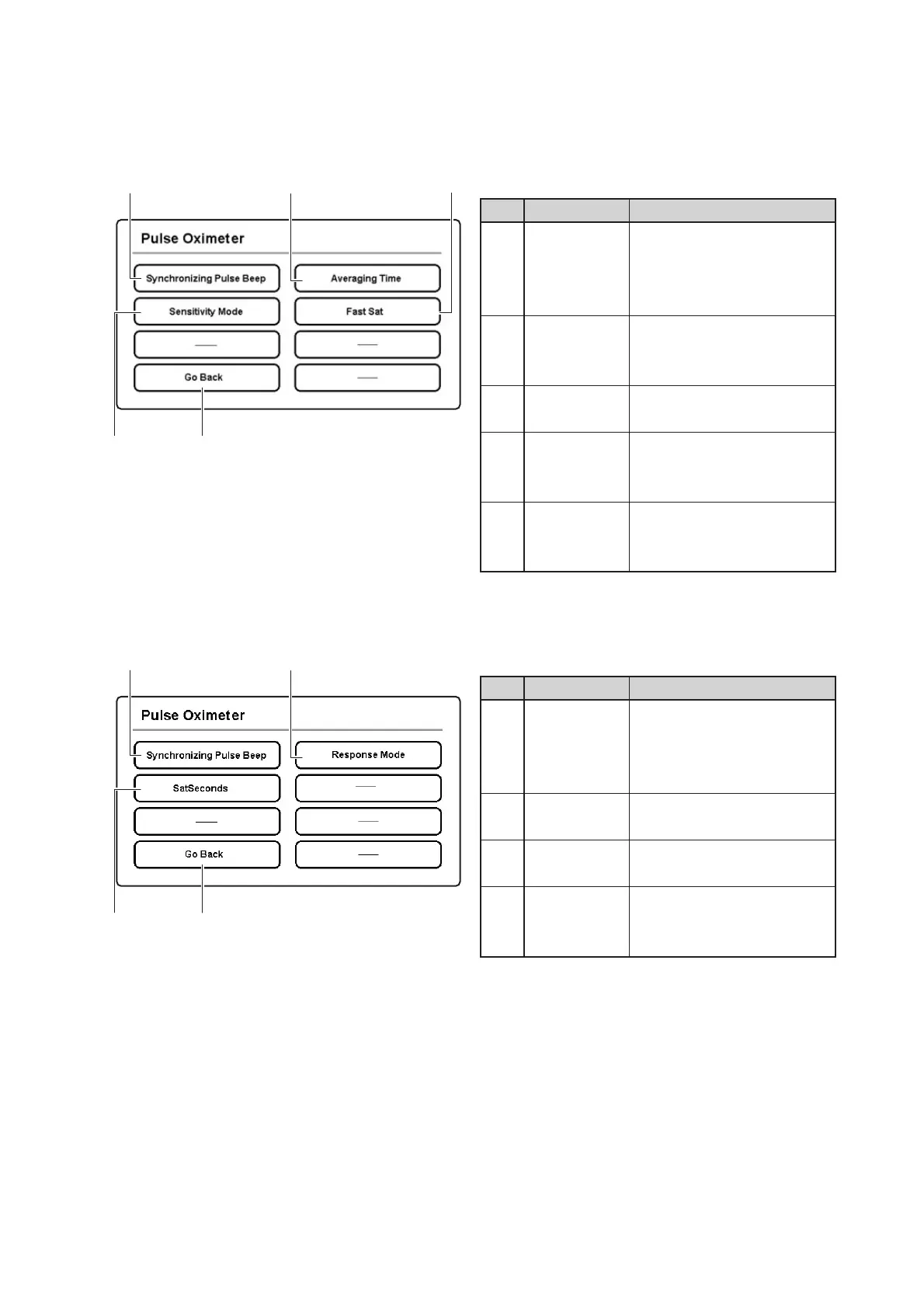
Parts Identification
32
Description
Touch this switch to set the
volume of the synchronizing
pulse beep of the pulse oxime-
ter to a desired level.
Touch this switch to set the
sensitivity of the pulse oxime-
ter to a desired level.
Touch this switch to return to
the menu area 1.
Touch this switch to set the
averaging time of the pulse
oximeter.
Touch this switch to enable or
disable the FastSat mode of
the pulse oximeter.
No.
q
w
e
r
t
Name
Synchronizing
Pulse Beep
volume
selector switch
Sensitivity
selector
switch
Go Back
switch
Averaging
Time selector
switch
FastSat
selector
switch
q
r
w
t
e
Description
Touch this switch to set the
volume of the synchronizing
pulse beep of the pulse oxime-
ter to a desired level.
Touch this switch to set
SatSeconds as desired.
Touch this switch to return to
the menu area 1.
Touch this switch to set the
response mode as desired.
No.
q
w
e
r
Name
Synchronizing
Pulse Beep
volume
selector switch
SatSeconds
selector switch
Go Back
switch
Response
Mode selec-
tor switch
q
r
w
e
[Menu area 3]
❋ Select [Pulse Oximeter] in the menu area 1 to enter this screen.
<The unit equipped with the Masimo pulse oximeter>
<The unit equipped with the Nellcor pulse oximeter>



 To Next Page