Parts Identification
37
PLEASE READ WITHOUT
FAIL
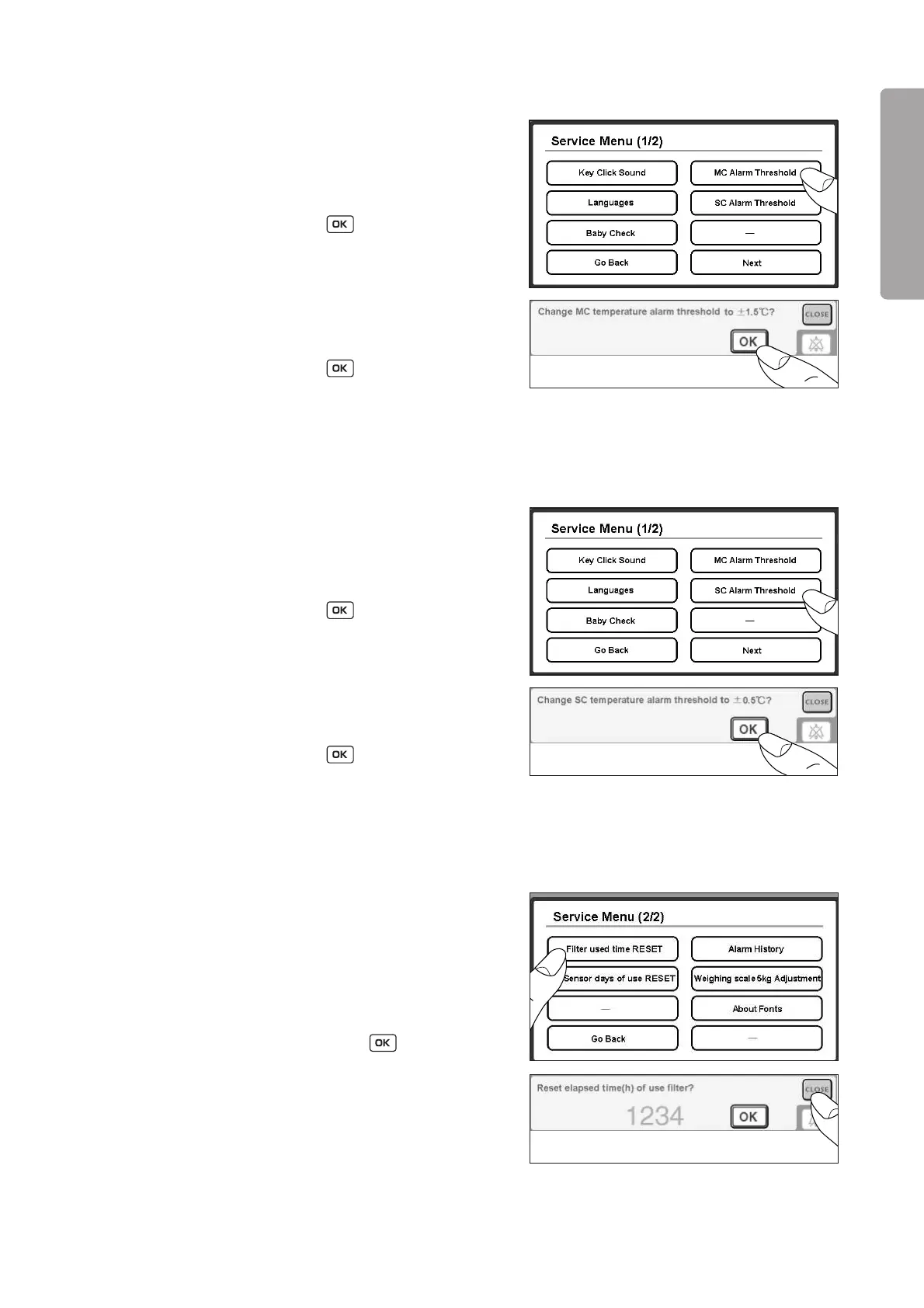
2-4-2-3. Setting the MC Alarm Threshold
(1) Touch [MC Alarm Threshold] on the Service Menu
screen (1/2).
(2) When the threshold has been set to 3.0˚C before-
hand, a message to confirm whether to change it to
1.5˚C will appear. Touch , and the threshold
will be changed to 1.5˚C. To cancel this procedure,
touch [CLOSE].
The threshold will remain 3.0˚C.
(3) When the threshold has been set to 1.5˚C before-
hand, a message to confirm whether to change it to
3.0˚C will appear. Touch , and the threshold
will be changed to 3.0˚C. To cancel this procedure,
touch [CLOSE]. The threshold will remain 1.5˚C.
2-4-2-4. Setting the SC Alarm Threshold
(1) Touch [SC Alarm Threshold] on the Service Menu
screen (1/2)
(2) When the threshold has been set to 1.0˚C before-
hand, a message to confirm whether to change it to
0.5˚C will appear. Touch , and the threshold
will be changed to 0.5˚C. To cancel this procedure,
touch [CLOSE].
The threshold will remain 1.0˚C.
(3) When the threshold has been set to 0.5˚C before-
hand, a message to confirm whether to change it to
1.0˚C will appear. Touch , and the threshold
will be changed to 1.0˚C. To cancel this procedure,
touch [CLOSE]. The threshold will remain 0.5˚C.
2-4-2-5. Checking How Many Hours the Filter Has Been Used
(1) Touch [Filter used time (h) RESET] on the Service
Menu screen (2/2).
(2) The number of hours for which the filter has been
used so far and a message to confirm whether to
reset the counter will appear. To finish the proce-
dure without resetting the counter, touch [CLOSE].
After replacing the filter, touch to reset the
counter.



 To Next Page