Parts Identification
38
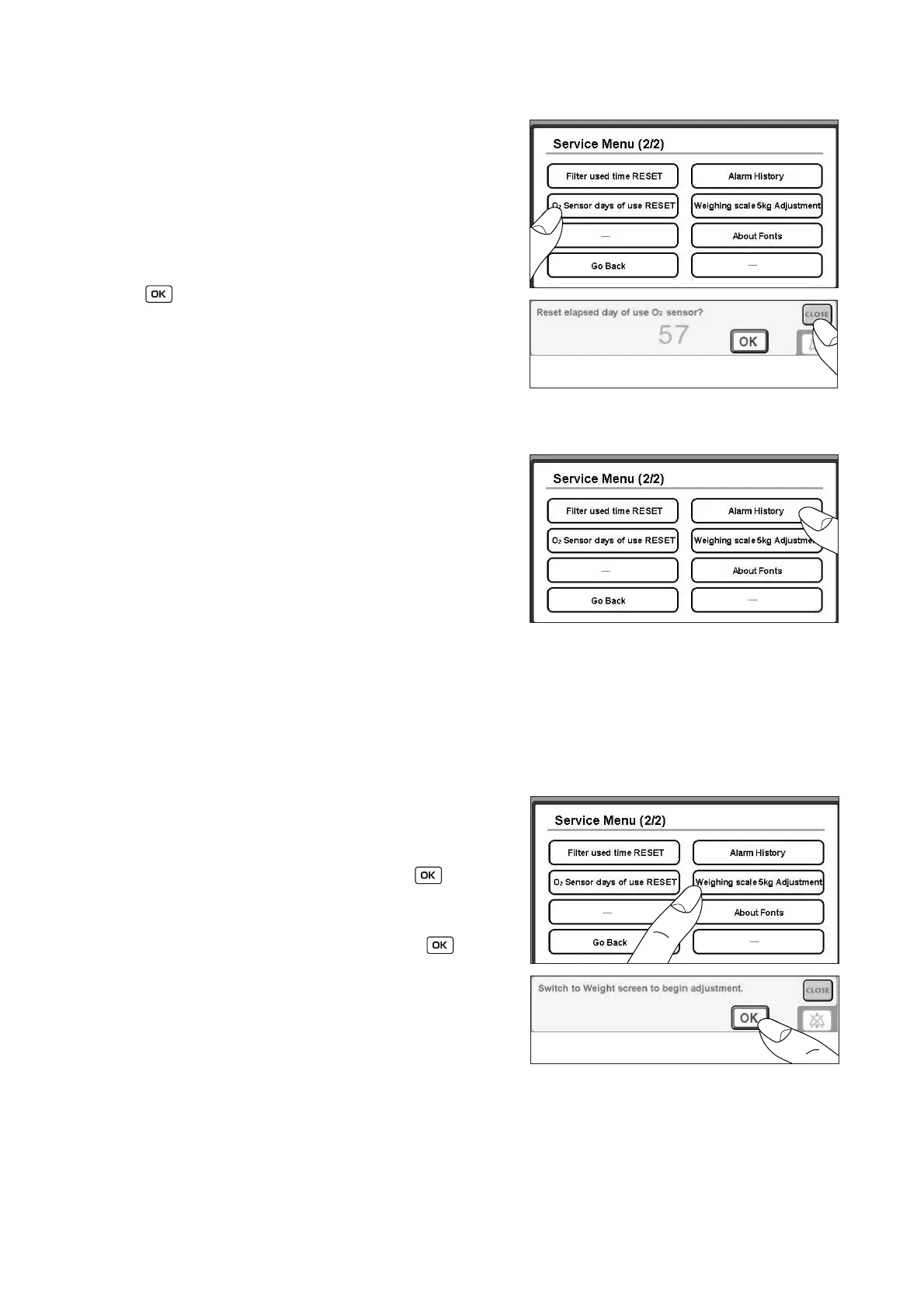
2-4-2-6. Checking How Many Days the Oxygen Sensors Have Been Used
(1) Touch [O2 sensor days of use RESET] on the Ser-
vice Menu screen (2/2).
(2) The number of days for which the oxygen sensors
have been used so far and a message to confirm
whether to reset the counter will appear. To finish
the procedure without resetting the counter, touch
[CLOSE]. After replacing the oxygen sensors, touch
reset the counter.
2-4-2-7. Alarm History
(1) Touch [Alarm History] on the Service Menu screen
(2/2).
(2) The time(s) when the power was turned on, the
time(s) when the power was turned off, and the
time(s) when an alarm or alarms occurred will be
displayed.
(3) Touch [CLOSE] to finish viewing the alarm history.
2-4-2-8. Adjusting the Weighing Scale with a 5 kg Weight
❋ Obtain a 5 kg weight in advance.
❋ Be sure to change the unit of weighing to be displayed on the screen to “g” before starting the 5kg adjust-
ment.
(1) Touch [Weighing Scale 5 kg Adjustment] on the Ser-
vice Menu screen (2/2).
(2) A message to confirm whether to begin adjustment
of the weighing scale will appear. Touch . After
the message has disappeared, touch the weight
screen display switch to have the weight screen dis-
played. If you touch [CLOUSE] instead of , the
adjustment procedure will not be started even when
the weight screen is displayed.
(3) When the weight screen appears, 0kg adjustment
will be started. Do not place anything on the bed.
Wait for 5 ~ 10 seconds until the weight reading sta-
bilizes.



 To Next Page