DV14307.03 Issue 06 February 2021 Transceivers 6200 Series 129
Direct Tune Mode
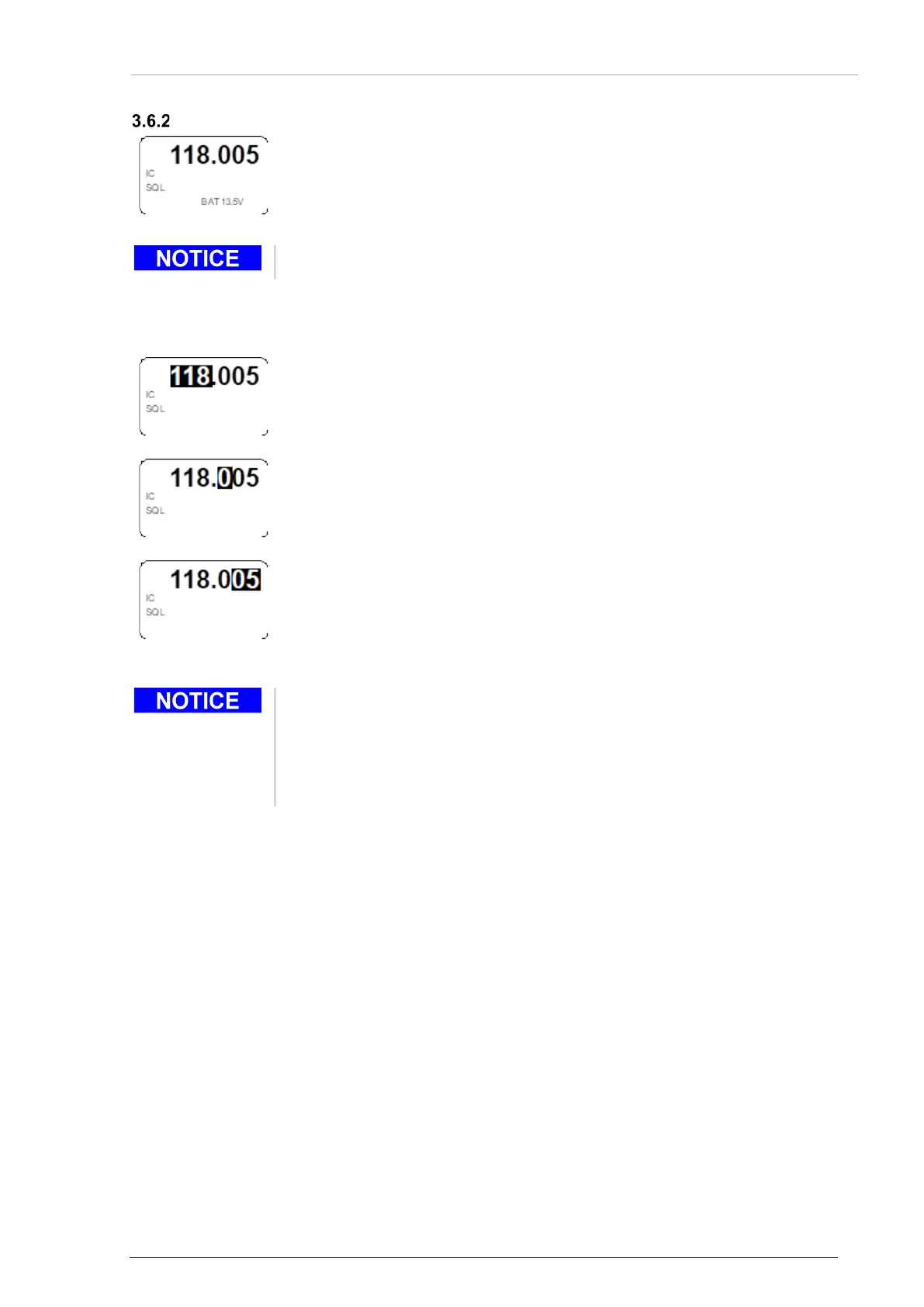
• Push the "MDE" key to change to the direct tune mode page.
o The active frequency is shown in the top line.
• The battery information is shown.
The battery information is only shown if BATTERY VOLTAGE is selected in the configuration setup*.
* (Details see "Configuration Setup" page 69).
Change the active frequency in direct tune mode:
• Make a "short push" on the rotary encoder to change the MHz digits.
o The changeable digits are shown inverted.
• Turn the rotary encoder clockwise/counter clockwise to change the frequency
in 1 MHz steps.
• Make another "short push" on the rotary encoder to change the 100 kHz digit.
o The changeable digit is shown inverted.
• Turn the rotary encoder clockwise/counter clockwise to change the frequency
in 100 kHz steps.
• Make another "short push" on the rotary encoder to change the 25/8.33 kHz
digits.
o The changeable digits are shown inverted.
• Turn the rotary encoder clockwise/counter clockwise to change the frequency
• The changes are active immediately.
o While the transceiver transmits, the change of the active frequency is
not possible.
• Push the "STO" key to store the active frequency into the next vacant
memory position of the user channel database (see "
Frequency Storage



 To Next Page