Configuration Setup
70 Transceivers 6200 Series DV14307.03 Issue 06 February 2021
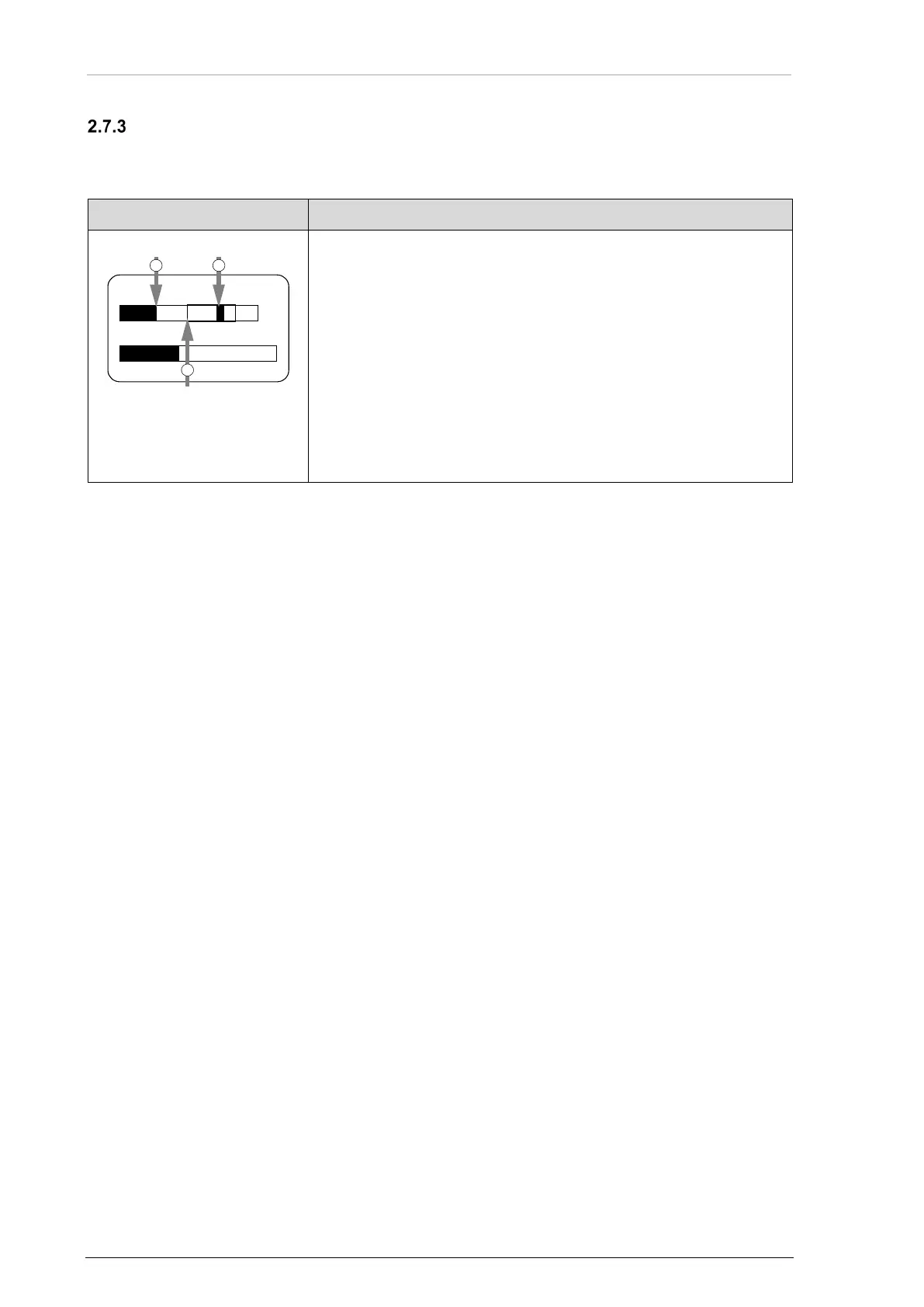
Volume Adjustment (VU Meter)
• The VU meter is to correct the adjustment of audio input sensitivity.
o It is shown on all sensitivity adjustment menus.
1: Current audio level
2: Hold max. level
3: Recommended range
(inside frame)
• The VU meter is shown in the middle below the menu name and
above the sensitivity adjustment bar.
• It shows the current audio level value on selected audio input
("Current audio level")
• It holds the highest value of active audio level recorded during
last 3 s (shown as "Hold max level" bar).
• Correct sensitivity is achieved if most of the time, while you are
speaking normally into the microphone, the "Hold max level" bar
is in the "Recommended range".
17 dB 3.5 mV
VU
DYN MIKE SENS
1 2
3



 To Next Page