DV14307.03 Issue 06 February 2021 Transceivers 6200 Series 135
3.8 RX Field Strength Indication
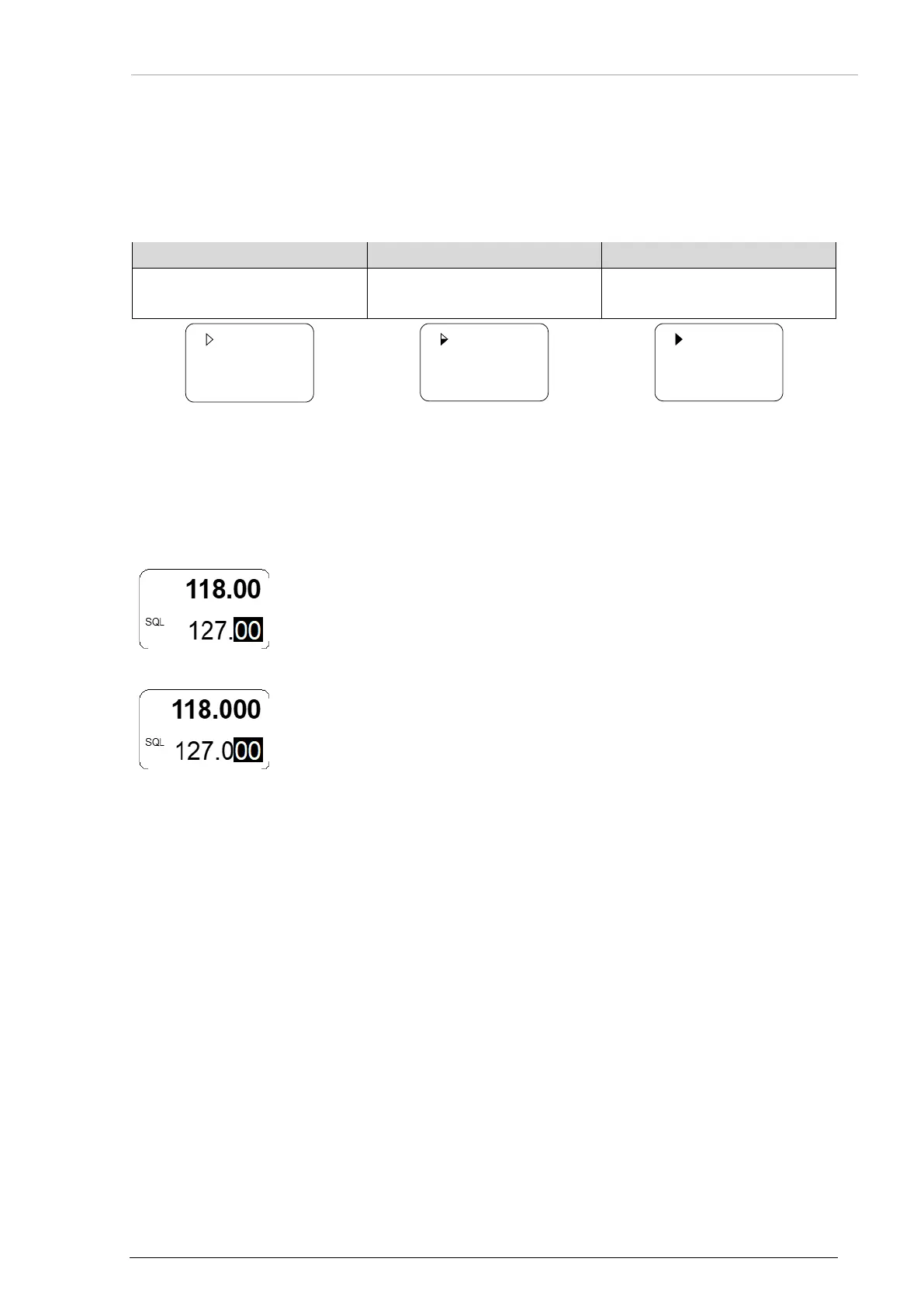
• The field strength is shown with triangle symbol in front of the related frequency (in all
frequency selection modes).
• The field strength of a received signal relates to the measured RSSI level ("Received
Signal Strength Indication").
Excellent Signal Strength
RSSI passing squelch levels
(empty triangle)
(half-filled triangle)
(fully filled triangle)
3.9 Channel Spacing
• The transceiver can operate in 8.33 and 25 kHz frequency channel
spacing.
• Push and hold the MOD and STO key at the same time for > 2 s to
change 8.33 to 25 kHz channel spacing and vice versa.
25 kHz
channel spacing
• In 25 kHz mode, 5 frequency digits are shown.
o Only operating frequencies with a channel spacing of 25 kHz are
selectable.
o This mode has a faster tuning, because it does not show the
8.33 kHz frequency steps.
8.33 kHz
channel spacing
• In 8.33 /25 kHz mixed mode 6 frequency digits are shown.
o The transceiver tunes to all possible frequencies in the aviation VHF
frequency band.
Notice:
The 62XX-(0XX) variants can operate in 8.33 /25 kHz channel spacing modes.
The 62XX-(1XX) variants can operate in 25 kHz mode only.
3.10 Auxiliary Audio Input (AUX INPUT)
• The auxiliary audio input is used for e.g. MP3 player connection.
o This function can be enabled/disabled in the configuration setup* - (page
"Configuration").
• With AUX INPUT enabled:
o The auxiliary audio input signal will be mixed with the received signals from
antenna (passing squelch) and the intercom signal (when started).
o When the intercom operates in isolation mode, the auxiliary audio input signal is
audible on headphone 2 output, also if radio communication
(transmission/receiving) is started.
• The AUX AUTO MUTE function depends on the AUX INPUT.
o This function can be enabled/disabled in the configuration setup* - (page
"Configuration").
o This function automatically mutes the audio signal from the auxiliary audio input as
long as the device detects (based on squelch evaluation) a RX signal or the user
stops the squelch manually.
• With auxiliary input disabled:



 To Next Page