4-4
Visual DIRECT TO And Data
Interrogation
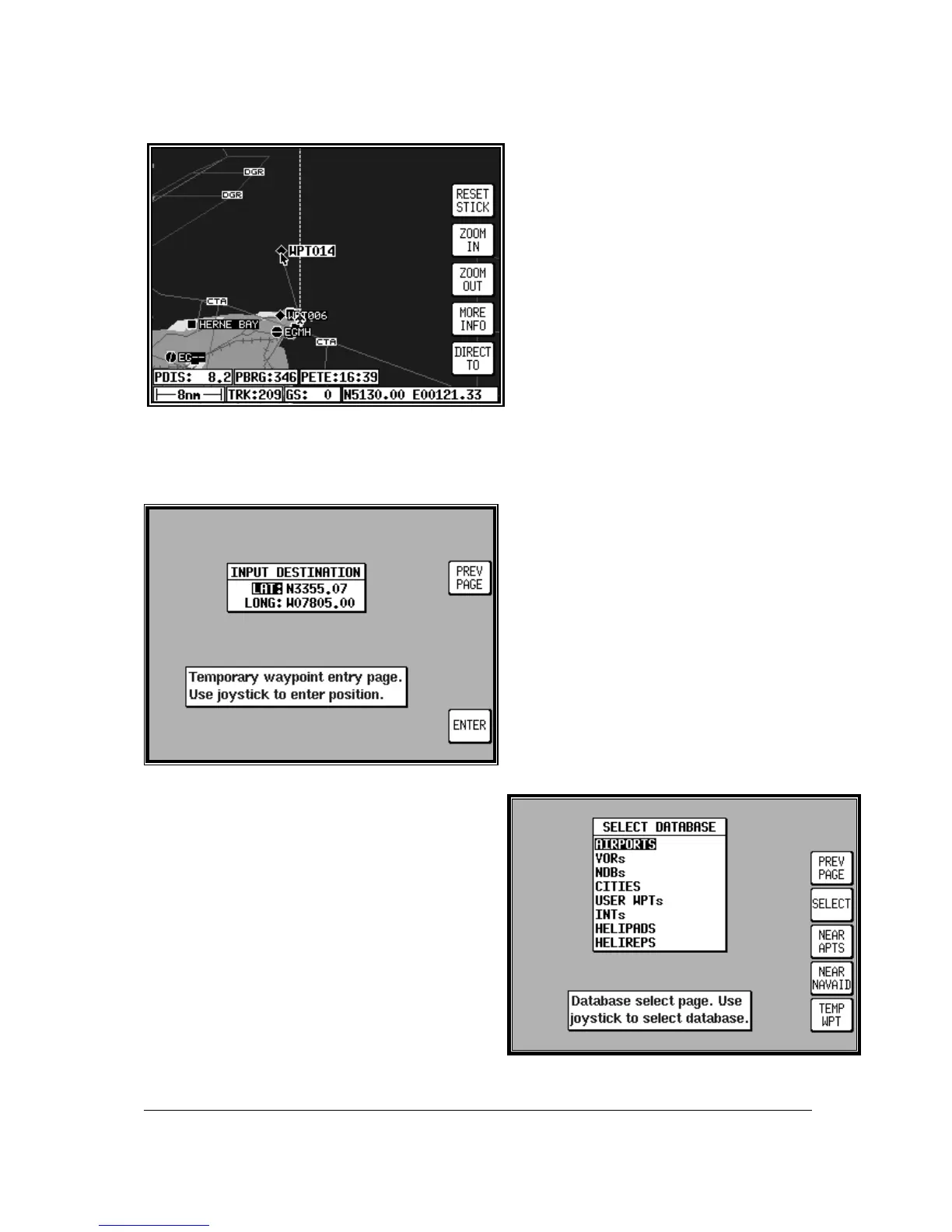
In MAP mode use the joystick to move the
pointer to the desired location, or obtain
distance/bearing and latitude/longitude from
present position. If you have a ground speed
your Bendix/King unit will calculate the time
to reach the tip of the on screen pointer. This
information is displayed in the PETE (or
Pointer ETE) field. If you wish to invoke the
DIRECT TO function press the DIRECT TO
key. The unit will then provide you with full
navigation information to reach this point.
Alternatively if you wish to obtain more
information on a specific data point, whether
it is an airport, a section of controlled airspace or a beacon, move the pointer onto it and press the
MORE INFO key. Once the pointer has been activated, by pushing the joystick, it will remain active for
30 seconds; after which time it will automatically reset, if not moved. Alternatively you can force a
reset by pressing RESET STICK.
DIRECT TO a Specific Latitude-
And Longitude
To perform a DIRECT TO a specified
latitude/longitude press the DIRECT TO key in
MAP mode, when the joystick is not active.
Then press TEMP WPT and use the joystick
to dial in the required latitude and longitude,
followed by ENTER. The unit will then provide
you with full navigation information to reach
this point.
Manual DIRECT TO And Data
Interrogation
Provided the pointer is not active in MAP mode, press
the DIRECT TO key. You will now be able to select
the item from the database as explained in Database
Selection in this Section of the Manual. To activate
the item as the DIRECT TO, press the SELECT key
when the desired item is displayed. To get more
information on the item press the MORE INFO key
when the desired item is displayed. If you are running
a DIRECT TO an item, you can discontinue the
navigation by pressing the DIRECT TO OFF key.



 To Next Page