4-7
Selecting A Flight Plan To Fly
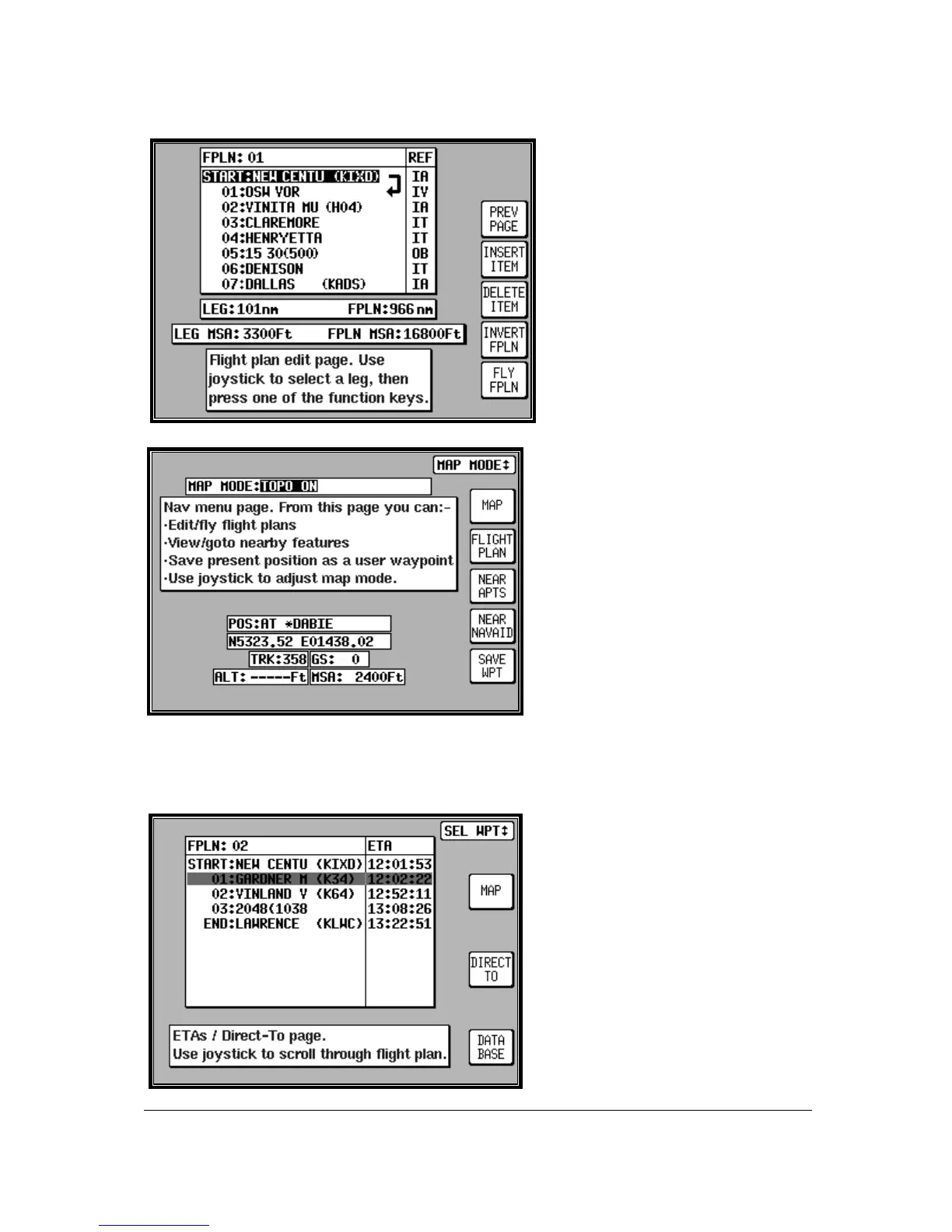
From MAIN MENU select the MAP key,
followed by NAV MENU and FLIGHT
PLAN. Use the joystick to select the
desired flight plan number and then
press the SELECT key. Ensure that the
leg arrow is pointing at the initial leg that
is to be flown and press FLY FPLN.
The unit will immediately revert to map
mode with the navigation information
showing, using the pre-selected MAP
mode presentation.
Selecting A Map Mode
Navigation Presentation
When in MAP mode and navigating to a
waypoint, either with a DIRECT TO or as
part of a flight plan, the unit is in
Navigation MAP mode. The MAP
presentation can be varied from Large
Map to Large Text to a CDI (Pseudo HSI)
display. In all three modes there are a
further two options which are either TOPO
ON or TOPO OFF. In the TOPO ON
mode all classes of data can be set to a
specific colour. In the TOPO OFF mode
all cartographic data is automatically
removed and the Jeppesen NAV Data is
presented on a black background. The
presentation style can be changed at any time by pressing the NAV MENU key in MAP mode. The
joystick can then be toggled until the desired selection is shown in the MAP MODE field. The new
selection, which will only be displayed when a DIRECT TO or flight plan is running, can be viewed by
pressing MAP.
Viewing ETAs/Skip Waypoints
When a flight plan is running the ETA to
each point in that flight plan can be viewed
by pressing the DIRECT TO key on the
map. On entry to the adjacent screen the
cursor highlights the waypoint in
MAGENTA that is currently being
navigated to. If ATC clear you onto END:
LAWRENCE, for example, you can use
the Direct-To waypoint function to amend
the Flight Plan quickly without having to
edit the Flight Plan. Use the joystick to
move a BLACK highlight over END:
LAWRENCE, then press DIRECT TO.
This function is not available in External
GPS Mode.



 To Next Page