Measure 102
9. FFLF: Time from the rst falling edge of channel A to the last falling edge of channel B.
10. SkewTime of source A edge minus time of nearest source B edge.
11.2 Automatic Measurement
Perform the steps below and select voltage or time parameters to make automatic measurement.
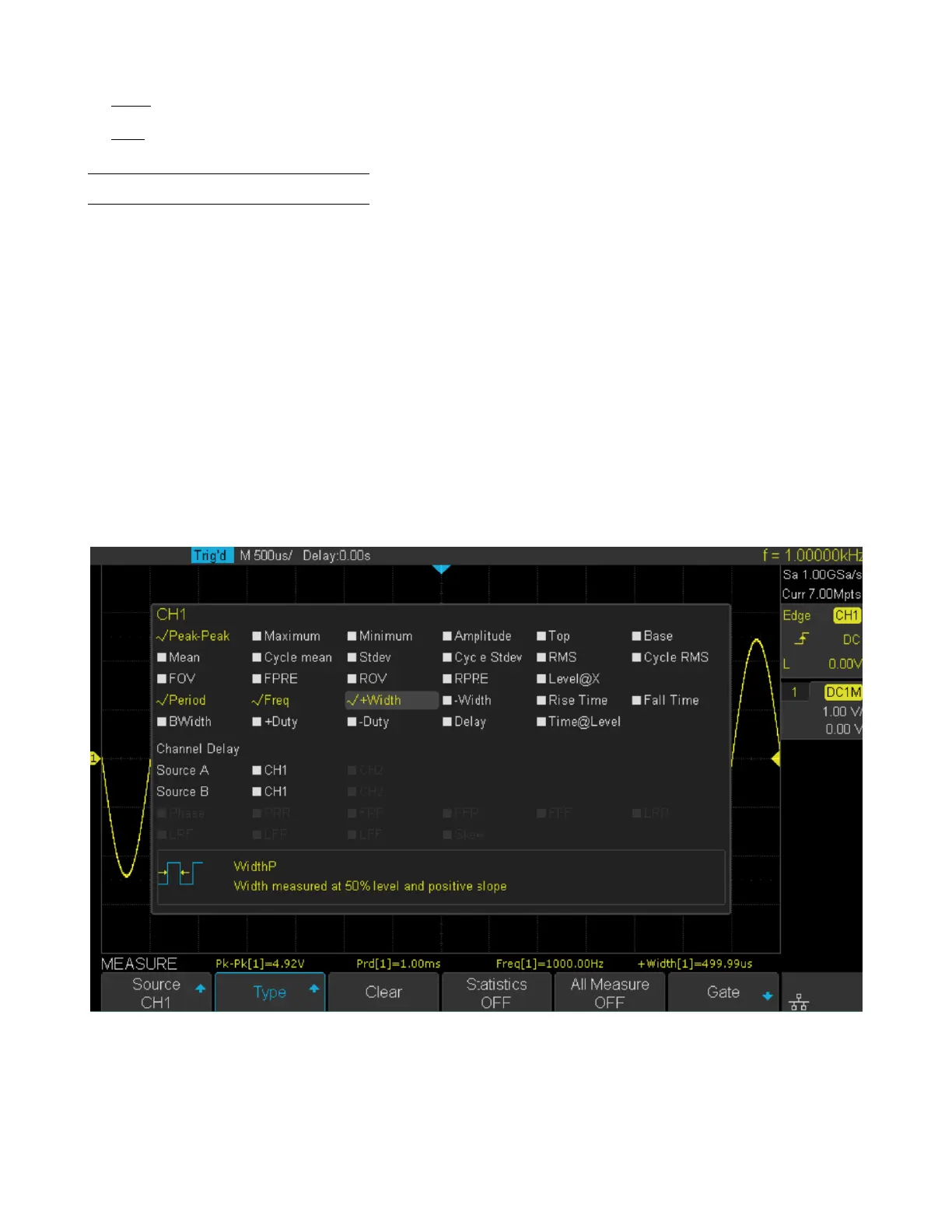
1. Press the Measure key on the front panel to enter the MEASURE function menu. At the same, the frequency and
period are enabled with the current trigger channel, the statistics also was enabled.
2. Press the Source softkey, and then use the Universal Knob to select the desired channel. Only analog channels that
are displayed are available for measurements.
3. To select and display measurement parameters. Press the Type softkey, and then turn the Universal Knob to select
the desired measurement parameter.
4. Press the Universal Knob to add the measurement parameter, the parameters and value will be shown above the
menu, and the statistics status will update.
5. To turn o the statistic function, press the Statistics softkey to select O.
The measurement display area can display 4 measurement parameters at most, and the measurements will arrange
according to the selecting order. If a fth measurement is added, the rst measurement will be deleted.
Figure 11.5 Measurement Type













 To Next Page