History
The history function can record the waveforms of the input channels before press the Run/Stop button. In run state,
the oscilloscope records input waveform continually; when the memory is full (reach the maximal frame), the new frames
will cover the old frames and keep the latest frames. To use the History function, the HORIZONTAL Format must be
set to YT. To record and replay waveform:
1. Press the History button on the front panel to enable the History function.
• When in run state, the waveform will enter the stop state.
• When in stop state, and then enable the History function, the oscilloscope will keep the stop state.
• Press History or Stop button to turn o History function.
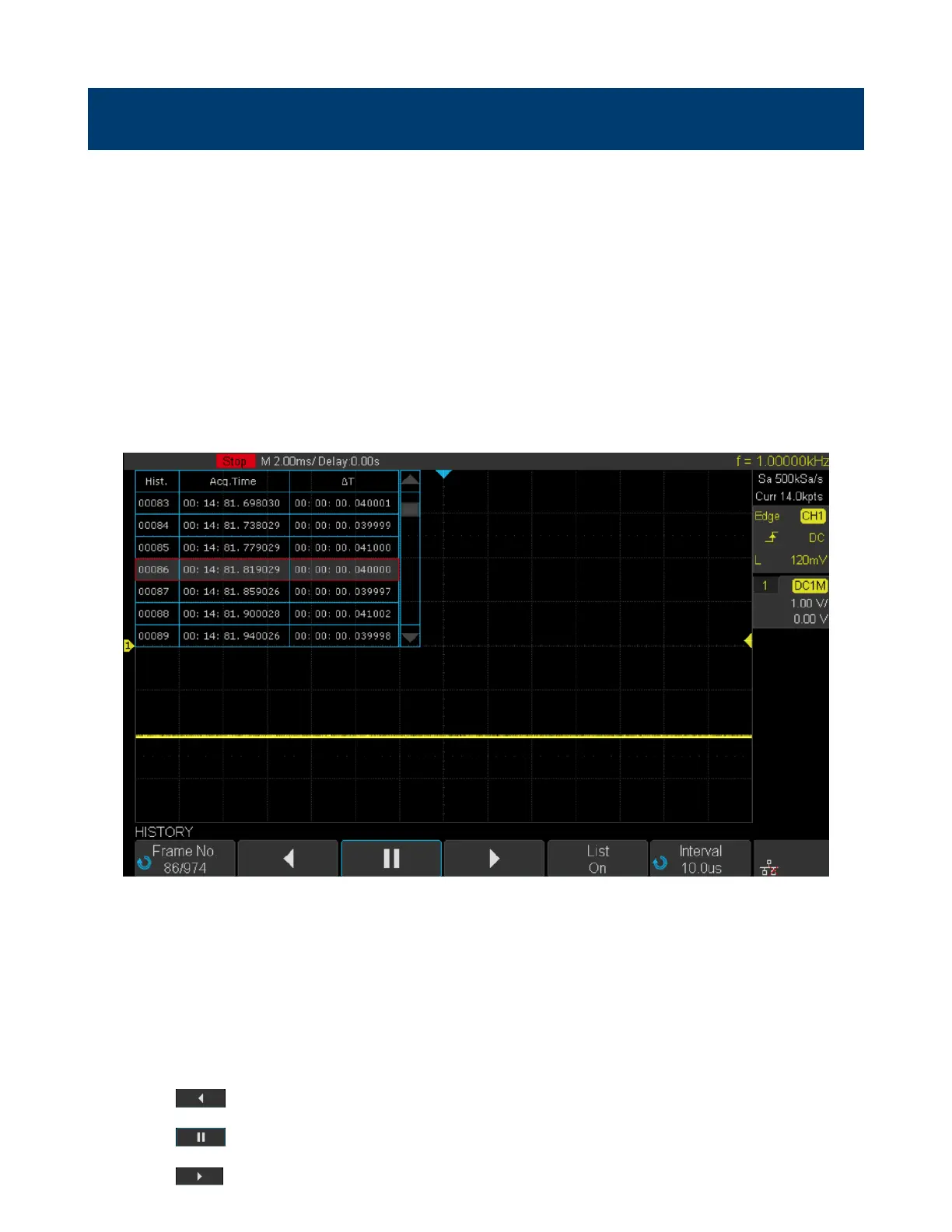
2. Press the List softkey to turn on or o the list display. The list records the timestamp of every frame. It is accurate
to microseconds.
Figure 17.1 History
3. Press the Frame softkey; then turn the Universal Knob to select the frame to display.
• The format of the Frame is A/B; A is the frames number that displaying on the screen and B is the maximal
frame number you can set.
• The maximal frame number is determined by the current sampling point (Curr value) and sampling rate
• When press the Run/Stop button or enable the history function, you may not get the maximal frames, because
the memory is not lled. So if you want to get the maximal frames, please wait for enough time for acquisition.
4. Press the softkey to replay the waveform from the current frame to 1.
5. Press the softkey to stop replay.
6. Press the softkey to replay the waveform from the current frame to the last frame.













 To Next Page