Sample Control 31
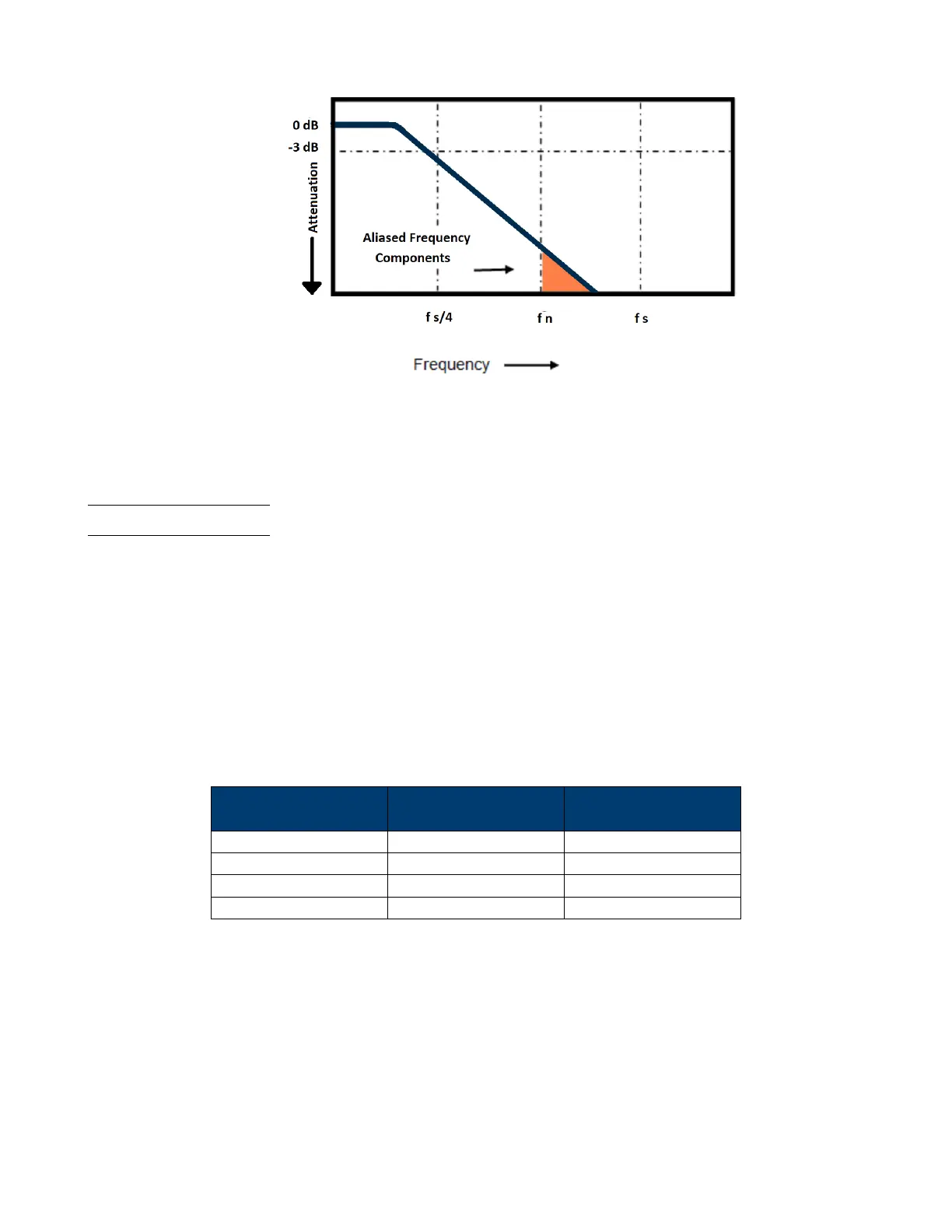
Figure 5.4 Bandwidth Limiting
In practice, an oscilloscope’s sample rate should be four or more times its bandwidth: 𝑓
𝑠
= 4𝑥𝑓
𝐵𝑊
. Doing so causes less
aliasing, and aliased frequency components have a great amount of attenuation.
5.5 Memory Depth
Memory Depth refers to the number of waveform points that the oscilloscope can store in a single trigger sample. It
reects the storage ability of the sample memory.
To set the Memory Depth:
1. Press the Acquire key.
2. Use the softkeys to select Mem Depth (Page 1/2).
3. Turn the Universal Knob to navigate the available option.
4. Push the Universal Knob to set the selected option.
The actual memory depth is displayed in the information area at the upper right corner of the screen.
Single Channel
Mode
Dual Channel
Mode
Three or Four
Channel Mode
14 k 7 k 3.5 k
140 k 70 k 35 k
1.4 M 700 k 350 k
14 M 7 M 3.5 M
Table 5.1 Maximum Storage Depth













 To Next Page