Save and Recall 115
Load the specied type of le in the external USB storage device.
1. Press the Save/Recall key on the front panel to enter the SAVE/RECALL function menu.
2. Press the Recall softkey to enter the RECALL menu.
3. Press the Type softkey to select Setup or Waveform.
4. Press the Recall from softkey to select External.
5. Press the Press To Recall softkey to enter the SAVE/RECALL le system.
6. Turn the Universal Knob to select the le to be recalled, press the Press To Recall softkey to recall the waveform
or setup.
13.4 Disk Management
Disk management aim at the save and recall operations after the oscilloscope is connected with a USB storage device.
Before using an external disk, make sure that the USB storage device is connected correctly.
13.4.1 Create a New File or Folder
This operation is only valid in external storage. The oscilloscope supports English input method. The le name or folder
name can contain letters, numbers, underscores and spaces.
Example Create a le or folder named “CSV”
1. Press the Save/Recall key on the front to enter the SAVE/RECALL function menu.
2. Press the Save softkey, and then turn the Universal Knob to select one of the type (if select
Setups, please set the Save To option to External).
3. Press the Press to Save softkey to enter the SAVE/RECAL le system.
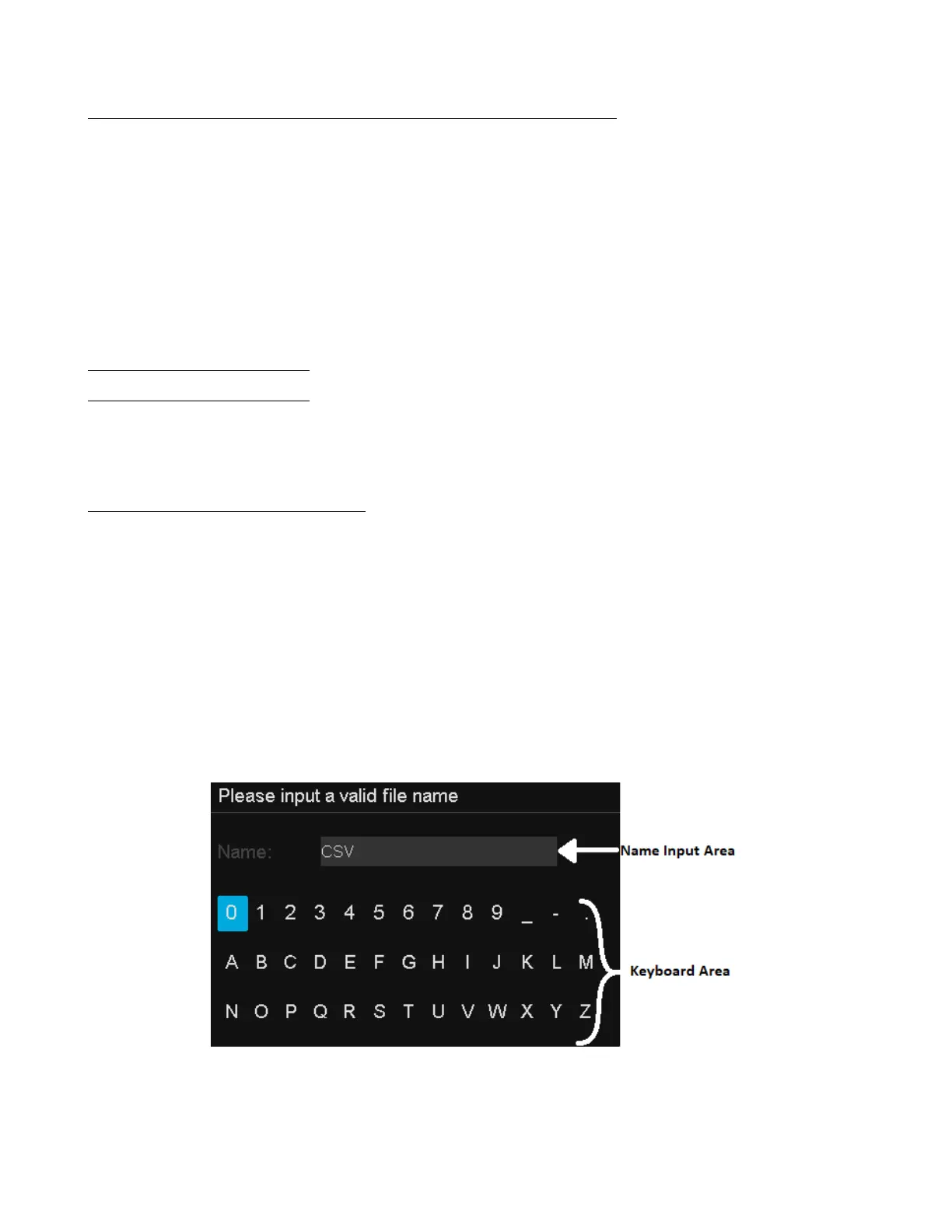
4. Press the New softkey to open the interface shown as the picture below. It divides into two
parts: name input area and keyboard area.
Figure 13.4 Input Keyboard
5. To delete the name in the name input area, press the Backspace softkey continuously to delete
the character one by one.













 To Next Page