Math 89
9.2.3 FFT Operation
FFT is used to compute the fast Fourier transform using analog input channels. FFT takes the digitized time record of
the specied source and transforms it to the frequency domain. When the FFT function is selected, the FFT spectrum
is plotted on the oscilloscope display as magnitude in dBV versus frequency. The readout for the horizontal axis changes
from time to frequency (Hertz) and the vertical readout changes from V to dB.
FFT operation can facilitate the following works:
• Measure harmonic components and distortion in the device under test
• Measure the characteristics of the noise in DC power
• Analyze vibration
To display a FFT waveform
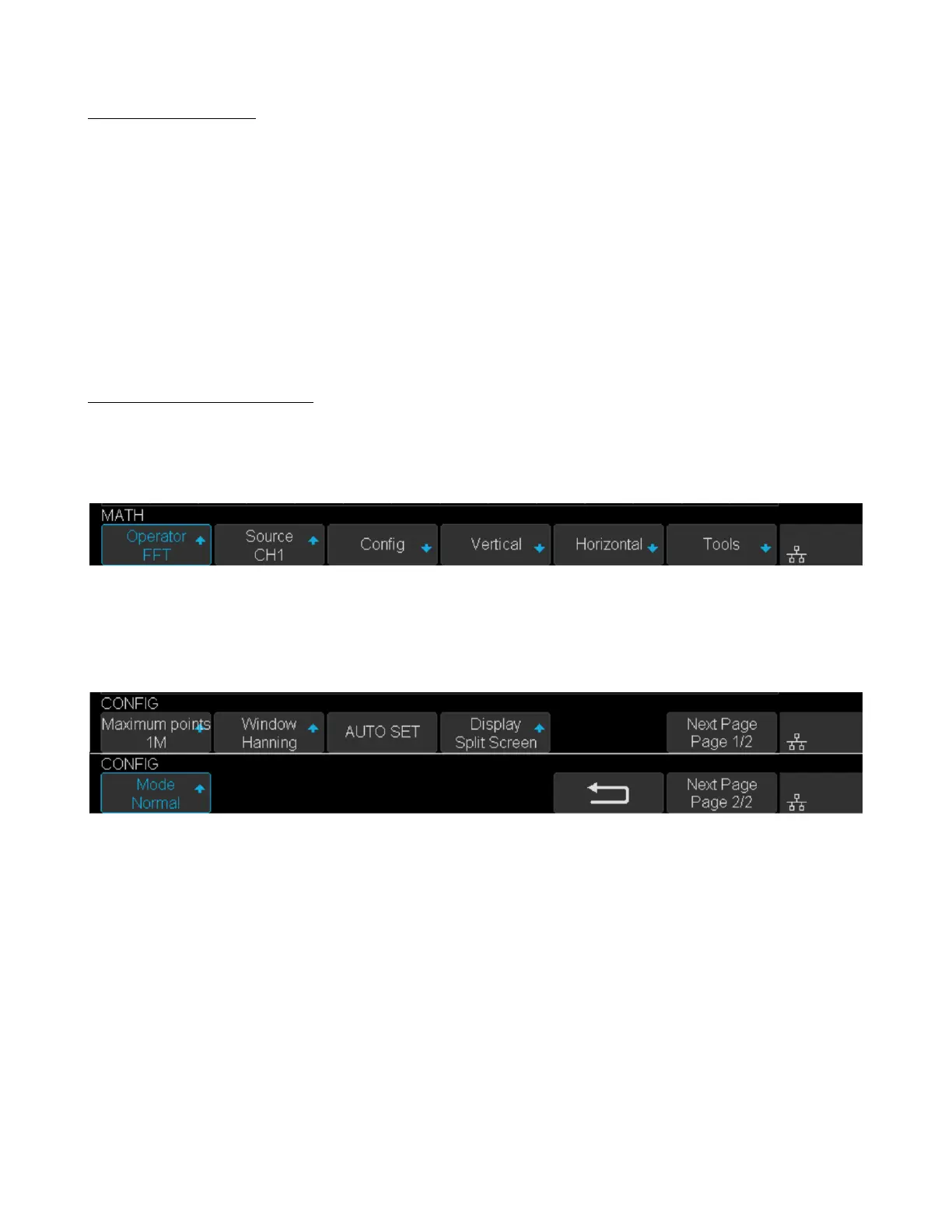
1. Press the Math key on the front panel to open the MATH function menu.
2. Press the Operator softkey and then turn the Universal Knob to select FFT. The resulting math waveform is
displayed in white and labeled with “M”.
Figure 9.3 FFT Menu
3. Press the Source softkey, and then turn the Universal Knob to select the source to do FFT operation. Analog
channels can be used as the source.
4. Press the Cong softkey to enter CONFIG menu.
Figure 9.4 FFT Cong Menu
• Press the Maximum points softkey, and then turn the Universal Knob to select the Maximum points.
• Press the Window softkey, and then turn the Universal Knob to select an appropriate window.
Spectral leakage can be considerably decreased when a window function is used. The oscilloscope provides ve
windows (Rectangle, Blackman, Hanning, Hamming and Flattop) which have dierent characteristics and are
applicable to measure dierent waveforms. Select the window function according to dierent waveforms and their
characteristics. Refer to table 9.2 to make an appropriate option according to the input signal.













 To Next Page