Sample Control 35
5.9 Average
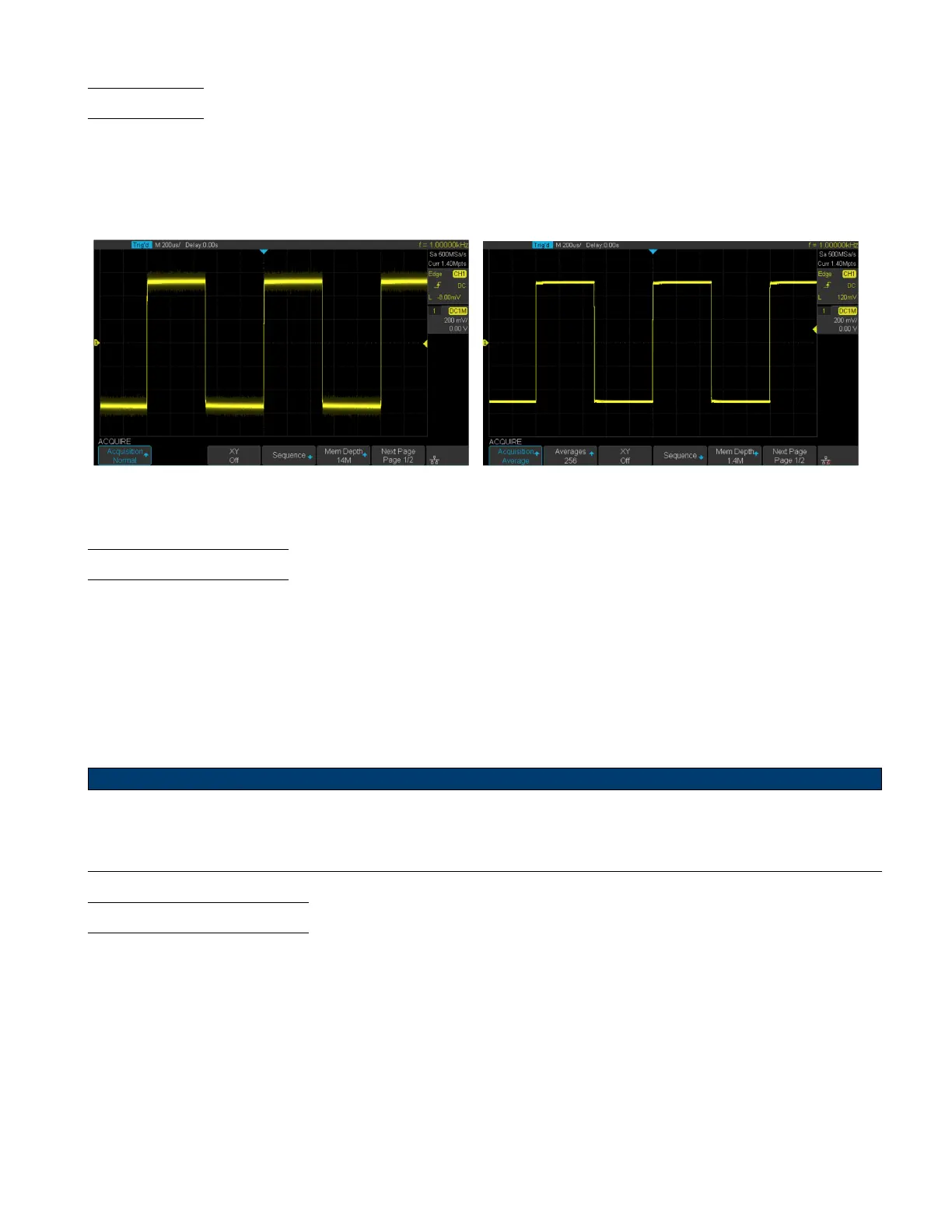
In Average mode, the oscilloscope averages the waveforms from multiple samples to reduce the random noise of the
input signal and improve the vertical resolution. The greater the number of averages is, the lower the noise will be and
the higher the vertical resolution will be.
Average mode slows the response of the displayed waveform.
Normal Acquisition Average Acquisition
Figure 5.9 Average Acquisition
5.10 Eres Acquisition
Eres mode uses an ultra-sampling technique to average the neighboring points of the sample waveform to reduce the
random noise on the input signal and generate smoother waveforms.
Eres mode is generally used when the sample rate of the digital converter is higher than the storage rate of the acquisition
memory.
Eres mode can be used on both single-shot and repetitive signals. It does not slow down the waveform update, but it
does limit the oscilloscope’s real-time bandwidth, because it acts like a low-pass lter.
Note:
Average and Eres mode use dierent averaging methods. The former uses a Waveform Average method, the latter
uses a Dot Average method.
5.11 Horizontal Format
The XY mode can be used to compare frequency and phase relationships between two signals.
XY mode can also be used with transducers to display strain versus displacement, ow versus pressure, volts versus
current, or voltage versus frequency.
To enable XY mode:
1. Press the Acquire key.
2. Press the XY softkey to toggle XY mode.













 To Next Page